For auto repair shops
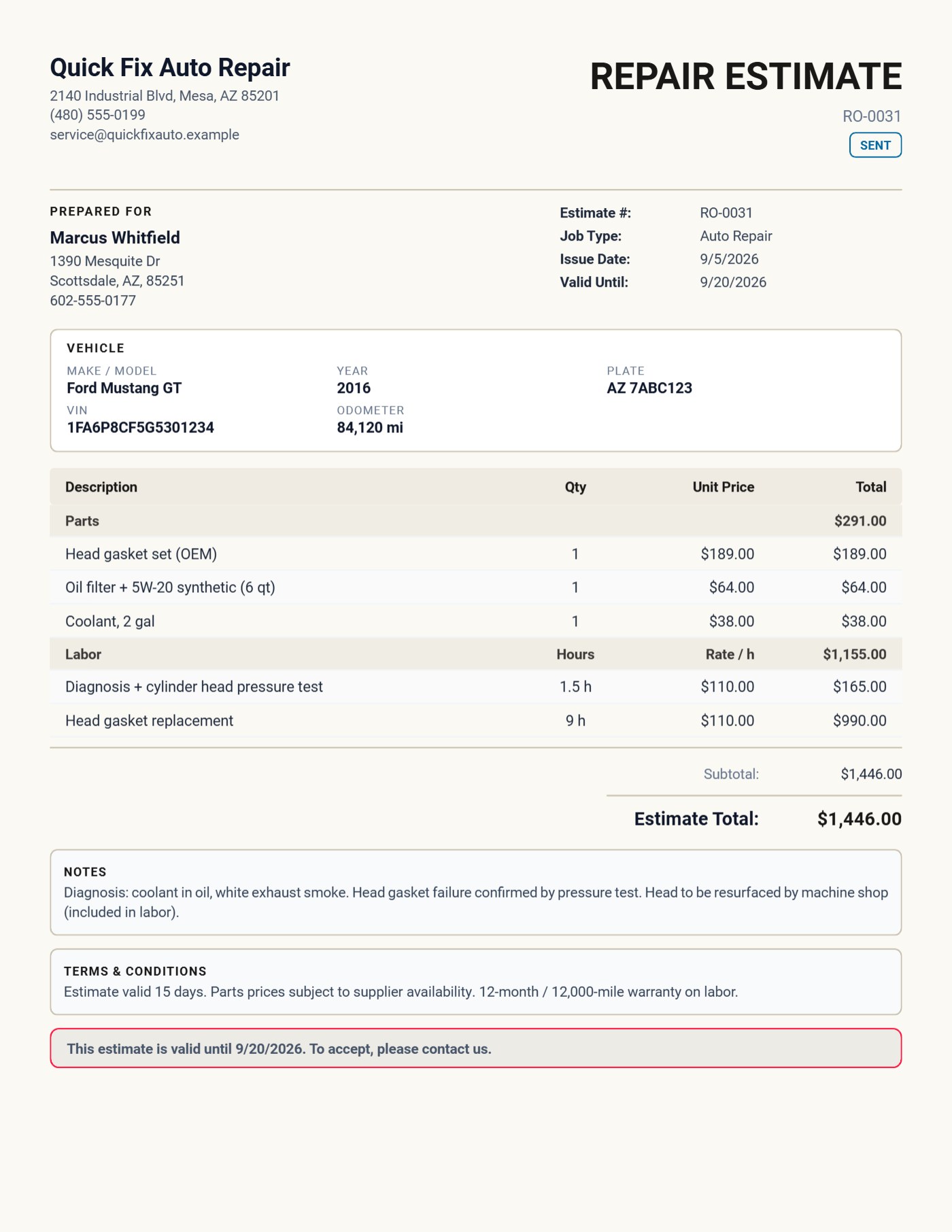
Repair estimates with the car at the top and parts and labor in their own tables.
Make, model, year, plate, VIN and odometer on every quote. Labor as hours × your rate, parts priced per item, the customer's signature on the device, and the approved estimate turned into the invoice in one tap. 100% offline. $149.95 once.
Quick answer
What is the best invoicing app for a small auto repair shop?
A repair quote has to name the vehicle, keep parts and labor apart, show the hourly rate, and get the customer's approval before the work starts. Daily Invoice Maker has a dedicated Auto Repair estimate that does exactly that, prints in English or Bulgarian, works fully offline, and costs $149.95 once on Windows and Mac; the Android app is a separate Google Play purchase.
4.9 rating 500+ service businesses 30-day money-back guarantee
Watch it work
Quote the repair, get it approved, invoice it — from the same screen.
Built for the workshop, not the accountant
A repair quote is not a generic invoice.
Customers want to see which car, which parts, how many hours, and at what rate — before they say yes. Generic invoicing apps make you fake all of that in the description column.
The old way
Good mechanics. Messy paperwork.
- The VIN and plate typed into a notes box, or forgotten
- Parts and labor mixed into one list with no hourly rate shown
- Approval by phone call, nothing signed, disputes later
- Re-typing the whole quote to make the invoice
With Daily Invoice Maker
One estimate, laid out like a repair order.
- Vehicle block: make, model, year, plate, VIN, odometer
- Parts table and Labor table — hours × rate, subtotals for each
- Customer signs on the phone or tablet; it prints on the PDF
- Convert to invoice in one tap — the car and the tables come with it
The workflow
Three screens that run a repair shop's paperwork.
The Auto Repair estimate
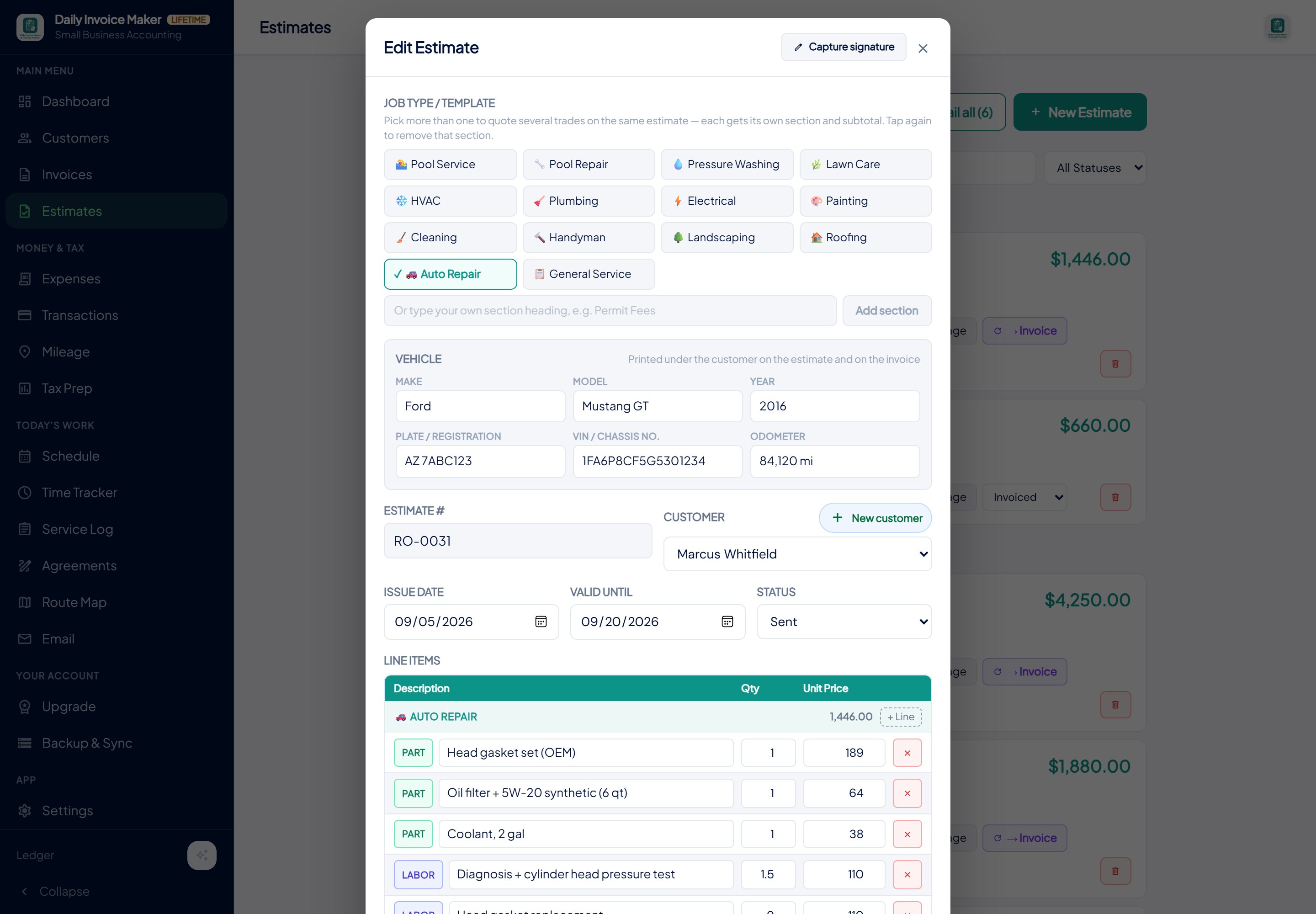
Tap the Auto Repair job type and the Vehicle card appears. Mark each line Part or Labor; labor lines are hours times your hourly rate, which the app remembers for next time.
The PDF the customer signs
Titled Repair Estimate, vehicle under the customer, Parts then Labor with hours and rate, diagnosis in the notes, valid-until banner, signature lines. Cyrillic, Greek and Turkish text print correctly.
In your language
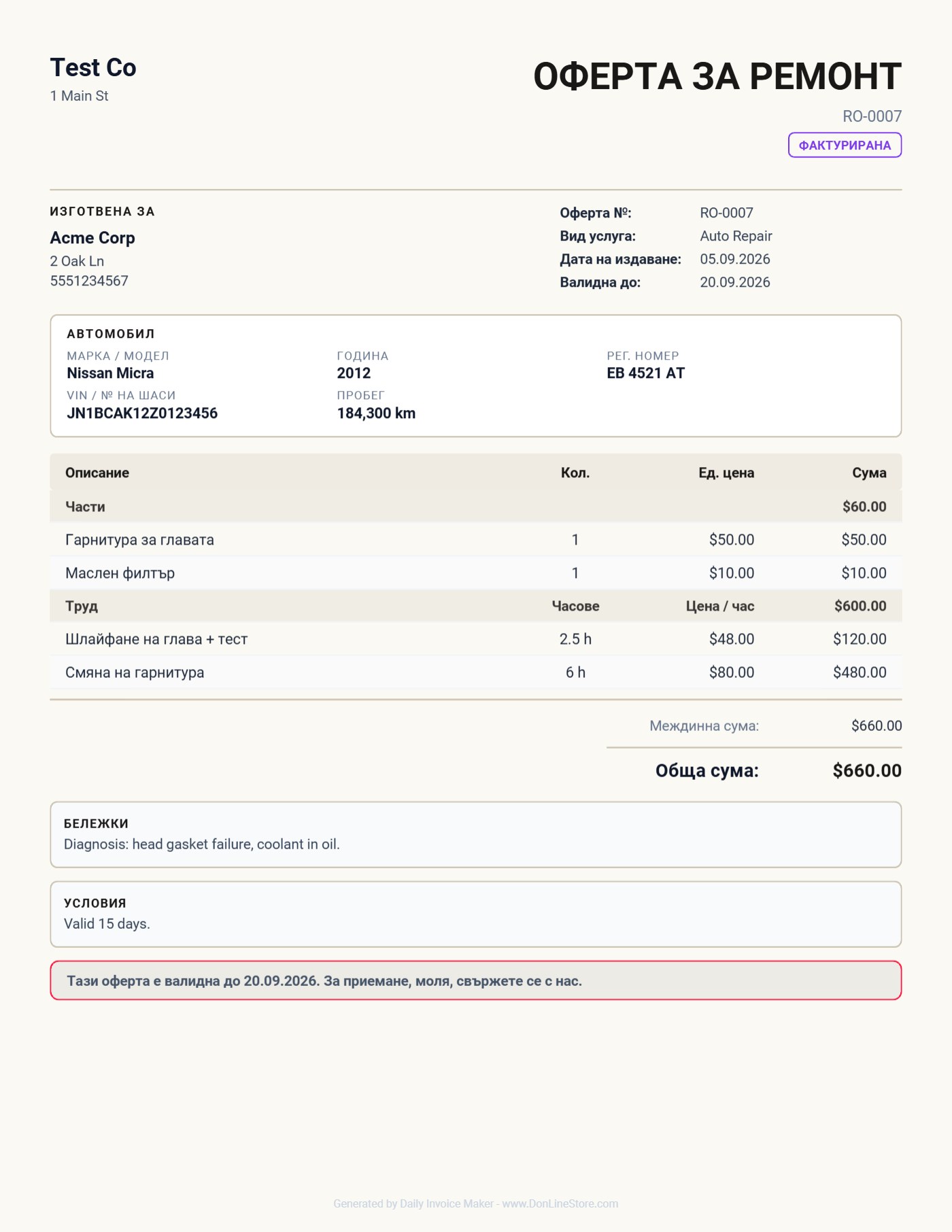
One setting switches every fixed label on the estimate and the invoice — titles, headings, totals, signatures, dates. Bulgarian today, more on request.
The estimate finally looks like a repair order: the car at the top, parts in one table, labor in another with my hourly rate. The customer signs it on my phone and the invoice is one tap. No cloud, no monthly fee.
Representative testimonial from a service-business owner.
What your customer actually gets
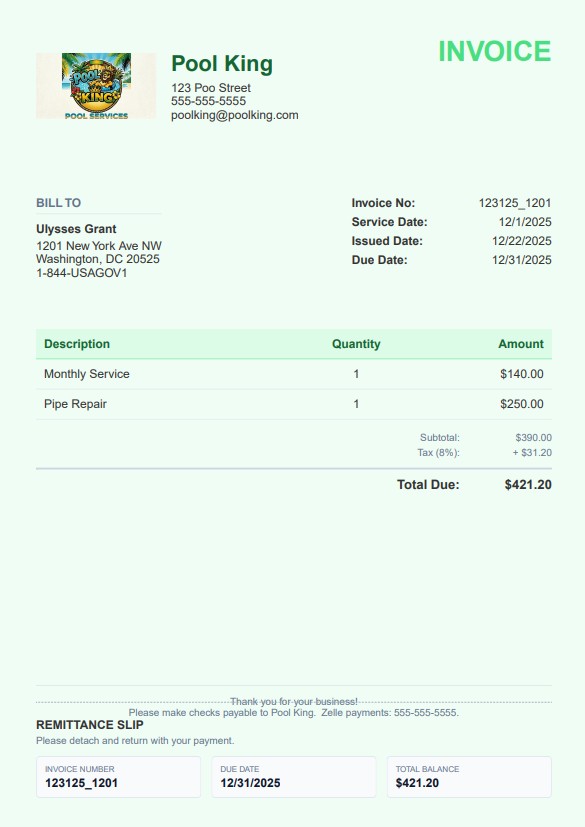
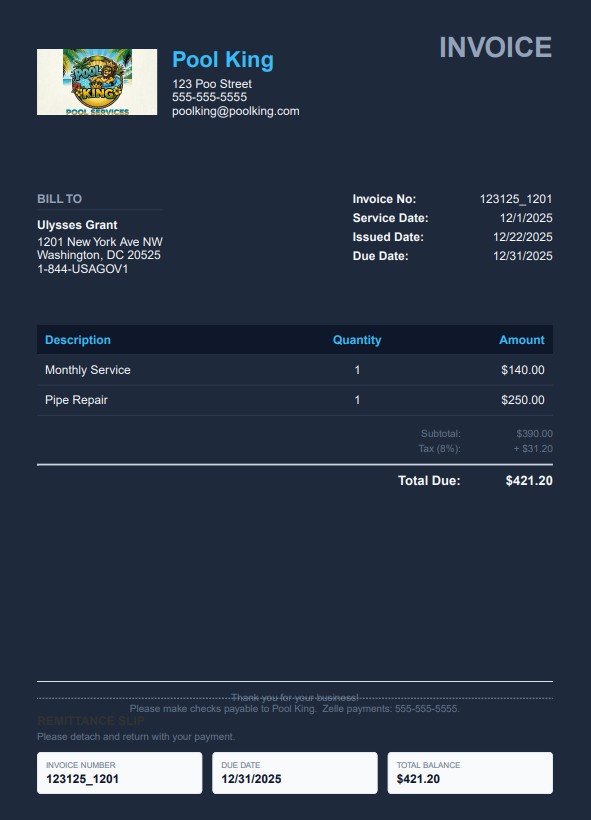
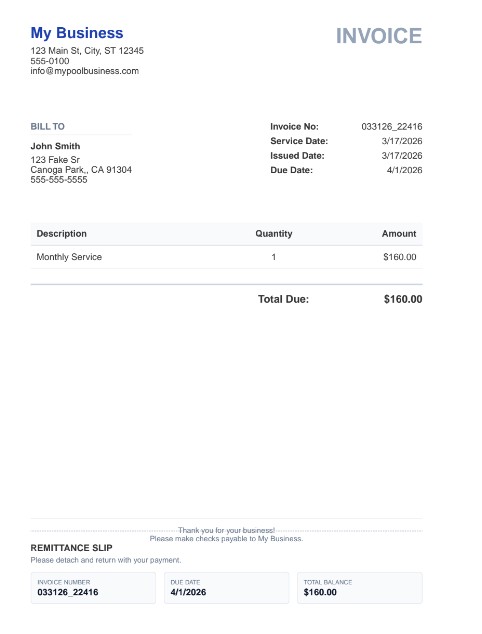
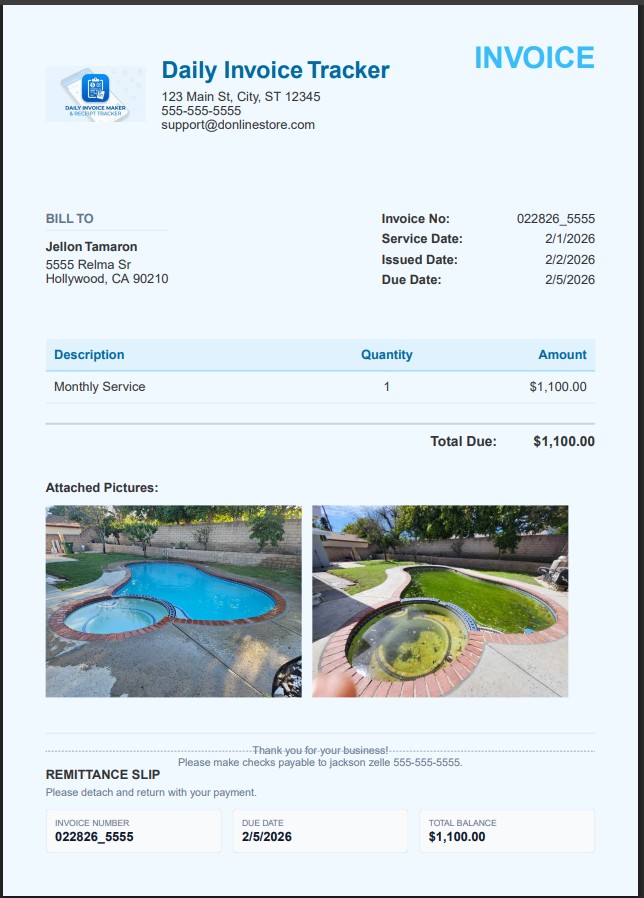
Real invoices exported from the app — your logo, your colours, a tear-off remittance slip, and photos of the job when you attach them. Pick a look in Settings; it applies to every invoice, estimate and agreement you send. Bill in your own currency — dollars, pounds, euros, rupees and more, with the symbol and number format applied everywhere.
Pay once. Own it forever.
One brake job pays for it. Every repair order after is yours.
$149.95 once — or $5.95/mo. Free demo first: every feature, your first 7 invoices.
30-day money-back guarantee Windows & Mac · Android on Google Play 100% offline
Questions
Auto-repair questions, answered.
What's the best invoicing app for a small auto repair shop?
Daily Invoice Maker has a dedicated Auto Repair estimate: the vehicle (make, model, year, plate, VIN, odometer) prints at the top, parts and labor sit in separate tables with hours and an hourly rate, the customer signs on the device, and the approved estimate converts to the invoice in one tap. It runs 100% offline and costs $149.95 once, with no monthly subscription.
Can the repair estimate show parts and labor separately?
Yes. Each line is marked Part or Labor. Labor lines are hours times your hourly rate, and the PDF prints a Parts table and a Labor table with their own subtotals, the way a European repair quotation is laid out.
Can I print the estimate and invoice in another language?
Yes. Settings has a PDF language option. Every fixed label on the estimate and invoice — titles, headings, table headers, totals, signatures, the remittance slip and the date format — switches language. Bulgarian is available today alongside English, and Cyrillic, Greek, Turkish and Vietnamese text all print correctly.
Does it work without internet in the workshop?
Yes. Everything — estimates, invoices, customers, vehicle details, PDFs — is stored on your own computer or phone. No account, no cloud, no internet needed. Optional Google Drive sync keeps a laptop and a phone in step when you want it.
Other trades