bank formats imported, including Venmo, Cash App, Zelle, PayPal and other bank statements
Sched C + E
both, per business, plus TurboTax export
$0/mo
one payment, every future update included
Offline
your data in a local file, never on our servers
Video demo
See the app in 30 seconds, and the invoice your customer receives
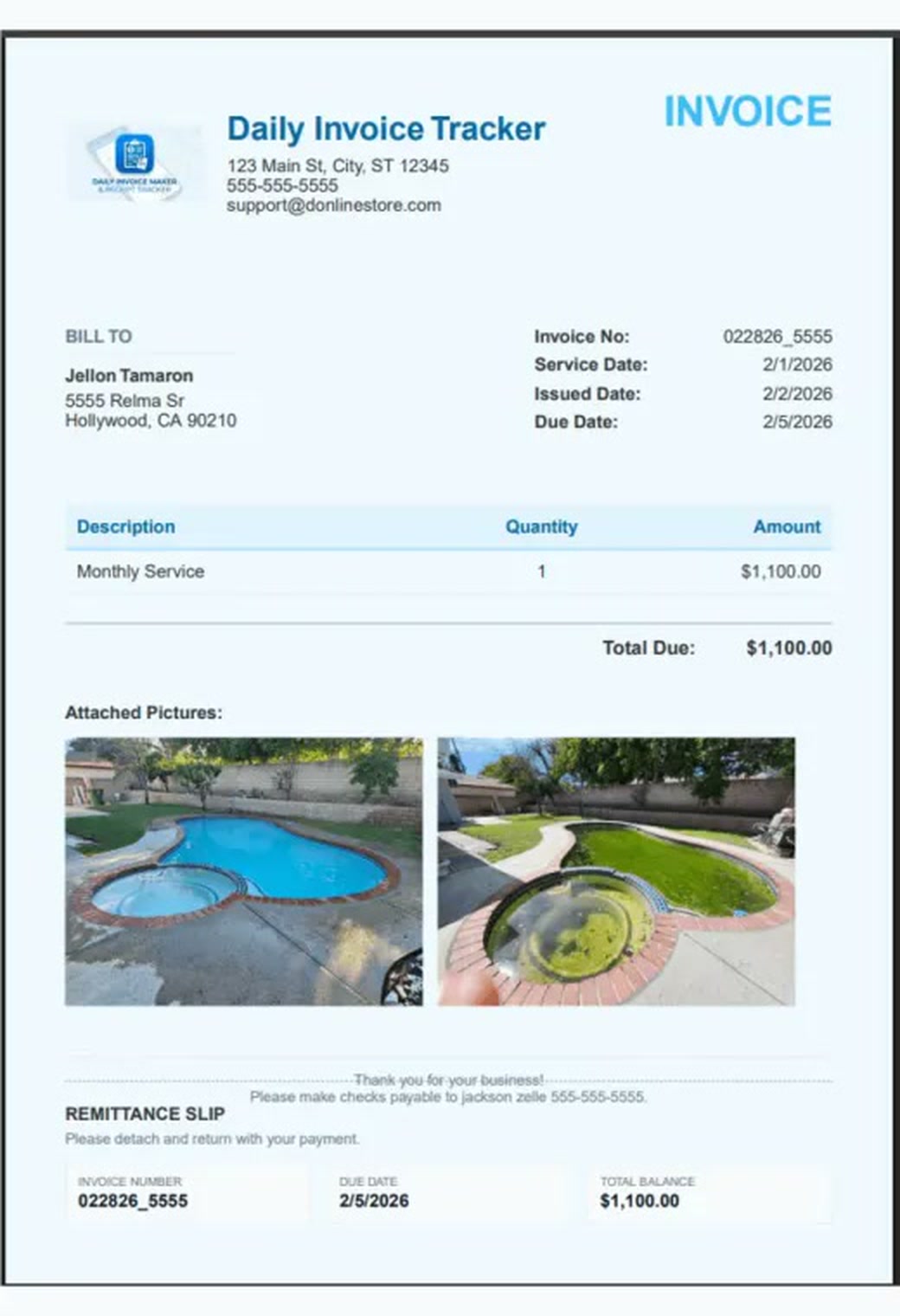
First, the walkthrough. Below it, a real invoice the app produced: your logo, the job, before-and-after photos attached, a remittance slip at the bottom for customers who still pay by cheque. No template to buy, no designer, nothing to set up beyond your business details. Bill in any of 24 currencies, from dollars to pounds and euros, with VAT, GST or sales tax at your rate. Set both once in Settings and every invoice and estimate follows.
Your logo & detailsPhotos on the invoiceRemittance slipPDF, JPG or print12 templates24 currencies · VAT or GST
Two documents the app exports: an invoice with before-and-after photos attached, and a repair estimate with the vehicle at the top and parts and labor in their own tables. Click either one to bring it forward.
What it does
From the first invoice to the tax packet, in one app
Bulk invoicing
Send every monthly invoice in one click
Create invoices for a whole customer list at once: set dates, attach photos, apply late fees, then email the entire batch in one action, with a progress bar rather than a spinner and a prayer. Estimates work the same way, and convert to invoices when accepted.
Payment tracking
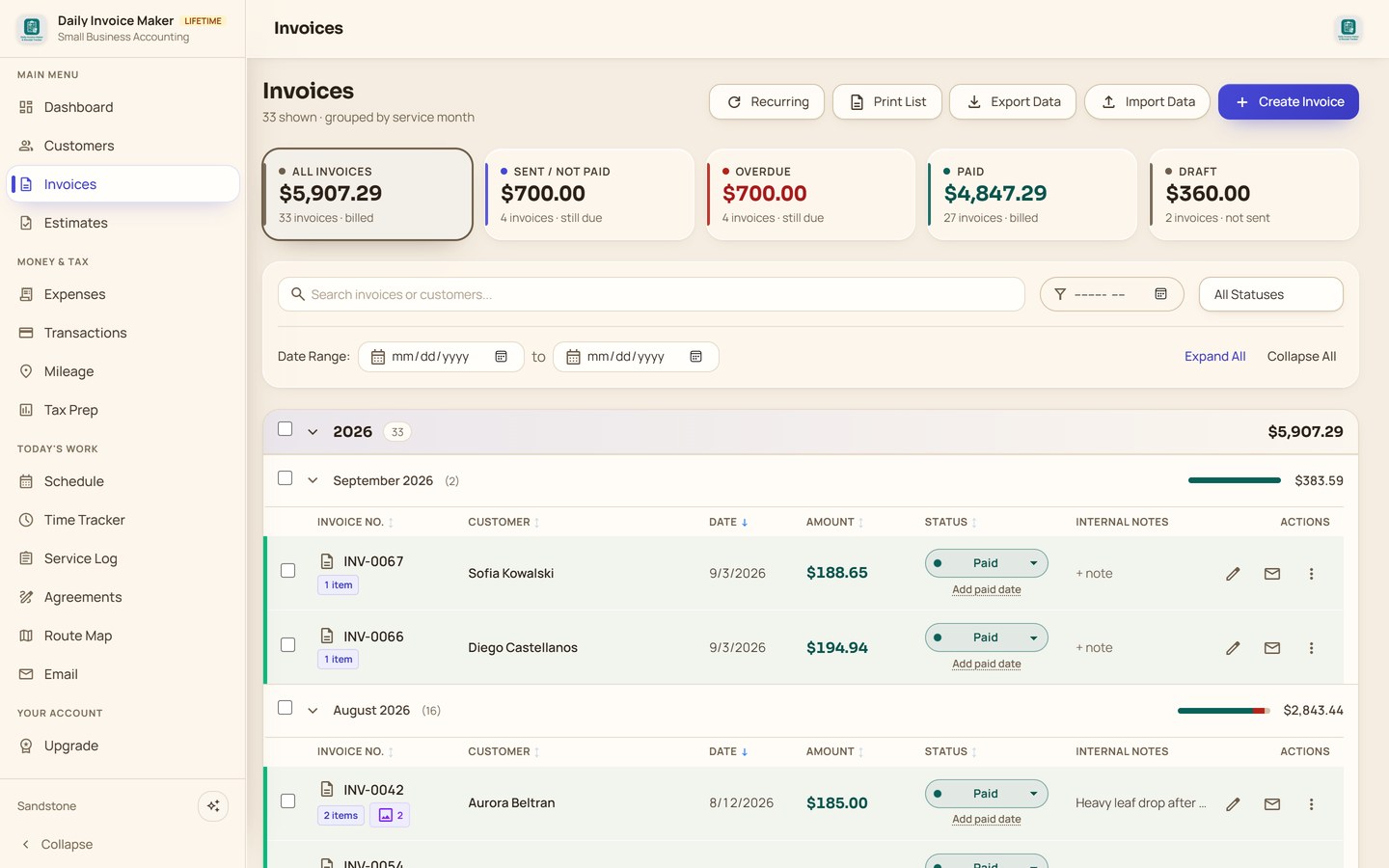
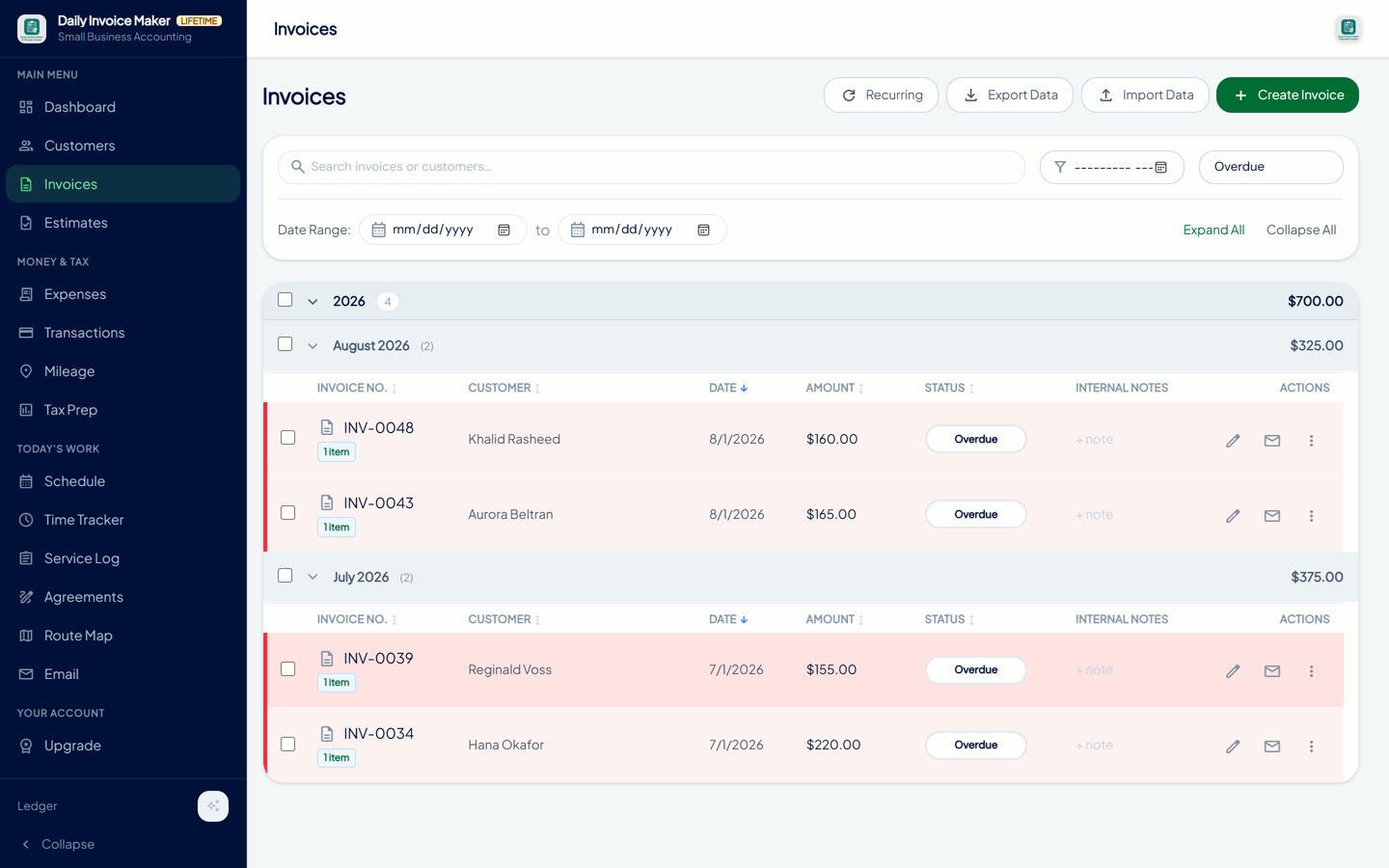
See who has paid and who is overdue, at a glance
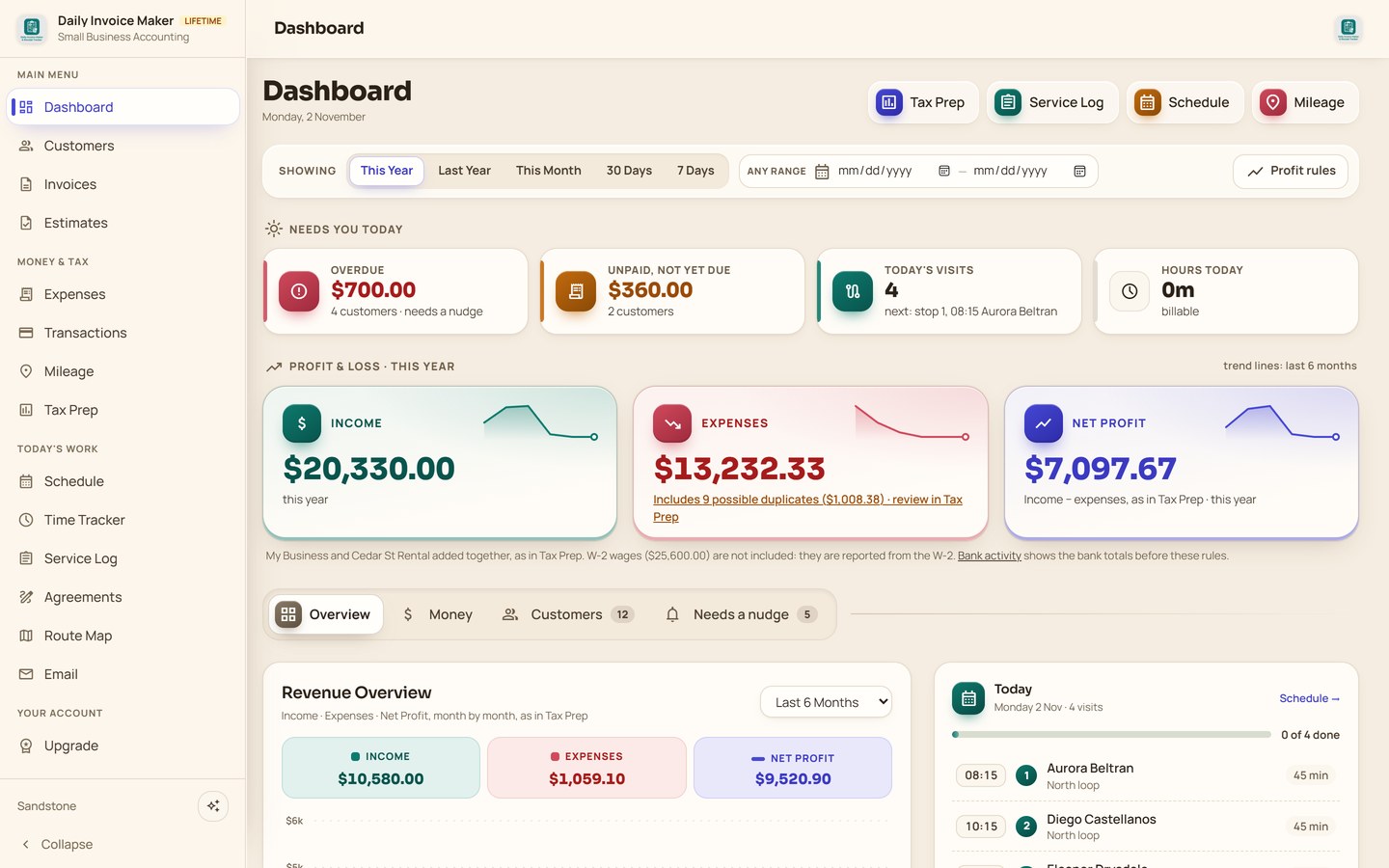
Every customer carries a running position: billed, paid, partial paid, still owed and overdue, sortable so the people to chase float to the top. Partial payments are tracked properly rather than rounding to paid or unpaid.
OverduePartial paidPaidSentDraftRefund / credit
Reminder emails
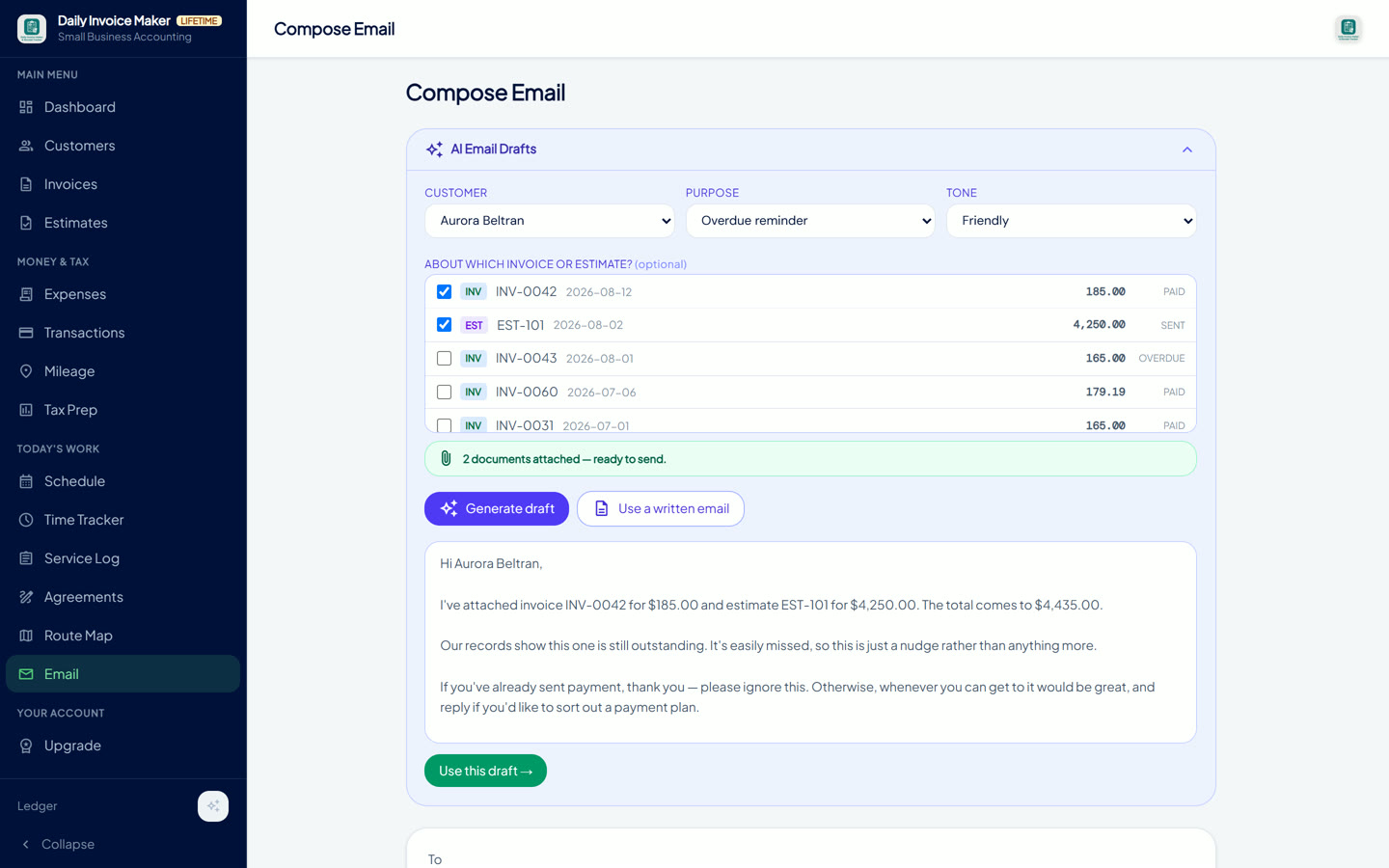
Payment reminders written for you, with the invoice attached
Pick a customer, a purpose and a tone. Get a draft with the invoice numbers and amounts already in it, and the PDFs attached in the same step. AI-written if you've set up a key, and 24 ready-made emails covering every combination if you haven't, so it works with no account and no internet.
Service agreements
Agreements drafted for your trade and signed on screen
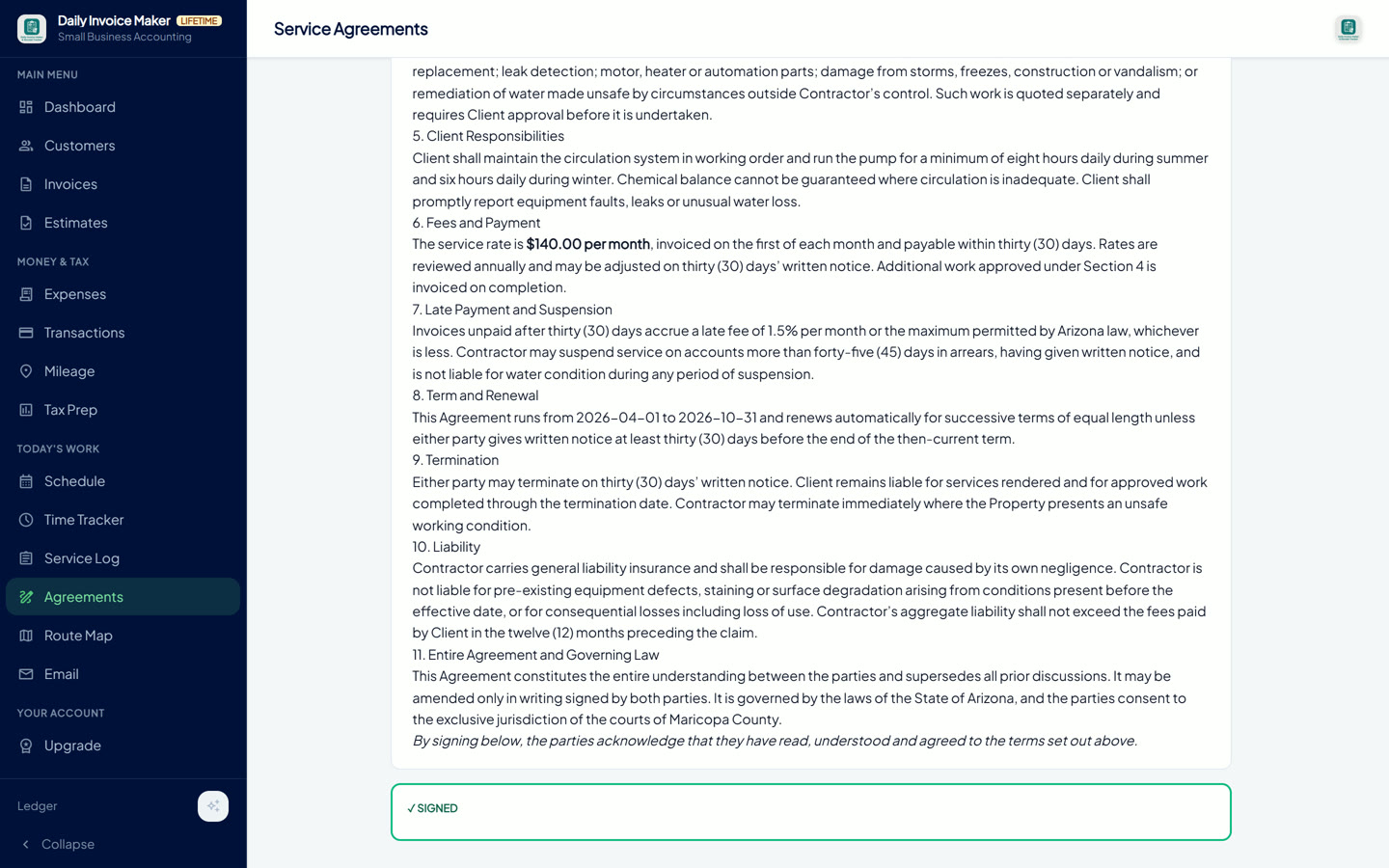
Describe the job in your own words and the AI drafts a full service agreement for your trade: scope, schedule, what's excluded, fees and late payment, termination, liability. Your policies become the customer's terms, in writing, before the first visit.
Send it, have the customer sign on screen or on paper, and the signed copy stays on the record beside their invoices, so "you never told me that" has an answer.
AI-drafted from a descriptionStarter templates per tradeCustomer signatureDraft → Pending → SignedRenew or duplicate
Products & rates
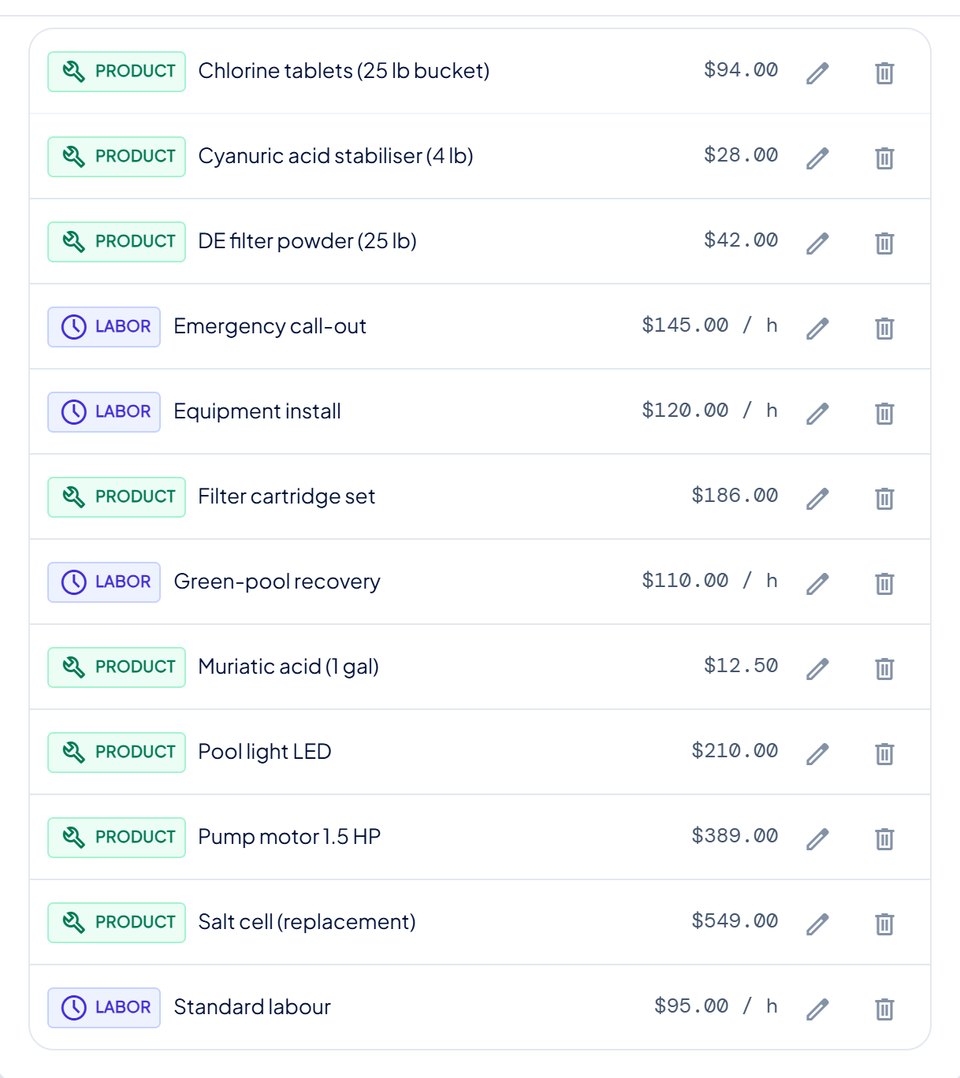
Your parts list and labor rates, saved once
Keep every part, chemical and fixed-price service with its own price, and every labor rate by the hour: diagnostic, standard, emergency call-out. Settings holds the list; you build it once and stop looking prices up.
On any line of an invoice or an estimate, pick a saved entry and the description and price fill themselves in. A labor line is hours times the rate, and half an hour stays half an hour, so a 30-minute diagnostic is not quietly billed as an hour.
Parts priced per unitLabor priced per hourPick it on any lineParts and labor print separately
Bank statement import
Import your bank statement and match it to your books
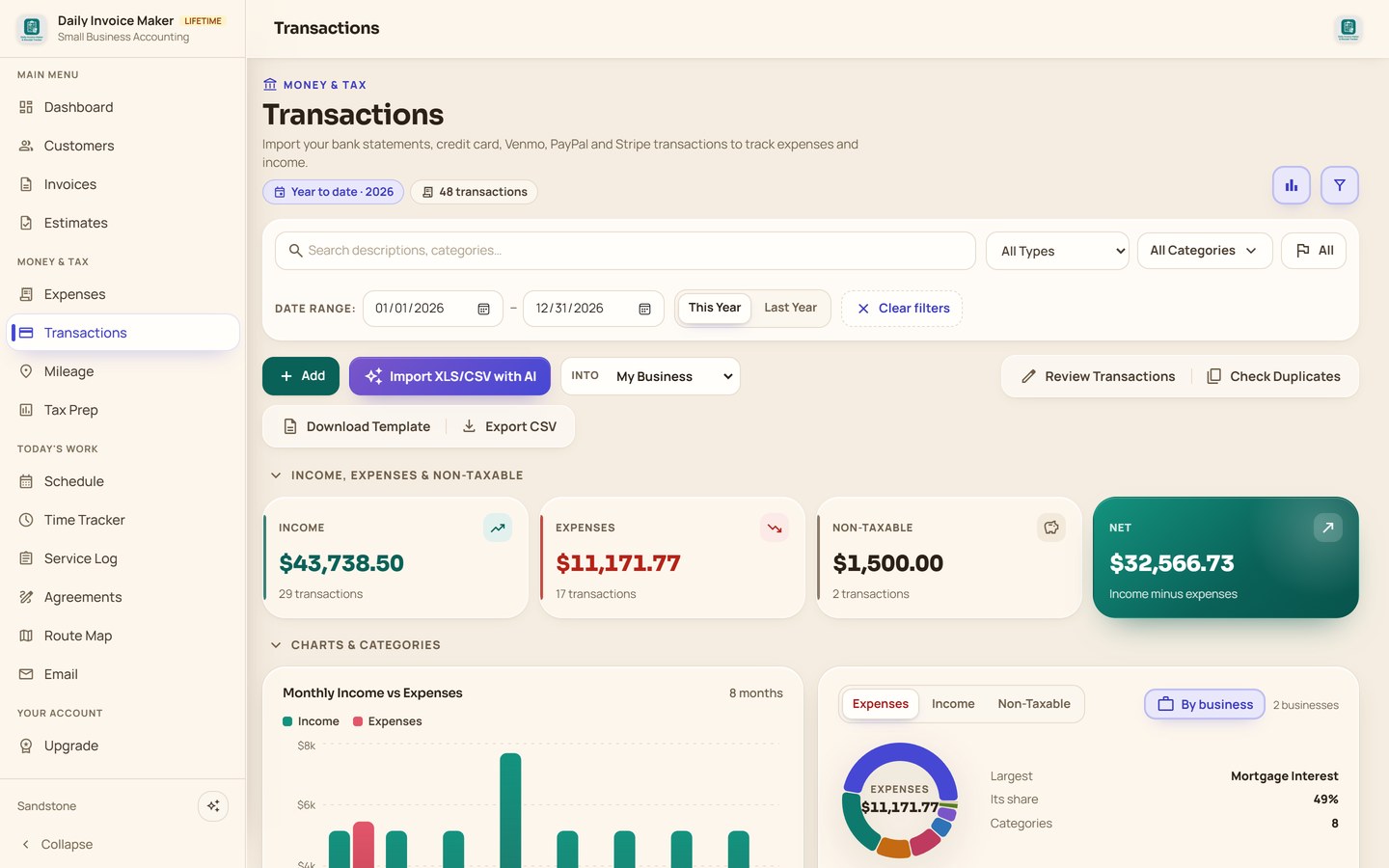
Import statements in 16 formats, including Venmo, Cash App, PayPal, Stripe and Zelle. Transactions are categorized, duplicates against photographed receipts are flagged, and what comes out is a real profit-and-loss position rather than a pile of rows.
ChaseBank of AmericaWells FargoVenmoCash AppZellePayPalStripeSquare+ 7 more
Receipt scanning
Photograph a receipt and the expense records itself
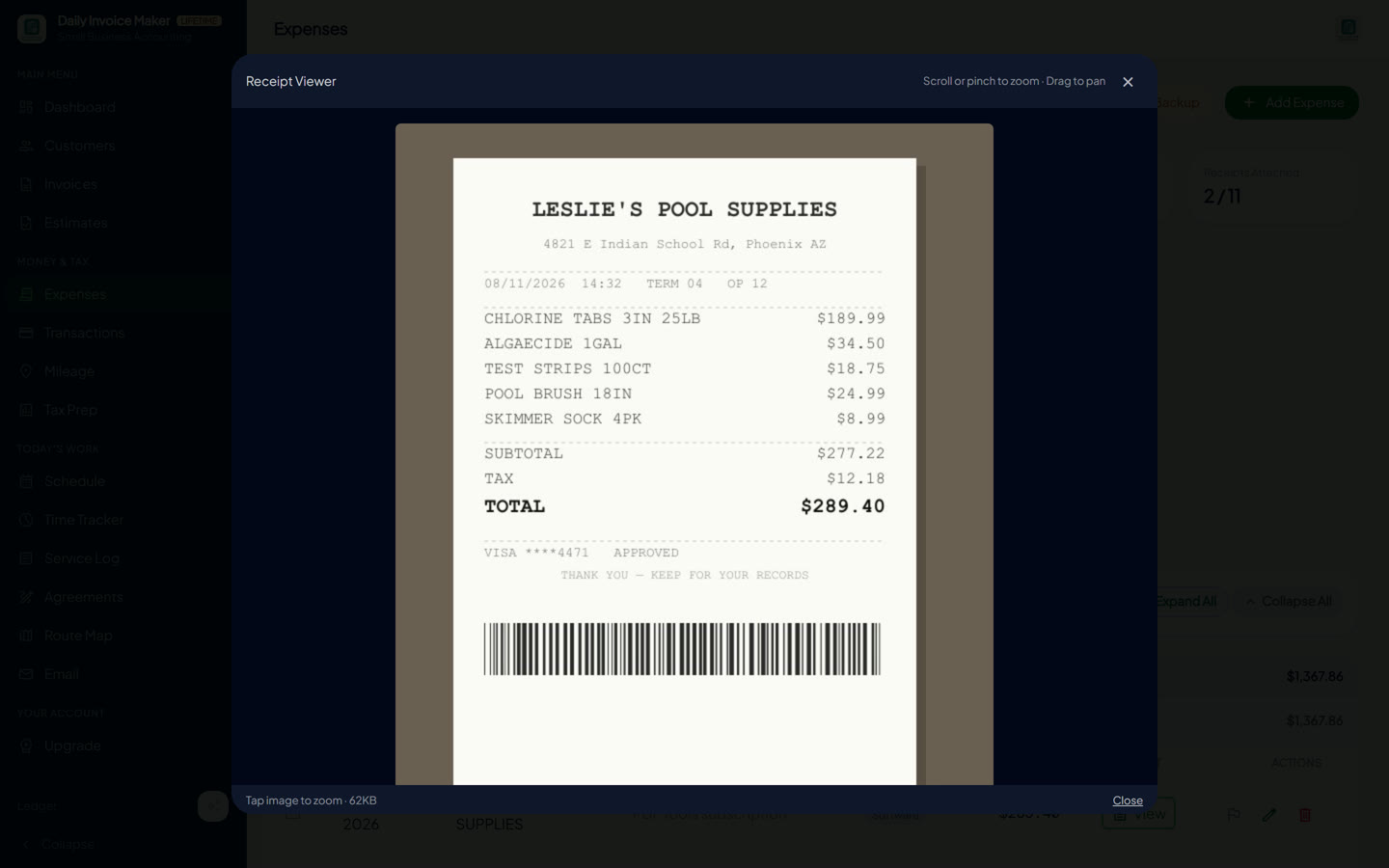
Snap a receipt and the merchant, date, total and category are read off it and saved as an expense, with the photo attached, so the record that substantiates the deduction is on the row, not in a shoebox. Import a stack at once, export a report, and see spending by category as you go.
When the same purchase also shows up on a bank statement, it's flagged as a possible double-count before it can inflate your expenses, and the receipt copy wins, because it holds the category and the photo.
Camera or photo importBulk importCategory chartsDuplicate check vs. bank rowsExport report
Tax prep
Export your whole year to TurboTax, QuickBooks or your accountant
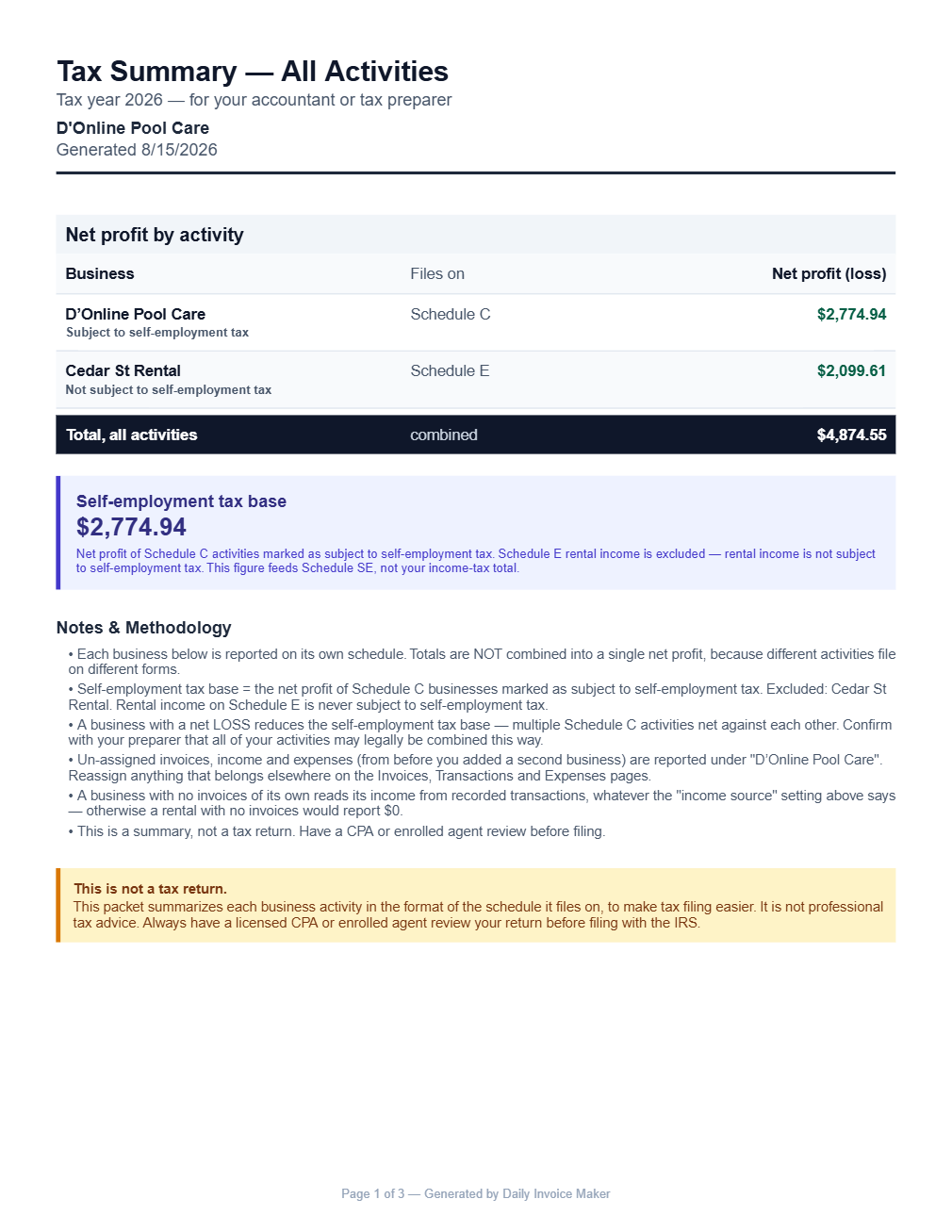
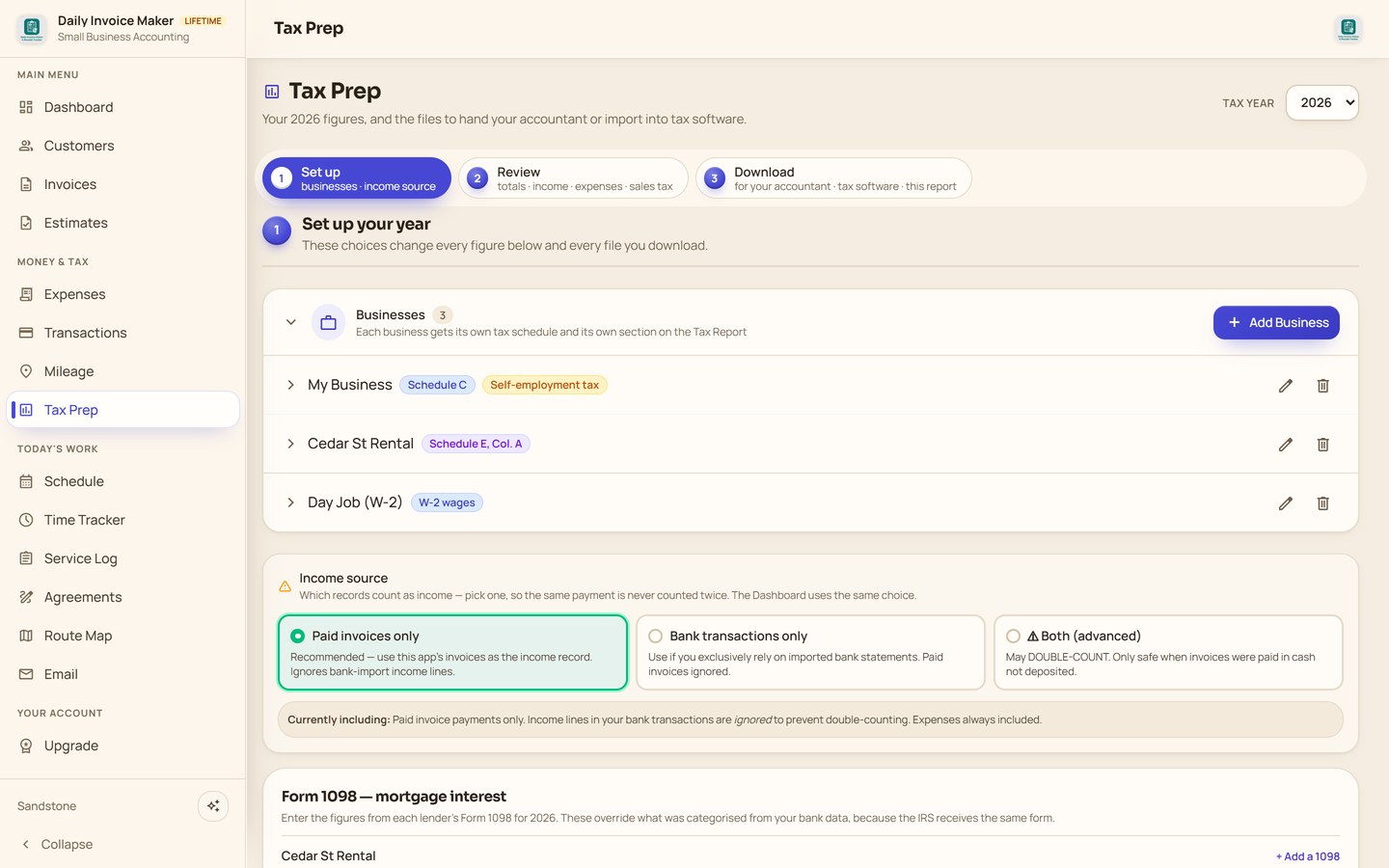
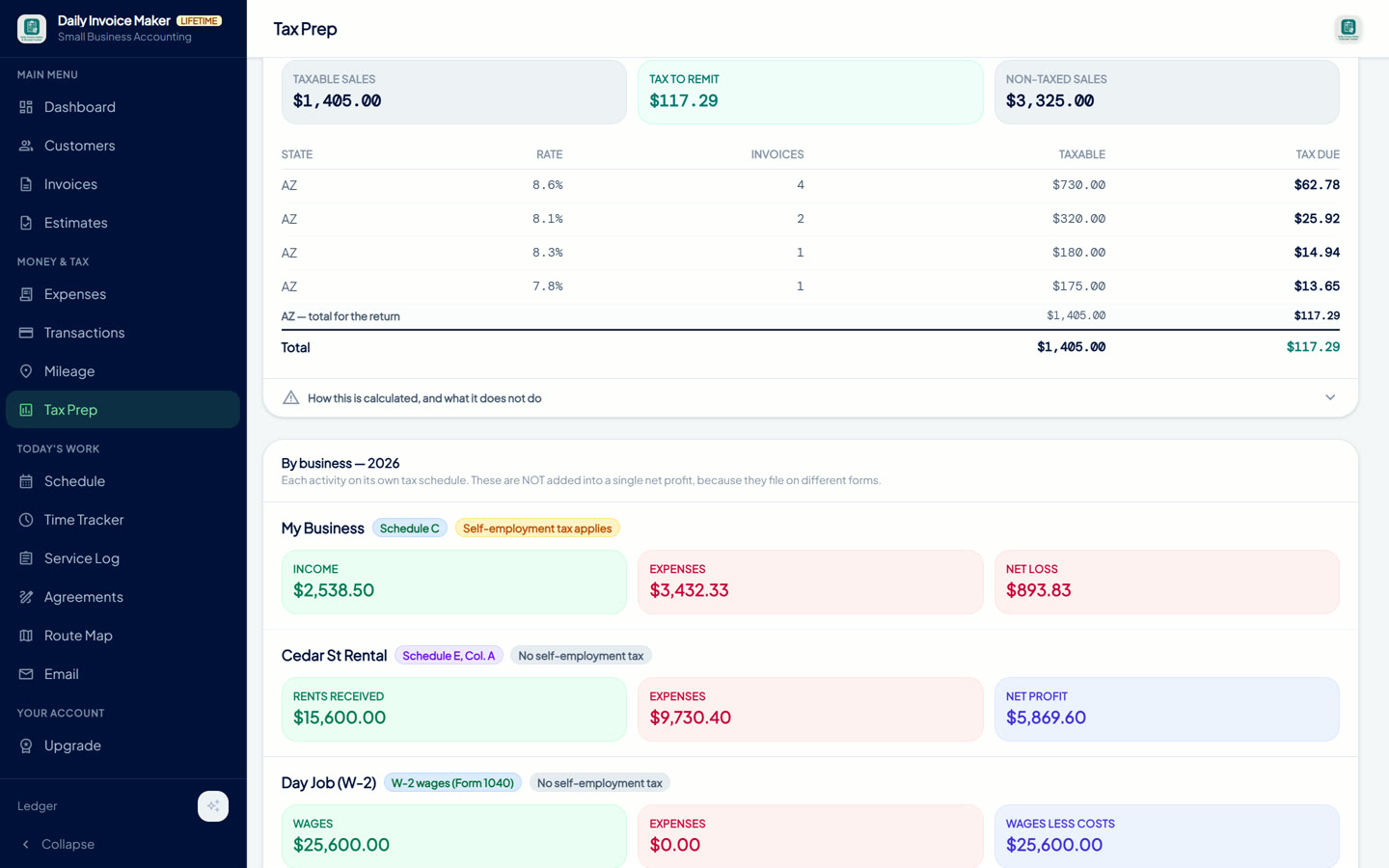
Schedule C and E summaries, a per-business PDF packet for your accountant, and a TurboTax-importable TXF export, verified against an actual TurboTax import, not exported and hoped for. Rentals get Form 1098 reconciliation with mixed-use allocation. Mileage flows through as a deduction.
Sales tax
Sales tax totals by state and rate, ready to file
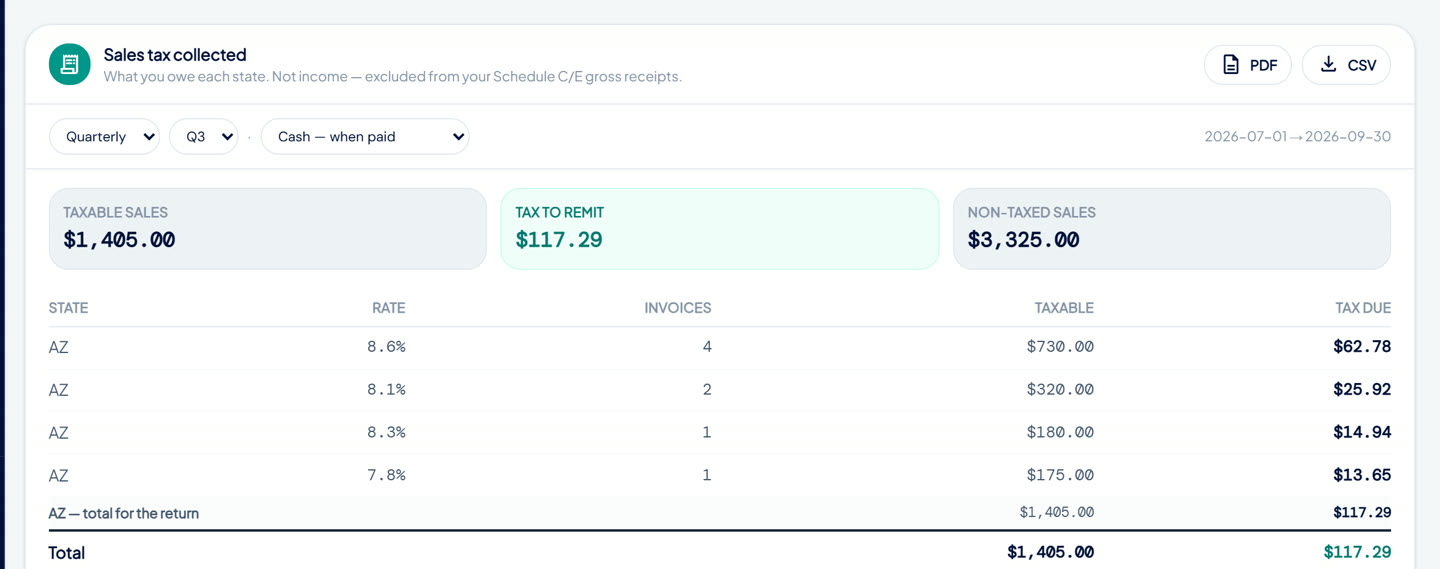
What you collected, for any month, quarter or year, as CSV and PDF, on a cash or accrual basis. Collected tax is excluded from your gross receipts, because it's money held for the state, not income. Being taxed on it is a mistake plenty of small businesses make without noticing.
Create Invoice → Multiple → pick customers → select allInvoices filtered to Overdue, oldest firstOverdue reminder, two documents attachedAn AI-drafted pool service agreement, signedSettings → Products & RatesDrop a CSV and the rows land, categorizedReceipt Viewer over the Expenses pageTax Prep → Preview packet → TurboTax (.txf) exportQ3 2026, cash basis: tax to remit $117.29
Separate books and tax forms for each business you run
This tracks each business separately and reports each on the form it genuinely files on. Their totals are deliberately never merged, because they file on different forms.
Schedule C
The handyman work
Income, expenses, mileage, cost of goods. Subject to self-employment tax.
Schedule E
The rental property
Rents, repairs, mortgage interest from the Form 1098, the rental share only. Not self-employment income.
Form 1040 · W-2
The day job
Wages kept off business forms entirely. Tracked so a shared bank account stays tidy, never taxed twice.
Tax Prep "By business — 2026": Schedule C, Schedule E and W-2 each with their own income, expenses and net, never combined.
Any currency · VAT or GST
Bill in your currency, with VAT, GST or sales tax
Billing in pounds, euros or rand? Pick your currency and save your tax rate once in Settings, and every invoice and estimate is set up for you.
Pick yours once in Settings, from US, Canadian and Australian dollars to euros, pounds, rupees, yen, krona and rand. Every invoice, estimate, report and PDF then shows its symbol. Amounts stay in the currency you bill in; nothing is converted.
VAT, GST or sales tax
United KingdomVAT 20%Subtotal£400.00Tax (20%)+ £80.00Total£480.00
Save your rate once, such as 20% VAT in the UK, 19% in Germany or 10% GST in Australia, and every new invoice and estimate adds it, worked out after any discount. Change the rate on any invoice when you need to.
Field tools
Routes, service logs and mileage tracking for work in the field
Route planning
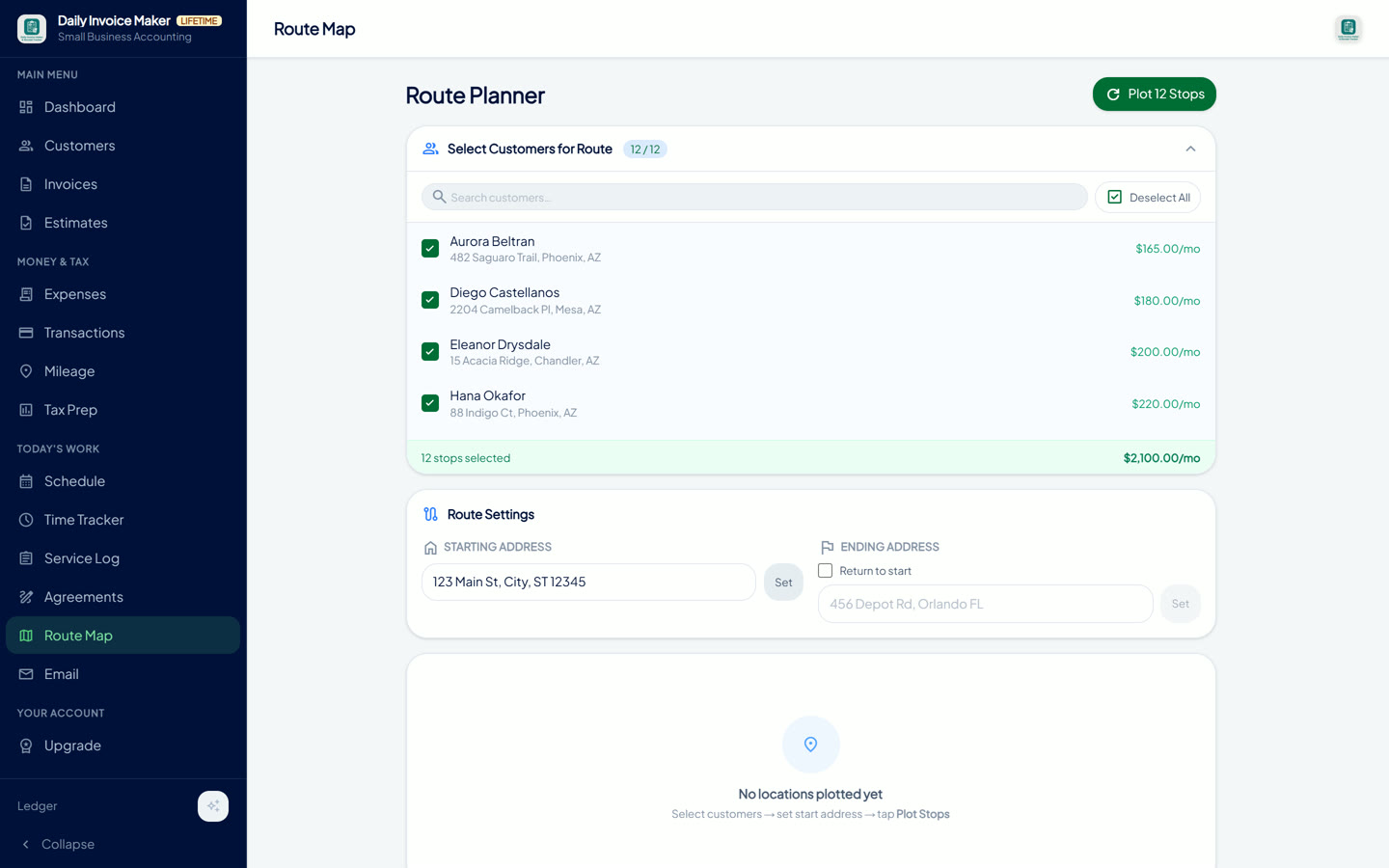
Orders your stops into a loop and hands them to Google Maps with waypoints.
Service logs
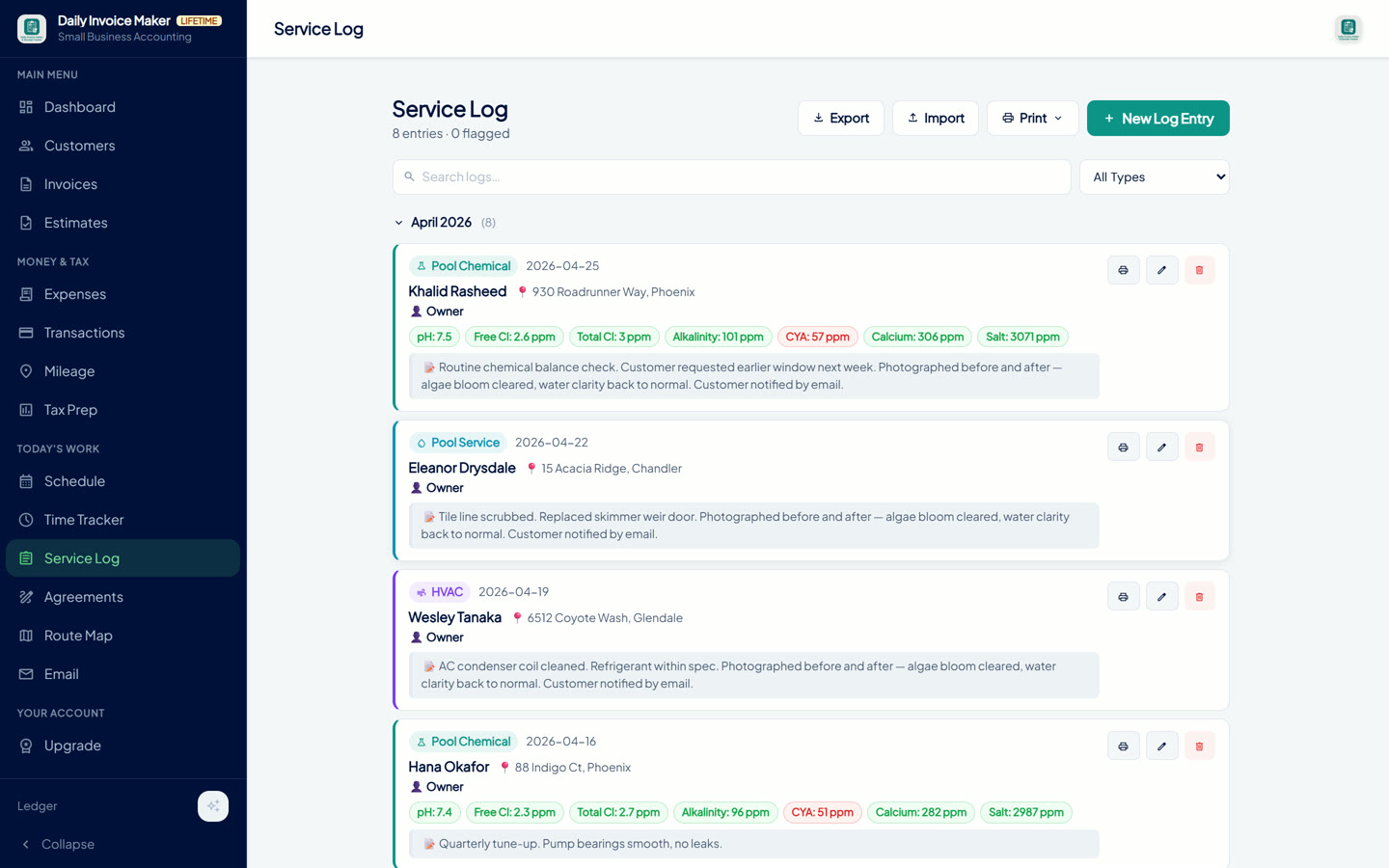
Nine trades, photos, custom fields: the record a customer asks for in a dispute.
Mileage
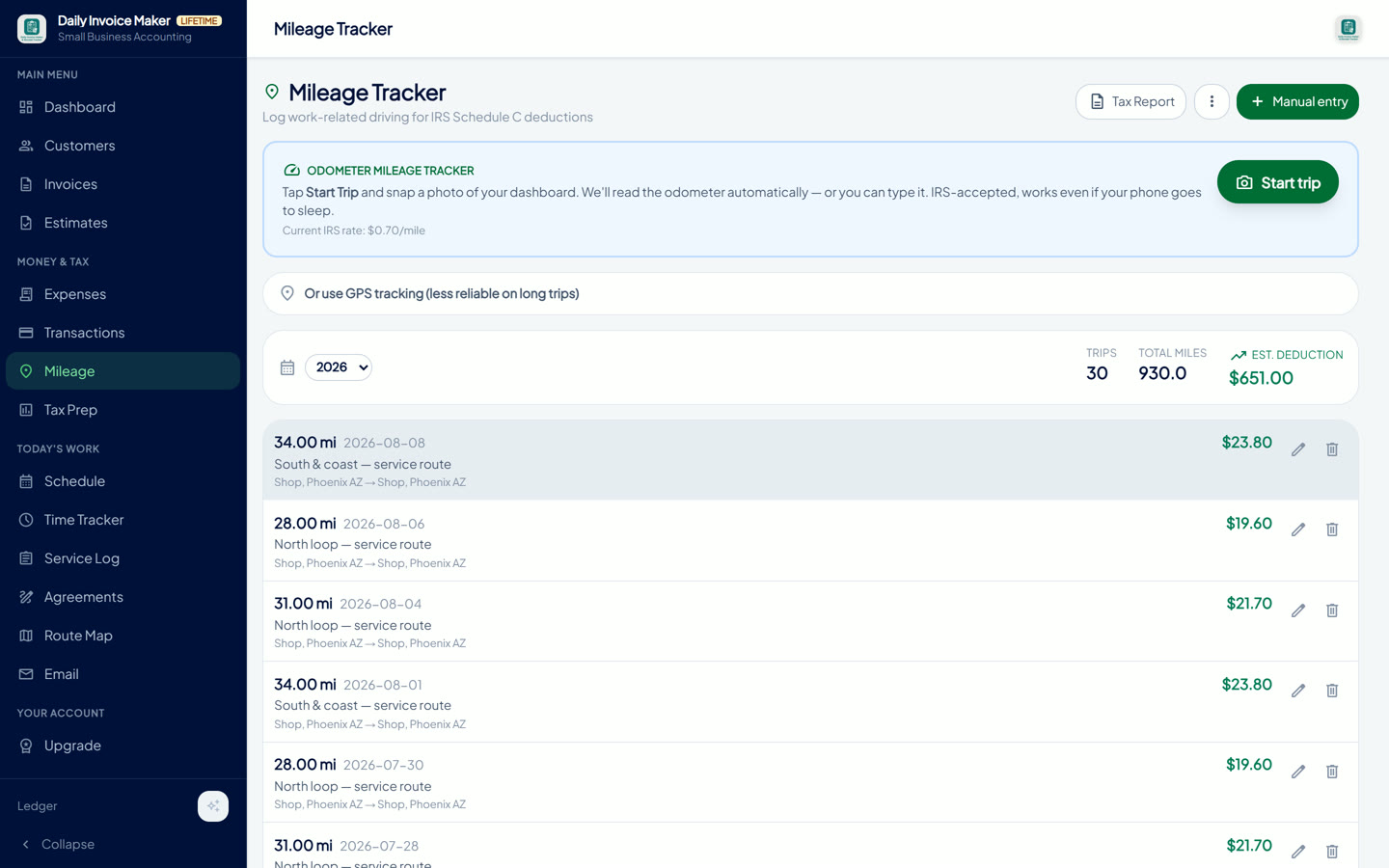
GPS trips or odometer photos, IRS rate stored per trip, straight into the deduction.
Built for your trade
Invoice software for the way your trade actually works
Hours back every month, at a fraction of QuickBooks' price
“I used to lose half my Sunday on books. Now I knock it out from the truck in 20 minutes. Got my weekends back.”
Sheldon B.Pool service owner · CA
“Switched from QuickBooks — every feature I actually used, none of the upcharges. Paid $149.95 once, done. No more $30 a month forever.”
Lamar B.Solopreneur · CA
“Replaced four apps with this one — invoicing, mileage, receipts, taxes. My CPA actually likes the exports. Saves me 7 hours a month.”
Richard B.HVAC contractor · CA
“Start an invoice on my phone at the customer's house, finish it on my laptop that evening. FreshBooks couldn't do that for $20 a month.”
Susan S.Notary Public · CA
Feedback shared with us directly by customers. Names are shortened for privacy and photos are illustrative. These are not verified third-party reviews.
How it compares
Daily Invoice Maker vs. other accounting apps
Feature
Daily Invoice Maker
Other accounting apps1
Invoices, estimates and service contracts
Bank statement import (track spending)
Profit and loss, customer and late-payment tracking, year-end tax reports (USA)
Works with no internet, and your data stays on your computer
Usually online only, data on their servers
Mileage tracker, service logs and route planning
Sometimes, for an extra fee
Time tracker for billable hours
Often on higher plans
Keeps working if you stop paying
Scan or add receipts, read without uploading them2
Usually read in the cloud
Two computers, no per-user fee
Often extra per user
Your price never goes up
Plans can rise
Customers sign estimates and agreements on screen
Often a separate app
Several businesses in one app: Schedule C and E per business, TurboTax, QuickBooks and Xero files
Varies by plan
Cost over 3 years
$149.95
$720 or moreat $20+ a month
1 Typical online subscription accounting and invoicing apps. Features and prices vary by app and plan. 2 Reading receipts on the device is in version 5.29.1 for Windows and Linux; Mac and the phone apps get it in a later update. 3 AI drafts use your own AI key; without one, 24 ready-made reminder emails cover every case.
30-day money-back guarantee, no questions asked. Try the free demo first: no account, no credit card.
Licences bought here unlock the Windows, Mac and Linux app. The Android app is purchased separately in the Google Play Store, because Google requires Android purchases to go through Play.
Your data, your file
Everything in a local SQLite database. No account, no server, nothing of yours on ours.
Works with no internet
A job site with no signal changes nothing. It's a desktop app, not a website.
Sync only if you want to
Optional WiFi or Google Drive sync between your own computers. Off by default. Works in any of 24 currencies you choose in Settings.
Free demo
Download the free demo and use every feature before you buy
The free demo unlocks everything: invoicing, bank import, the tax packet, all of it. It's capped at 7 invoices and 7 customers and exports carry a watermark, so you can test it on your real numbers without paying a cent.
Windows 10+macOS 12+Linux 64-bitNo card, no account
Yes, there's a free demo you can download with no account or card. It unlocks every feature, capped at 7 invoices and 7 customers, and exports carry a watermark. The full lifetime licence is $149.95, paid once, with every future update included and no subscription.
What is Daily Invoice Maker?
Daily Invoice Maker is desktop invoicing and bookkeeping software for Windows, Mac and Linux. It creates and emails invoices and estimates in bulk, tracks who has paid, imports bank statements to build a profit-and-loss position, and produces Schedule C, Schedule E and sales tax reports at year end. It stores everything in a local file on your own computer and works without an internet connection.
Does it work offline?
Yes. It's a desktop application, not a website, so invoicing, bank import and tax reports all work with no internet at all. Internet is only used when you choose to email a document, sync between your own computers, or use the optional AI email drafting.
Where is my data stored?
In a single SQLite database file on your computer. Nothing is uploaded to our servers, and there is no account to create. You can back the file up yourself, and optional WiFi or Google Drive sync between your own devices is off by default.
Can it handle more than one business, like a handyman with a rental property?
Yes. Each business is tracked separately and reported on the form it actually files on: Schedule C for trade income, Schedule E for rental income, and W-2 wages kept off business forms entirely. Their totals are never merged, because they are taxed differently.
Does it export to TurboTax?
Yes. Tax Prep exports a TXF file per business that TurboTax imports directly onto Schedule C or Schedule E, along with a PDF packet for your accountant. The export was verified against a real TurboTax import, and the built-in guide shows the one TurboTax step (entering the property address) that Schedule E needs first.
Can it calculate sales tax reports?
Yes. It reports the sales tax you collected by state and by rate for any month, quarter or year, on a cash or accrual basis, as CSV or PDF. Collected tax is excluded from your gross receipts so you are not taxed on money you are only holding for the state. It reports the tax you charged; it does not determine nexus or destination-based rates.
Which bank statements can it import?
Sixteen formats, including Chase, Bank of America, Wells Fargo, Capital One, Citi, US Bank, Amex, Discover, Navy Federal, USAA, PayPal, Stripe, Square, Venmo, Cash App and Zelle, plus OFX/QFX and any generic CSV with date, description and amount columns.
Can it write a service agreement for my business?
Yes. Describe the work and your terms and the AI drafts a complete service agreement for your trade, covering scope, schedule, exclusions, fees, late payment, termination and liability. You can also start from a template or write your own. The customer signs on screen or on paper, and the signed agreement is kept with their record.
Can it scan receipts?
Yes. Photograph a receipt or import an image and the merchant, date, total and category are read from it and saved as an expense with the photo attached. Receipts that also appear on an imported bank statement are flagged as possible duplicates so expenses are not counted twice.
Can it send invoices to many customers at once?
Yes. Select a customer list, create invoices for all of them, set dates and late fees, and email the whole batch in one action with a progress bar. Estimates work the same way and convert to invoices when accepted.
Does it write the reminder emails for me?
Yes. Pick a customer, a purpose such as an overdue reminder, and a tone. The draft names the invoice numbers and amounts and attaches the PDFs in the same step. It uses your own AI key if you add one, and falls back to 24 professionally written templates so it works with no account and no internet.
Does it support other currencies and VAT?
Yes. Choose from 24 currencies once in Settings and it applies across invoices, estimates, expenses and reports. Save your VAT, GST or sales tax rate and it is added to every new invoice and estimate, after any discount. It works anywhere in the world; the Schedule C, Schedule E and TurboTax exports are specific to US tax filing.
Is there an Android or iPhone version?
The desktop licence covers Windows, Mac and Linux — Linux ships as a .deb and an AppImage. An Android companion app is sold separately on Google Play, and an iOS version is in progress. Your data can sync between desktop and phone over WiFi or Google Drive.
How is it different from QuickBooks or FreshBooks?
No monthly fee, no account, and no cloud. You pay once, your data stays on your computer, and it still covers invoicing, bank reconciliation, multi-business tax reporting and sales tax. It is built for sole proprietors and small service businesses, not payroll or inventory-heavy companies.
Free guide
25 tax deductions every contractor should track
The deductions most service-business owners miss, pulled from real Schedule C filings. Sent to your inbox in about 30 seconds.
No credit card. No account. No spam; unsubscribe any time.