For roofing contractors
From the hail inspection to the final insurance check, every square quoted and every payment tracked.
Record hail hits per test square for the claim, quote the replacement by the square with tear-off, decking and permit on their own lines, and show the insurance check and the balance on the final invoice. Works with no signal on the roof. $149.95 once.
Quick answer
What is the best invoicing software for a roofing company?
Roofing jobs are priced per square, with tear-off, decking, underlayment, shingles, flashing and the permit as separate lines, and many are insurance jobs paid in more than one check. Daily Invoice Maker itemizes all of that, keeps your inspection findings under the customer, and shows each payment and the balance due on the invoice. $149.95 once on Windows, Mac and Linux; the Android app is sold separately on Google Play.
30-day money-back guarantee
Watch it work
Estimated, photographed and invoiced from the job.
Built for the roof, not the office
Priced by the square. Proven by the record.
Hail inspections with the adjuster, replacements priced per square, decking found at tear-off, and insurance checks that arrive in pieces.
The old way
Solid roof. Shaky paperwork.
- Hail counts and claim numbers on a clipboard
- Replacement quotes totaled square by square on a calculator
- Extra decking found at tear-off and never billed
- Insurance checks and deductibles tracked in your head
With Daily Invoice Maker
Inspections, quotes and payments in one place.
- Test-square hail counts, roof details and the claim number saved per job
- Tear-off, decking, install and permit as sections with subtotals
- Supplements added as their own lines before the final invoice
- Record the insurance check; the invoice shows the balance due
One hail job, start to finish
Four roofing steps, one app.
Every screen below is the real app, filled with an example company, Ironclad Roofing in Oklahoma City, OK.
Inspection · With the adjuster
Hail hits and roof details, on record
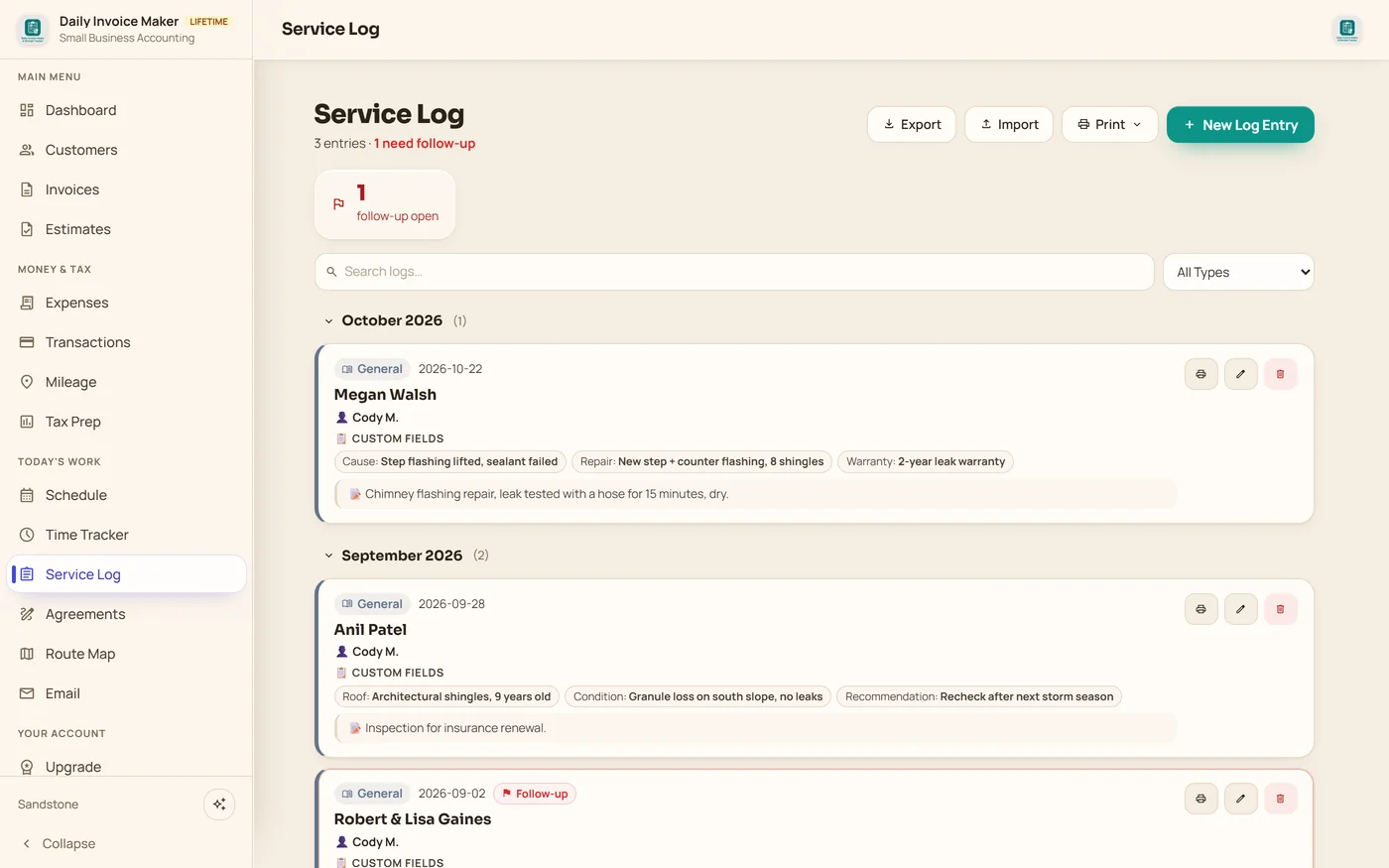
Log the squares, pitch and layers, the hail hits in each test square, dents on the soft metals, soft decking and the claim number. Flag it and it stays in front of you until the claim is approved.
Approval · The replacement quote
Tear-off, decking, install and permit, per square
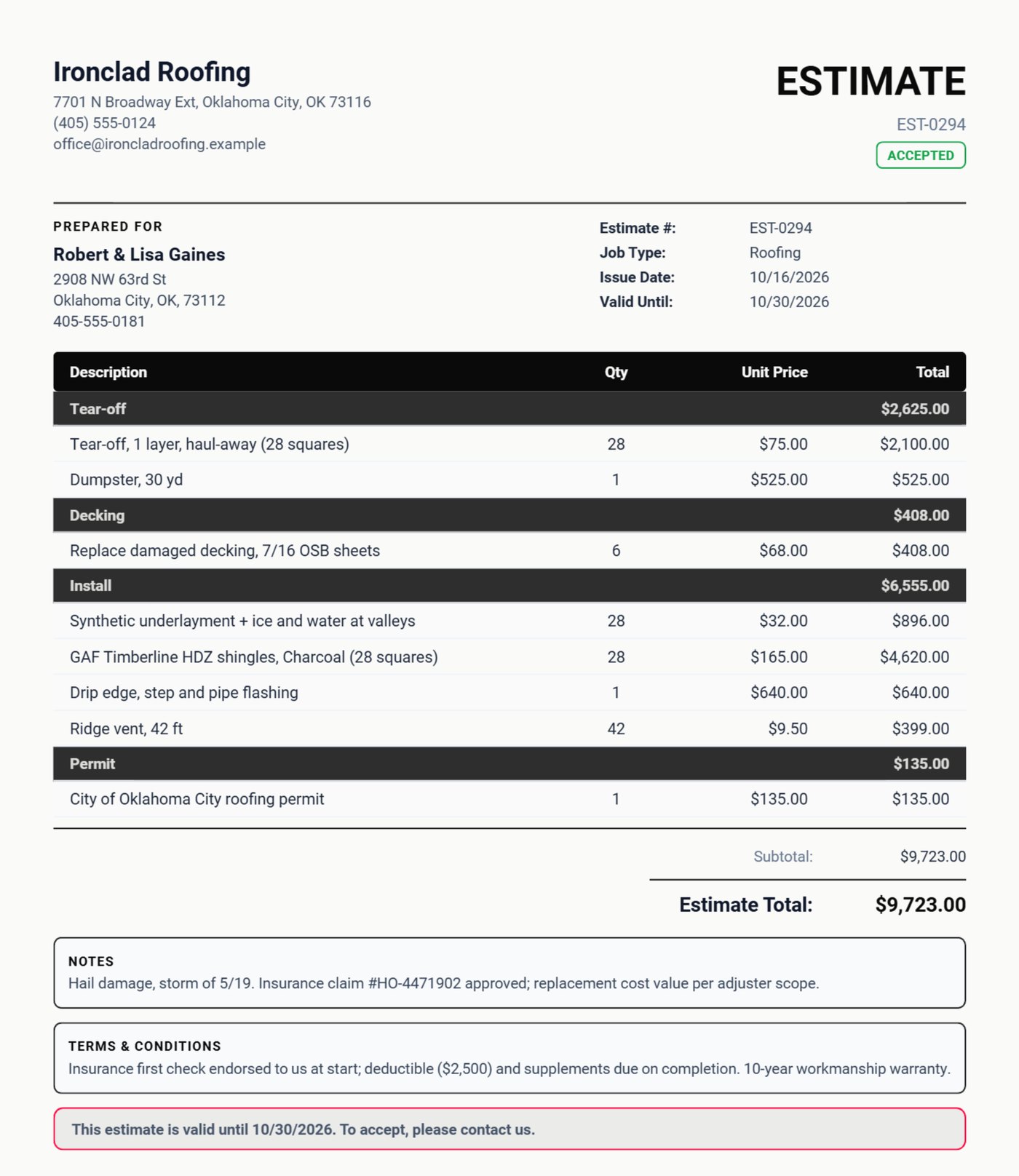
Twenty-eight squares of tear-off and the dumpster, the decking sheets, underlayment, shingles by color, flashing, ridge vent and the city permit, each in its own section, with the claim number and your insurance terms.
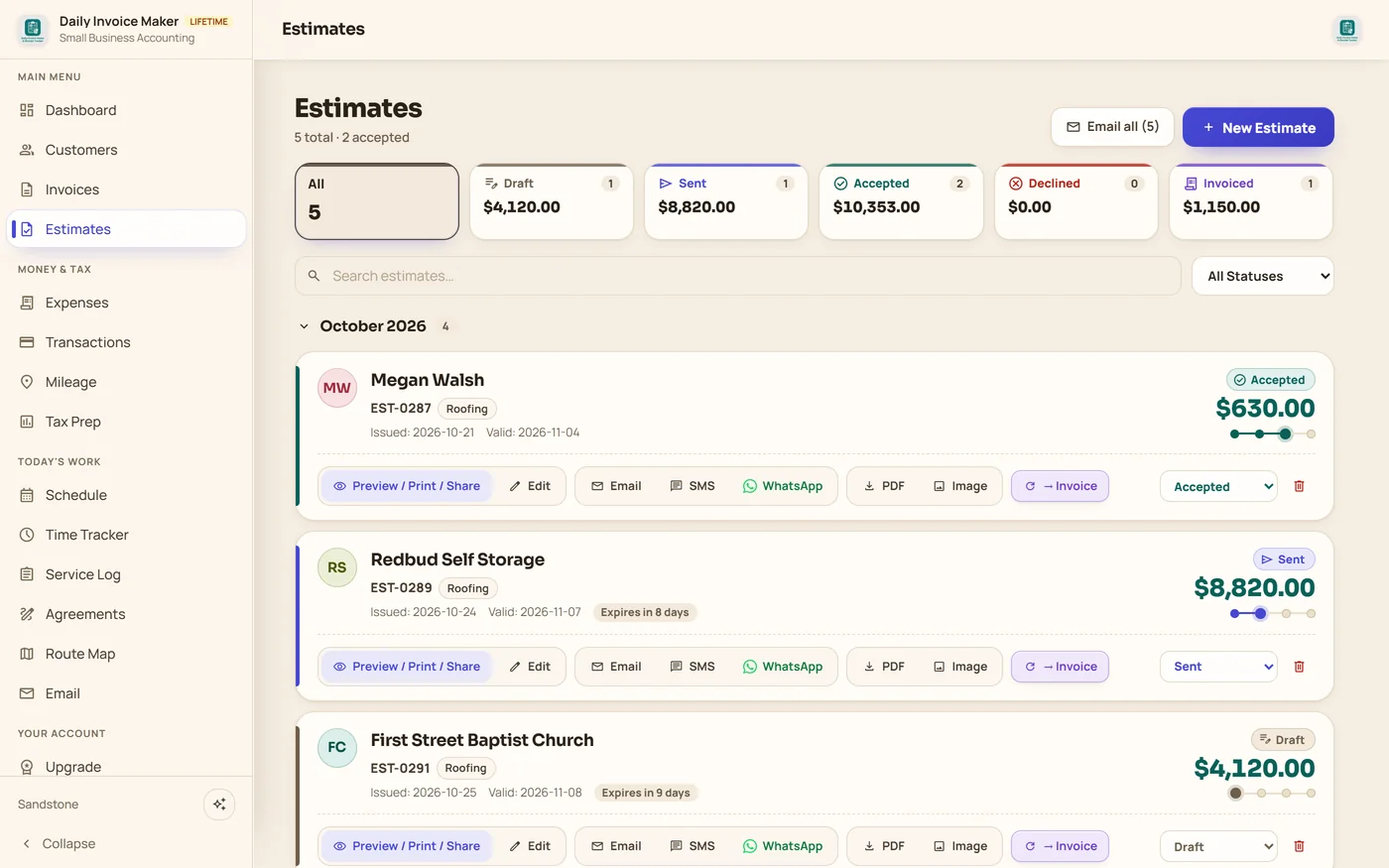
The pipeline · Every bid
Repairs, commercial and replacements at a glance
A chimney flashing repair, a 42-square commercial coating, a church's gutters and the hail job: see what is accepted, sent or still a draft, and convert each to an invoice when the work is done.
Completion · Final invoice
Supplement in, insurance check out
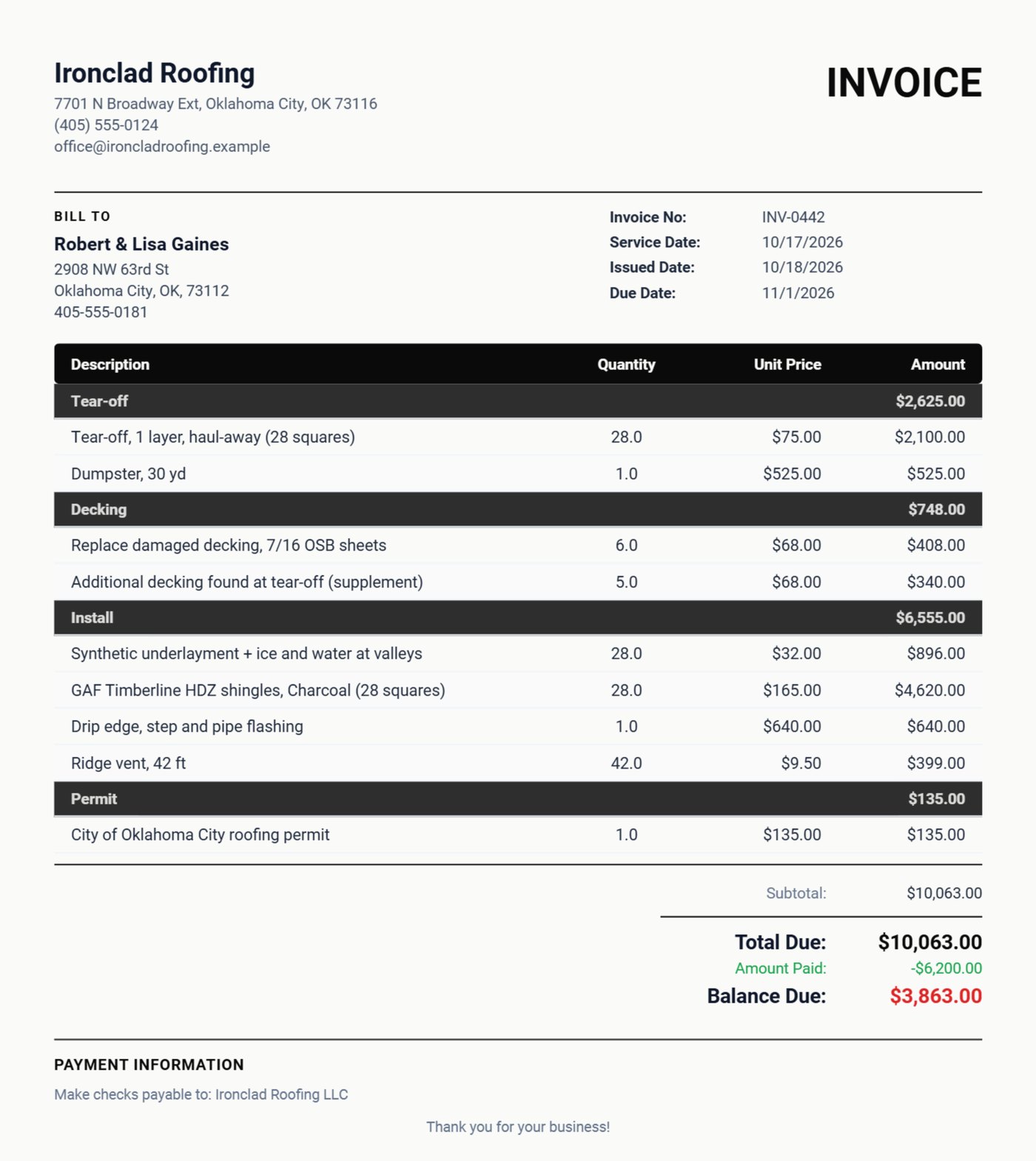
Five more sheets of decking turned up at tear-off, so the supplement goes on its own line. Record the first insurance check and the invoice shows the total, the amount paid and the balance due.
Build your price list once (tear-off and install per square, decking per sheet, ridge vent per foot, dumpsters, permits) and every bid after that is a few taps.
Already use Daily Invoice Maker?
Tell roofing pros what it is really like. Every review we show comes from a real customer.
Write a reviewWhat your customer actually gets
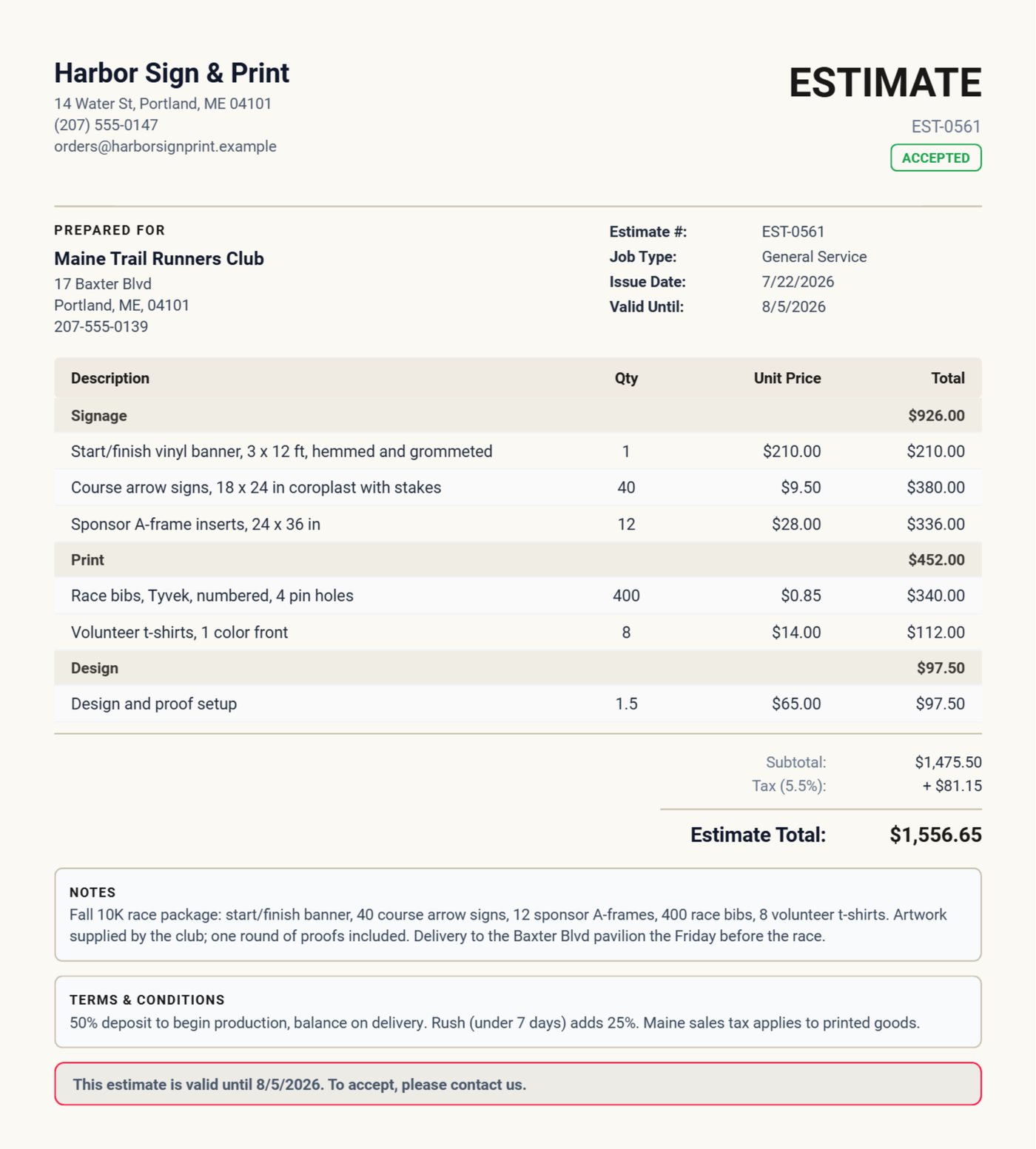
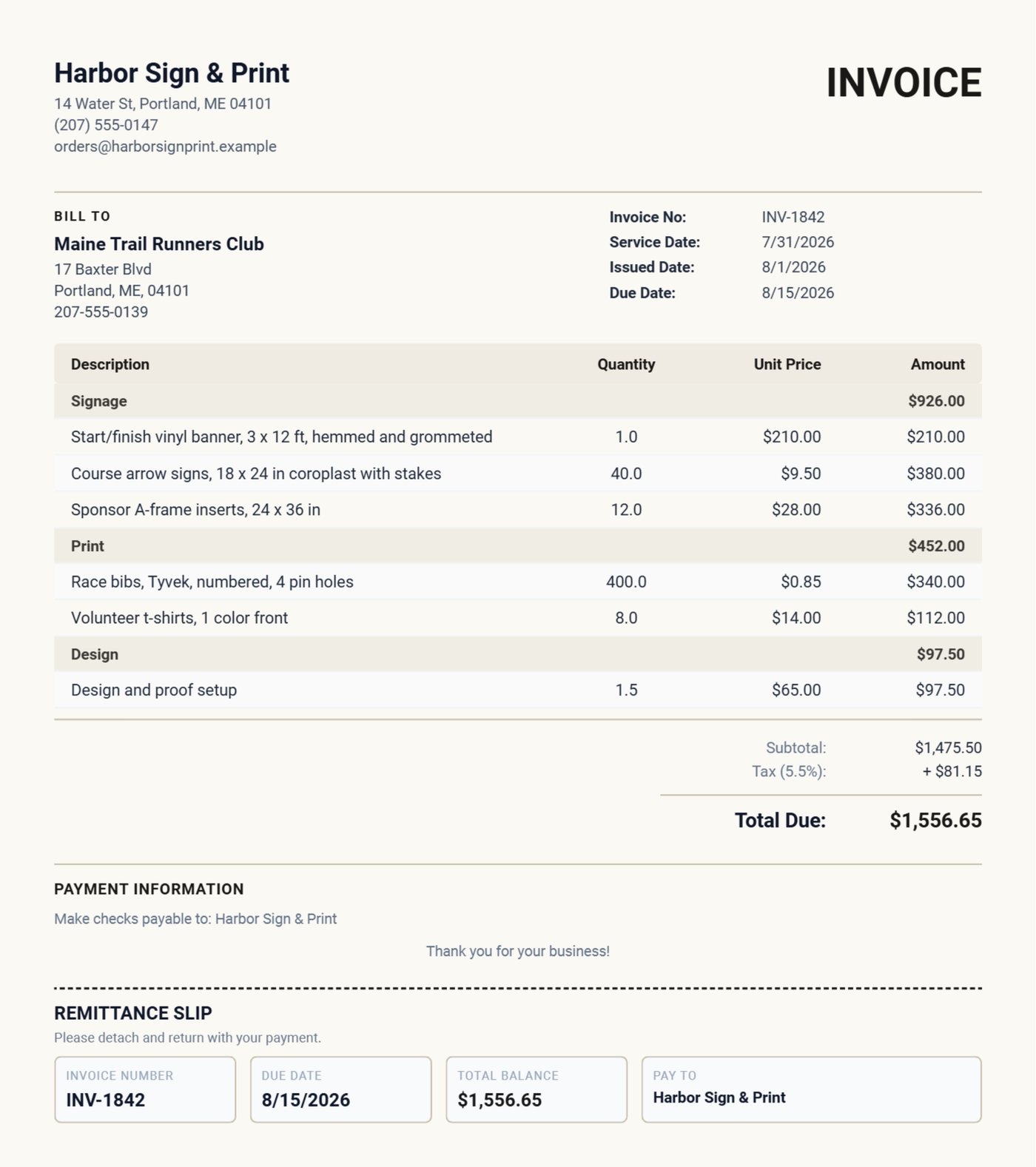
Real documents exported from the app for the Ironclad Roofing example: a 28-square hail replacement estimate and the final invoice with a decking supplement, the insurance check received and the balance due, in the black Noir design. Pick any design in Settings; it applies to every estimate, invoice and agreement you send.
Pay once. Own it forever.
One roof pays for it. Every job after is yours.
$149.95 once, less than one square installed, or $5.95/mo. Free demo first: every feature, your first 7 invoices.
30-day money-back guarantee Windows, Mac & Linux · Android on Google Play 100% offline
Questions
Roofing questions, answered.
What is the best invoicing software for a roofing company?
Daily Invoice Maker suits roofing work: estimates priced per square with tear-off, decking, install and permit as sections, a service log for inspection findings and claim numbers, supplements as their own lines and insurance payments shown on the final invoice. It runs 100% offline: $149.95 once for the Windows, Mac and Linux app, with a separate Android app on Google Play, and no monthly subscription either way.
Can I price a roof per square?
Yes. Enter the number of squares as the quantity and your rate per square as the unit price, for tear-off, underlayment and shingles alike. Save your rates in the price list and reuse them on every bid.
How do I track insurance checks and the deductible?
Record each payment on the invoice as it arrives; the invoice shows the total, the amount paid and the balance due. Put the claim number and your deductible terms in the notes and terms.
Can I record hail damage and attach photos?
Yes. A Service Log entry takes your own fields, such as hits per test square, soft-metal damage, decking condition and claim number. Photos attached to an invoice or estimate print inside the PDF.
Does it work on the roof with no signal?
Yes. Everything lives on your own computer or phone, so estimates, invoices and logs work with no internet. Google Drive sync between your devices is optional and catches up when you are back online.
Worked example for a small shop
See a whole small business season billed in the app.
Other trades