For handyman services
From the TV mount to the two-day punch list, every job quoted and every receipt kept.
Quote labor and materials job by job, keep every hardware-store receipt under the job it was for, and add the extra repair you found on site to the invoice before you leave. 100% offline. $149.95 once.
Quick answer
What is the best invoicing app for a handyman?
Handyman work is many small, unrelated jobs, so each task needs its own line with its own hours, plus materials and any handling charge shown openly. Daily Invoice Maker itemizes labor and materials, keeps your hardware-store receipts as expenses, and turns an approved estimate into the invoice in one tap, with any work added on site as its own section. $149.95 once on Windows, Mac and Linux; the Android app is sold separately on Google Play.
30-day money-back guarantee
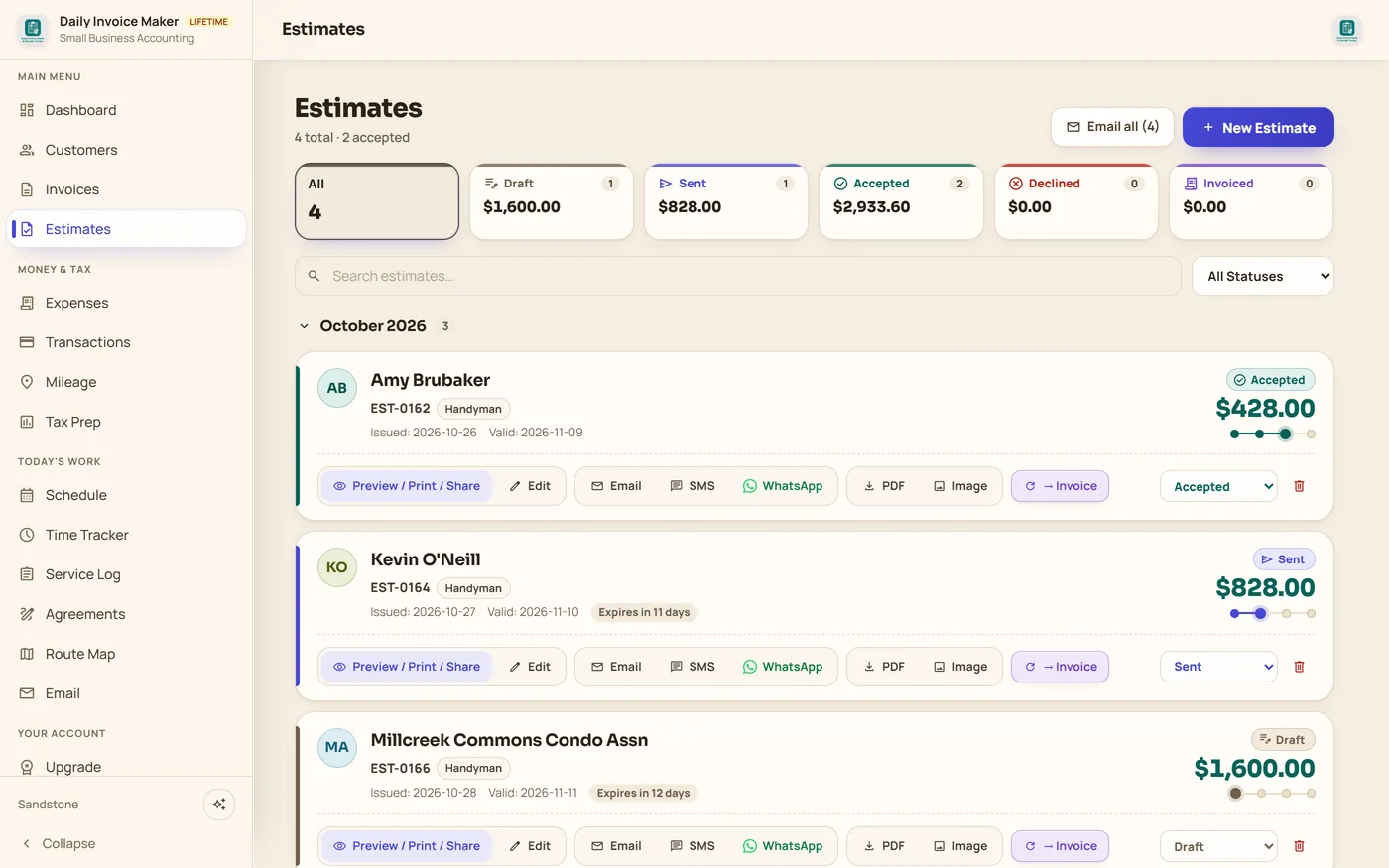
Watch it work
Every job, quoted and invoiced from the truck.
Built for small jobs, not big software
Ten different jobs this week. One app that handles all of them.
TV mounts and shelves, deck repairs, punch lists for condo boards and realtors, and the receipts from three hardware stores.
The old way
Busy week. Leaky margins.
- Receipts faded in the cup holder by tax time
- Punch lists priced from memory, materials forgotten
- The extra repair you did on site never made the bill
- One invoice app for quotes, another for receipts
With Daily Invoice Maker
Quotes, receipts and invoices in one place.
- Labor and materials on separate lines, with your handling charge shown
- Hardware-store receipts saved as expenses, with the job in the note
- Add work found on site as its own section before converting to the invoice
- Pay $149.95 once, fair for a business built on small jobs
A week of jobs
Four handyman jobs, one app.
Every screen below is the real app, filled with an example company, Northside Handyman Services in Chicago, IL.
8:30 am · TV mount and shelves
Quote it before you drill
Mount the TV, hide the cables and hang three shelves: labor and the in-wall cable kit on one estimate, approved on your phone, invoiced and paid by Zelle when you finish.
11:00 am · Hardware store run
Every receipt kept, with the job it was for
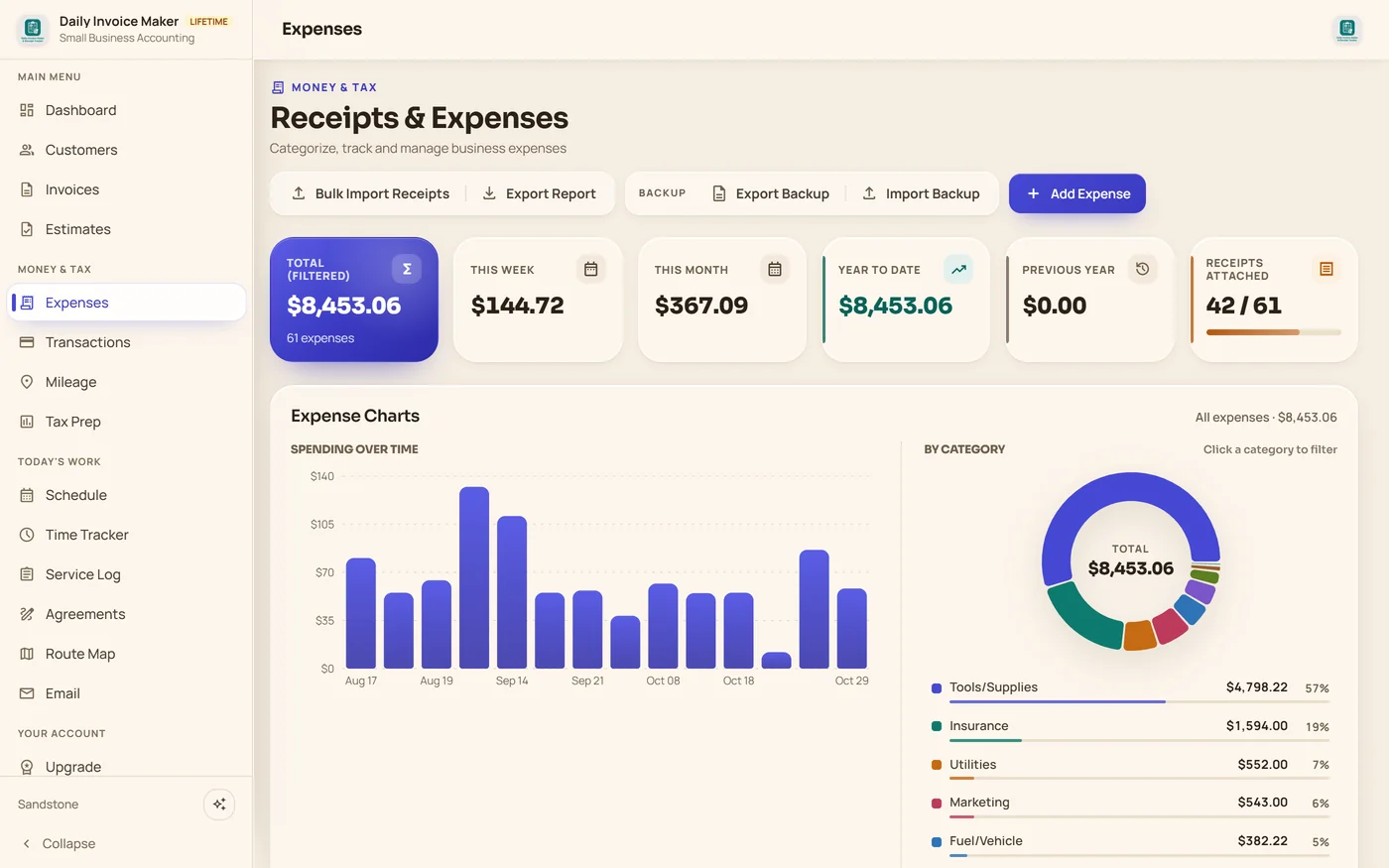
Snap or import the receipt and it becomes an expense with the store, amount, category and the customer in the note. Totals by month and category are ready for your tax return.
Condo listing · Two-day punch list
Labor by the day, materials by the item
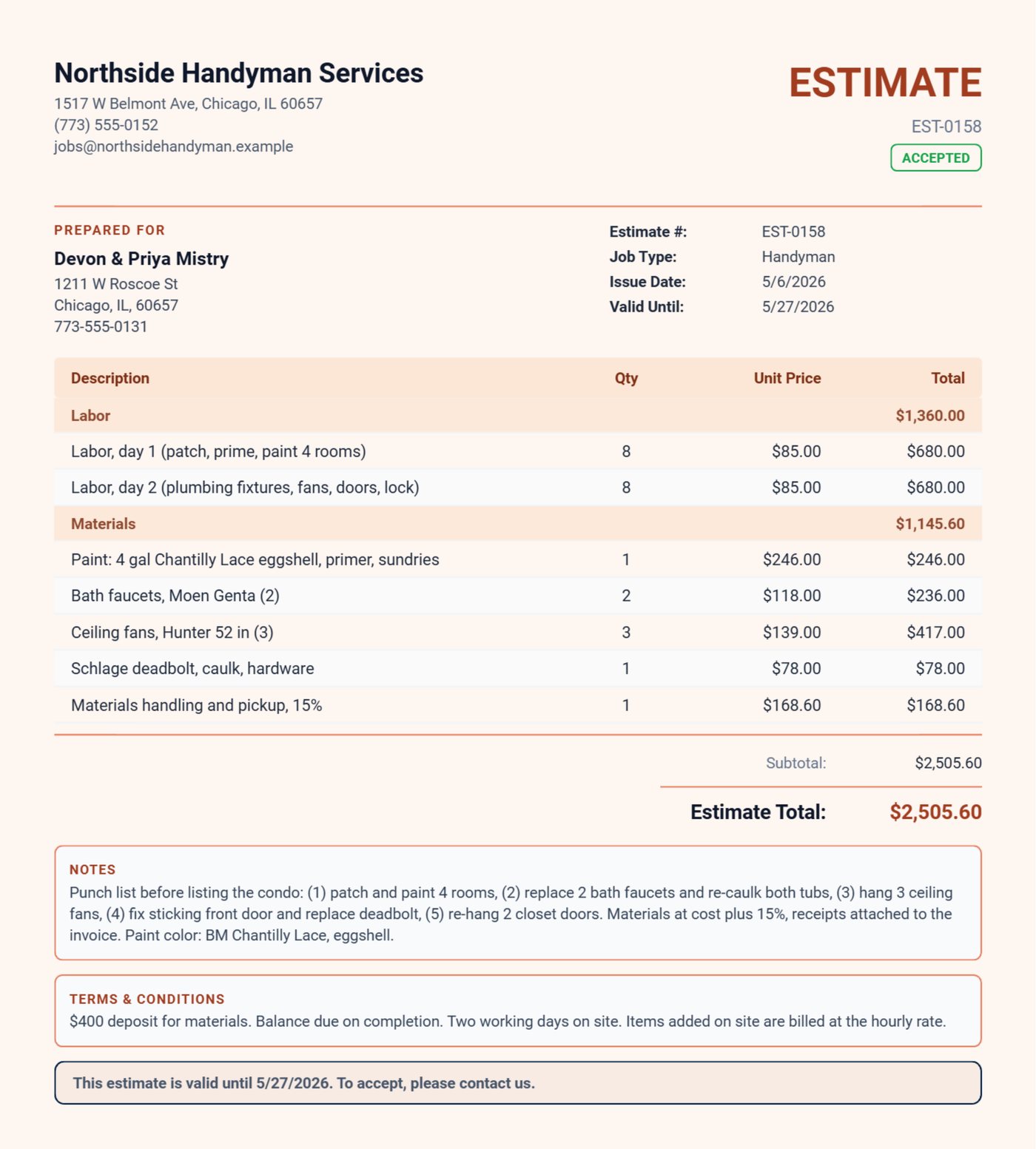
Two labor days, then the paint, faucets, fans and deadbolt with a 15% handling charge shown openly, and your materials deposit in the terms.
Same day · Found on site
The extra repair makes the bill
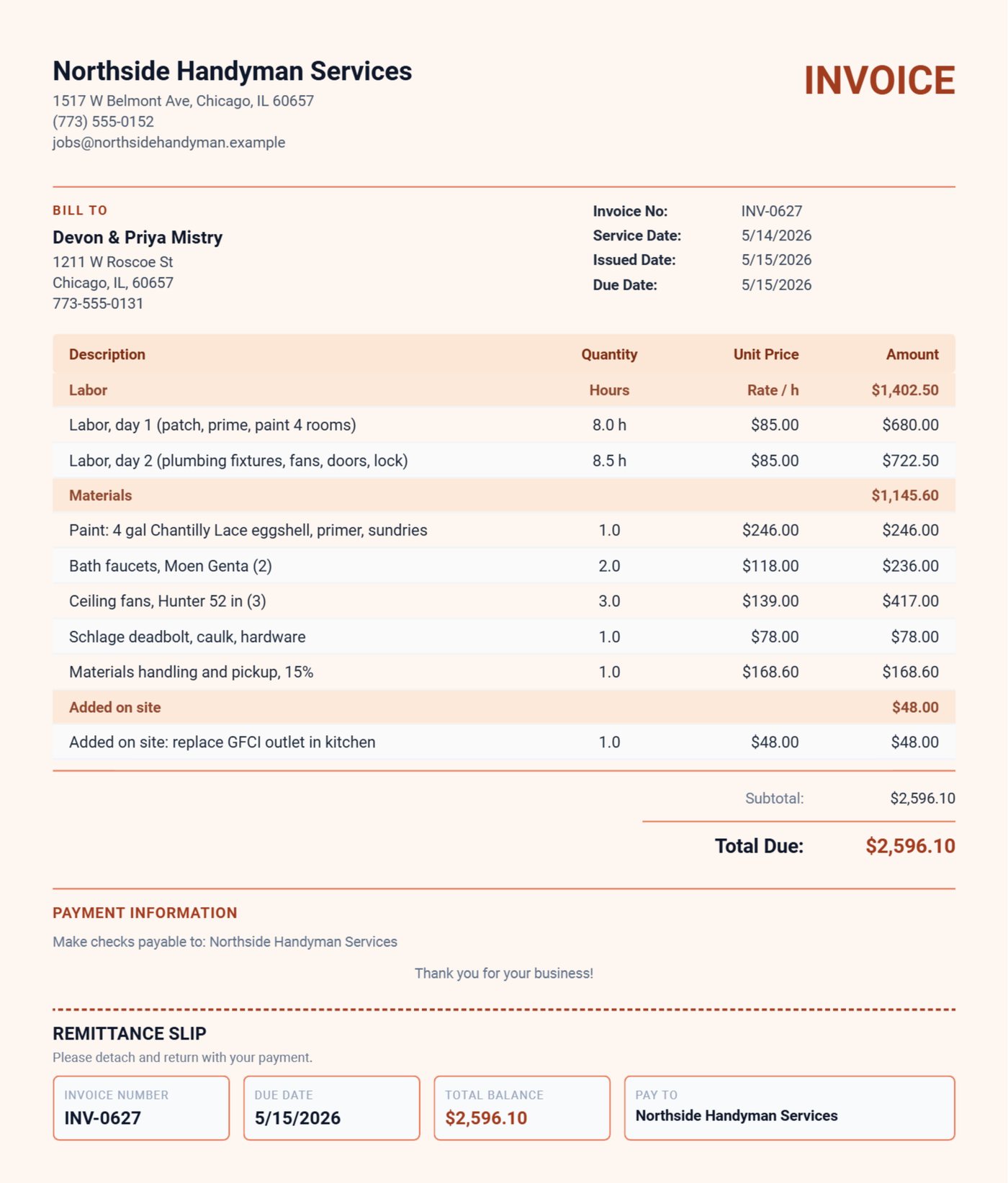
The kitchen GFCI was dead, so you replaced it with the owner's OK. It goes on the invoice as an Added on site section, right under the work they approved.
Want these jobs ready-made? The optional Handyman trade pack ($4.99) adds job templates for hourly work, punch lists, drywall, doors, mounts, fixtures, decks, gutters and retainers.
Already use Daily Invoice Maker?
Tell handyman pros what it is really like. Every review we show comes from a real customer.
Write a reviewWhat your customer actually gets
Real documents exported from the app for the Northside Handyman example: a two-day condo punch-list estimate and the invoice with work added on site, in the warm Ember design with a tear-off remittance slip. Pick any design in Settings; it applies to every estimate, invoice and agreement you send.
Pay once. Own it forever.
Two small jobs pay for it. The rest of your career is free.
$149.95 once, about two service calls, or $5.95/mo. Free demo first: every feature, your first 7 invoices.
30-day money-back guarantee Windows, Mac & Linux · Android on Google Play 100% offline
Questions
Handyman questions, answered.
What is the best invoicing app for a handyman?
Daily Invoice Maker itemizes labor and materials on every estimate, turns the approved estimate into the invoice in one tap, lets you add work found on site as its own section, and keeps your hardware-store receipts as expenses. It runs 100% offline: $149.95 once for the Windows, Mac and Linux app, with a separate Android app on Google Play, and no monthly subscription either way.
Can I scan hardware-store receipts?
Yes. Photograph or import receipts and they become expenses with the store, date, amount and category; the text is read on your own device. Expense totals by month and category feed the Tax Prep reports.
Can I charge for materials handling?
Yes. Add a handling or markup line in the Materials section so the customer sees it, or build it into your saved item prices.
Can I track my hours on a job?
Yes. The Time Tracker records hours per customer, and you can bill them as labor lines at your hourly rate.
Are there ready-made handyman job templates?
Yes. The optional Handyman trade pack ($4.99, desktop) adds job templates for hourly work, punch lists, drywall, doors, mounts, fixtures, decks, gutters and retainers. You can also build your own price list and job types at no cost.
Worked example
See a whole handyman season billed in the app.
Other trades