Feature · Get paid online
Coming in 5.32
Take card payments on every invoice, and stop hunting down who paid
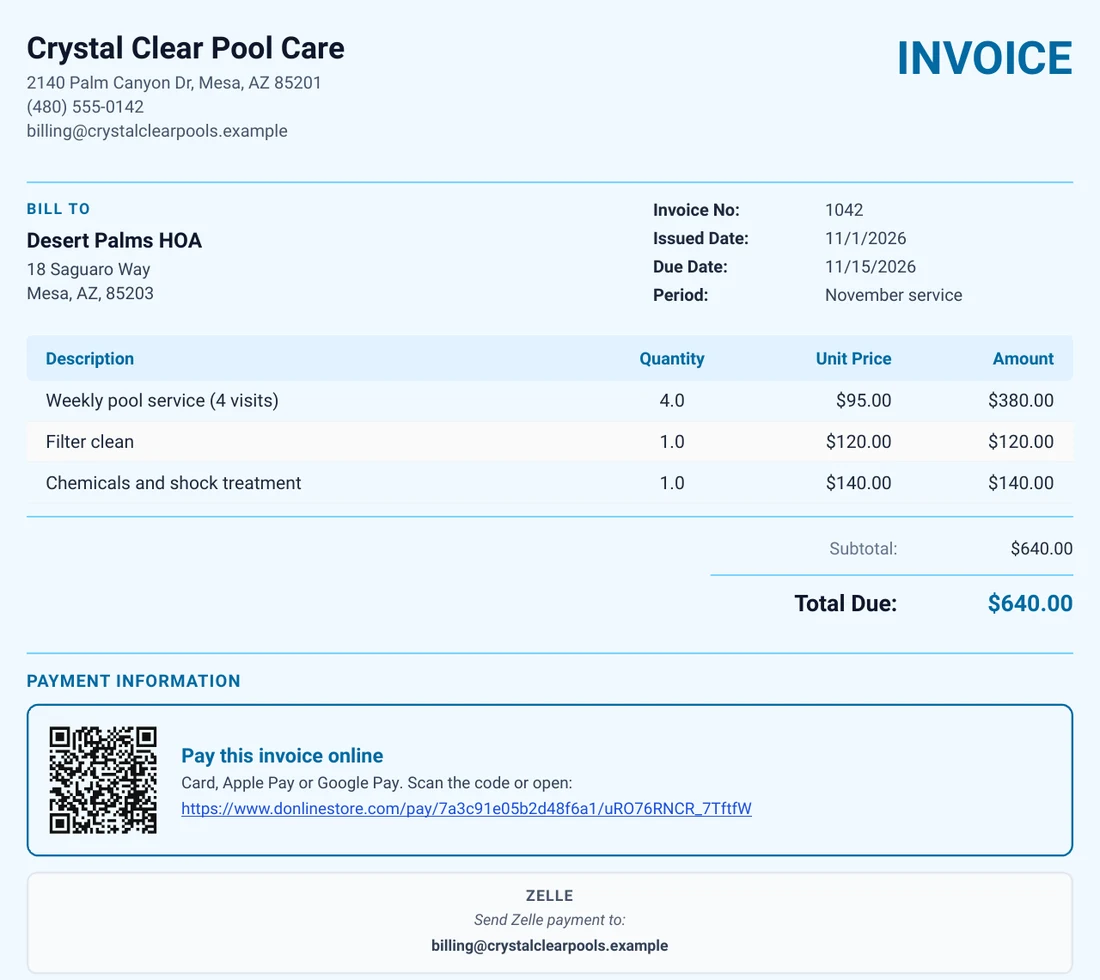
Coming in version 5.32, which is rolling out now. It is not in every download yet; this page will say so when it is. Connect your own Stripe account once, and every unpaid invoice carries its own Pay online link and QR code, on the PDF and in the email. Your customer pays by card, Apple Pay or Google Pay, and the invoice marks itself Paid with the date and how it was paid. No more matching deposits to invoices by hand or chasing payments you already have.
 (opens the full-size image)
What it does
A Pay online link on every invoice
Printed on the PDF with a QR code, and added to the invoice email. Each invoice has its own link.
Card, Apple Pay and Google Pay
Customers pay on a secure page with Stripe’s card entry. They do not need an account.
Marks itself paid
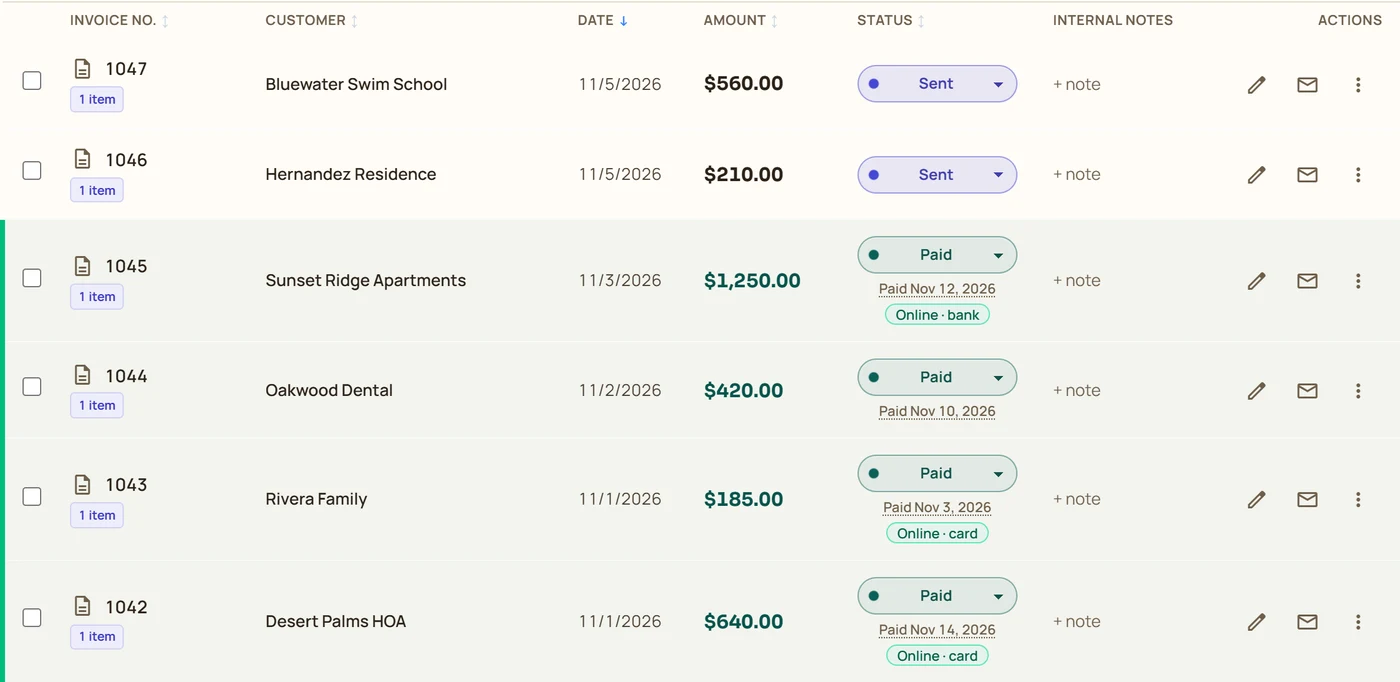
The invoice turns Paid or Partial Paid with the date, tagged “Online · card” so you can tell it from a check.
Straight to your own Stripe account
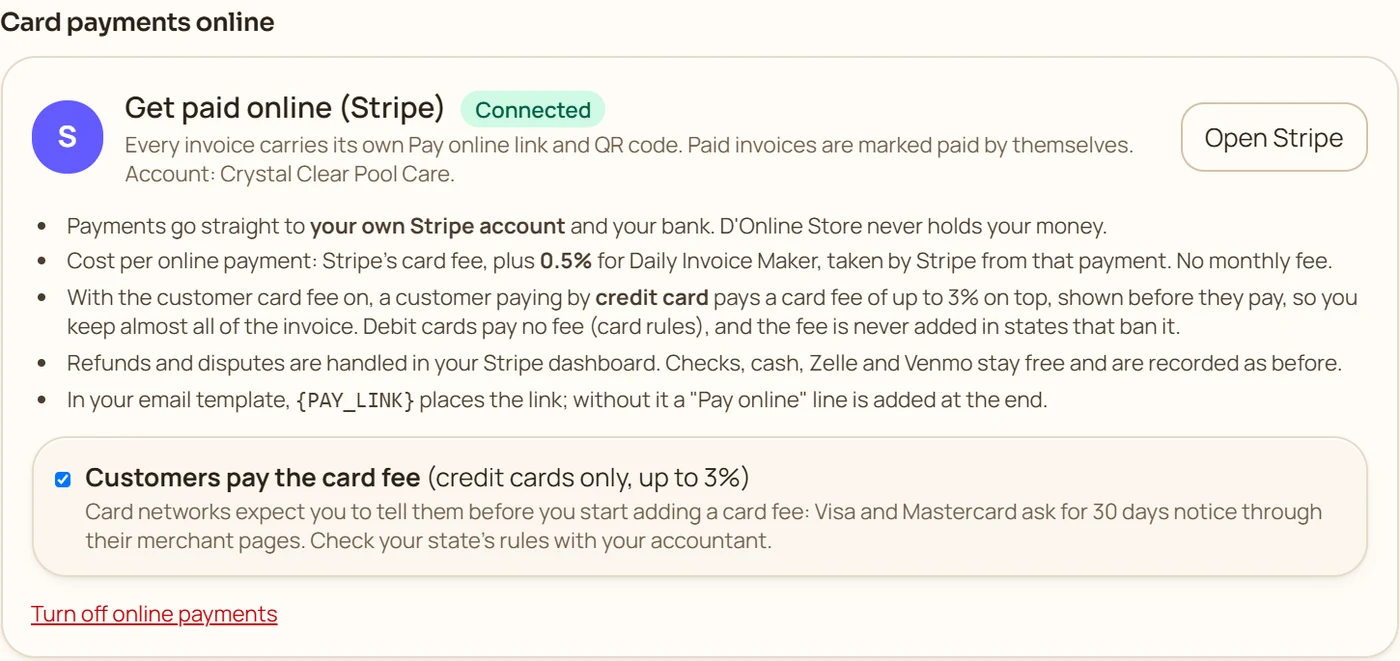
The money goes to your Stripe account and your bank. D’Online Store never holds it.
Pass on the card fee, if you choose
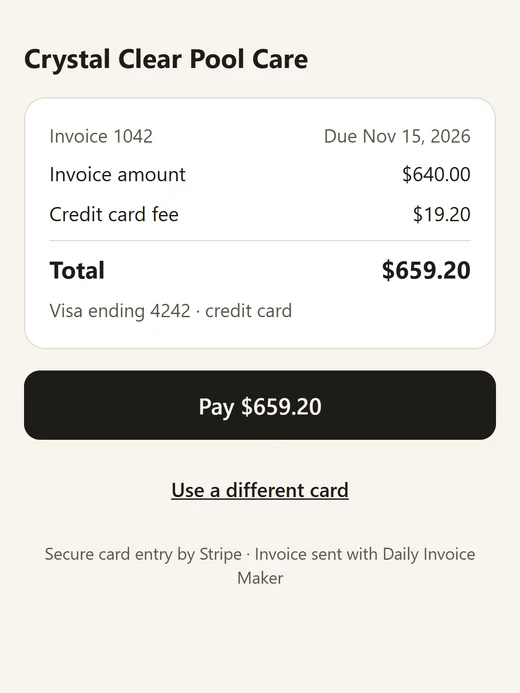
Credit cards only, up to 3%, shown to the customer before they pay. Never on debit cards.
Paid twice? You will know
A payment above the invoice total, for example a check and a card payment, is flagged so you can refund it.
How it works
Connect Stripe
In Settings, Getting paid, press Connect Stripe and finish Stripe’s sign-up for your business (or sign in to the Stripe account you already have).
Send invoices as usual
Every unpaid invoice now carries its own Pay online link and QR code, on the PDF and in the email.
Your customer pays
They open the link, see the total including any card fee, and pay by card, Apple Pay or Google Pay.
It marks itself paid
The app records the payment with its date and the Stripe reference, and tells you which invoice was paid.
In the app
 (opens the full-size image)
 (opens the full-size image)
 (opens the full-size image)
Good to know
You need a Stripe account; Stripe asks for your business details and bank account before it lets you take payments. Each online payment costs Stripe’s card fee plus 0.5% for Daily Invoice Maker, taken by Stripe from that payment, with no monthly fee. The app picks up payments every few minutes while it is open, and as soon as it opens. Refunds and disputes are handled in your Stripe dashboard. If you pass the card fee on, card networks expect notice first, and some states limit or ban surcharges, so check with your accountant. Estimates never carry a pay link; the invoice made from an approved estimate does.
Try it on your own work
Download the free demo and try it with your own customers and jobs. It runs on your own computer, with no account to create.
Free demo for Windows, Mac and Linux: no account and no card. It covers 7 invoices, 7 customers and 7 expenses, with a watermark on PDFs. Full version $149.95 once, $59.99 for one year on one computer, or $5.95 a month. The Android app is a separate Google Play purchase.
Questions
How does the money reach me?
Customers pay into your own Stripe account, and Stripe pays it out to your bank on its normal schedule. D’Online Store never holds your money.
What does it cost?
Stripe’s card fee, plus 0.5% for Daily Invoice Maker on each online payment, both taken by Stripe from that payment. There is no monthly fee, and checks, cash, Zelle and Venmo stay free.
Can my customer pay the card fee?
Yes, if you switch it on: a customer paying by credit card pays a card fee of up to 3%, shown before they pay. Debit cards never get a fee, and it is not added where your state does not allow it.
Do I have to mark the invoice paid?
No. When the customer pays online, the invoice turns Paid (or Partial Paid) by itself with the payment date, and is tagged Online · card or Online · bank.
Can a customer pay the same invoice twice?
The payment page takes one payment at a time and refuses an invoice that is already paid. If a customer also mails a check, the app flags the invoice as possibly paid twice so you can refund the card payment.
Does the invoice number show on the payment?
Yes. The invoice number is on the customer’s Stripe receipt, in your Stripe dashboard, and where the card network allows it, on the customer’s card statement.
Related features
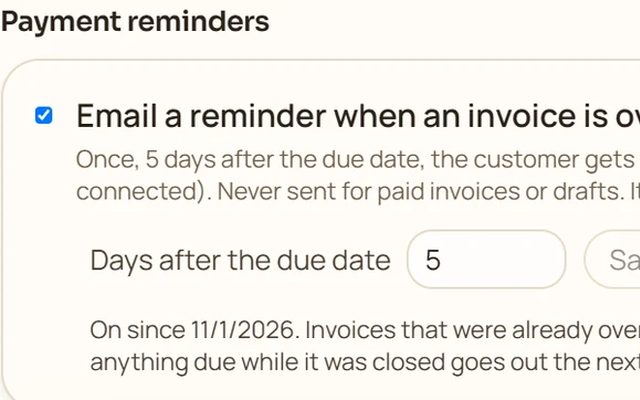 Coming in 5.32
Automatic payment reminders
Coming in 5.32. An unpaid invoice is emailed again, once, 5 days after it was due, from your own email.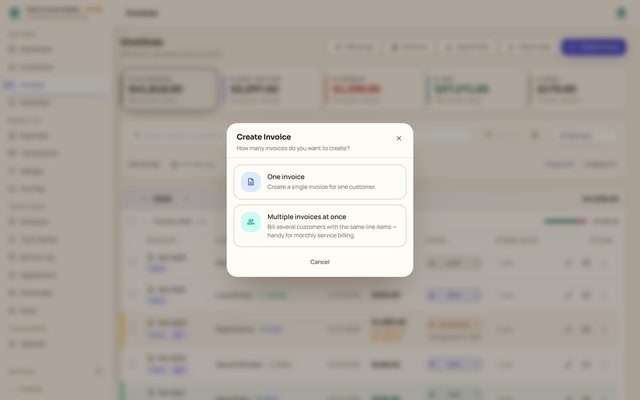
Invoicing
Numbered PDF invoices with photos and signatures, sent from your own email, with paid, part-paid and overdue tracked for you.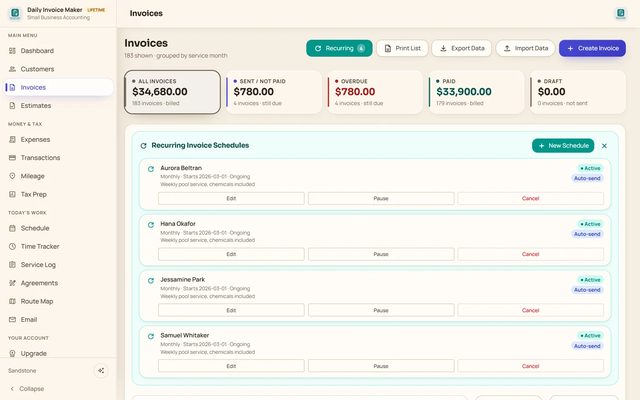
Recurring invoices
Weekly to yearly schedules that create each invoice when it is due, catch up missed cycles and can email them for you.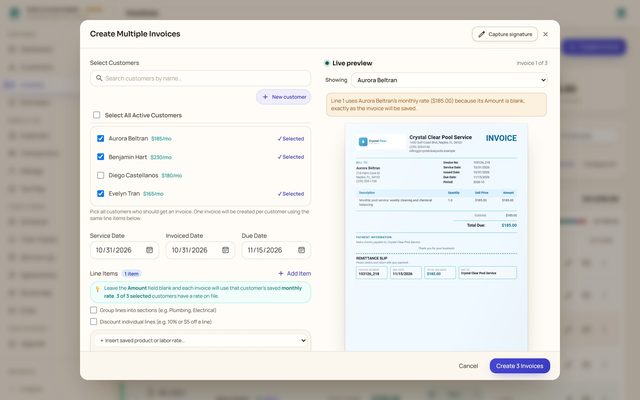
Bulk invoicing
One invoice per customer for a whole route in one step, then email, download or update them together.
Read more: How to track unpaid invoices · Invoice maker guide · All features