Guides · Invoicing and billing
Invoice maker: how to create an invoice that gets paid, and counts at tax time
An invoice is a small document with two jobs. It has to get you paid, which means being clear enough that the customer pays without a phone call. And it has to be a record, because at the end of the year your paid invoices are your income.
This guide covers what goes on an invoice, the terms that shorten the wait for money, the difference between a throwaway invoice generator and an invoice maker that keeps records, and how the whole thing works in Daily Invoice Maker.

What an invoice must contain
There is no single legal template for an invoice in the United States, but there is a practical minimum below which customers stall, accountants complain and sales-tax audits get awkward. Every invoice should carry:
| Element | Why it matters |
|---|---|
| Your business name, address, phone and email | The customer's bookkeeper needs to know who to pay and where to send questions |
| The word "Invoice" and a unique invoice number | Numbers are how both sides refer to it, and how you prove nothing is missing from your records |
| Issue date and due date | A due date is what makes an invoice overdue; without one there is nothing to chase |
| The customer's name and address | Required for sales-tax purposes in most states, and it is who owes the money |
| Line items: description, quantity, unit price, line total | The customer should understand the charge without calling you |
| Subtotal, tax, discounts and the total due | Sales tax must be shown separately where it applies; it is not your income |
| Payment terms and accepted methods | "Net 15", "Due on receipt", and how: Zelle, card, cheque, PayPal, Venmo |
| A note or thank-you line | Where late-fee policy, warranty and the next visit date go |
| Optional: photos of the work, a signature line | Evidence for jobs the customer did not watch, and for disputes |
A "simple invoice" is not one that leaves things out; it is one where these items are laid out so plainly that nobody has to hunt for the total or the due date.
Numbering and dates: the boring parts that protect you
Invoice numbers should be sequential and never reused. INV-0041, INV-0042, INV-0043. A gap in the sequence is a question an auditor will ask, and a duplicate number is a payment applied to the wrong job. An invoice maker that assigns the next number automatically removes both problems; a template you fill in by hand does not.
Dates matter for two reasons. The due date defines when you can charge a late fee or send a reminder. The issue date, together with the date you record payment, is what puts the income in the right tax year. A job done in December and paid in January is January income for a cash-basis business, and the record of when it was paid is the only thing that proves it.
Payment terms that get you paid faster
Large companies use "Net 30" because their accounts-payable departments run on monthly cycles. A small service business usually should not. Three habits shorten the wait:
- Due on receipt, or Net 7. For residential customers there is no reason to extend a month of credit. State the due date as a date, not a formula.
- Offer the payment methods people actually use. A Zelle name or QR code, a PayPal or card link, and cheque details printed on the invoice remove the excuse of "I didn't know how to pay you". Most invoice makers can print these on every invoice automatically.
- Send it the same day. An invoice sent from the driveway, before the customer has moved on, gets paid faster than one sent on Friday from the office. That means being able to create and email or text an invoice from a phone.
Deposits on larger jobs, and a stated late fee, belong on the estimate the customer accepted, so they are not a surprise on the invoice.
Invoice generator or invoice maker? They are not the same tool
Search for "invoice generator" and you will find web forms that produce a PDF and forget you the moment you close the tab. For a one-off sale that is fine. For a business it fails in four predictable ways:
- No numbering. You type the number yourself and eventually repeat one.
- No customer record. Every invoice starts blank; there is no history of what a customer was billed or what they owe.
- No status. Nothing tells you which invoices were paid, which are overdue, and which were only ever drafted.
- No year-end total. Your income is the sum of paid invoices, and the generator did not keep them.
An invoice maker keeps the invoices. It knows the next number, remembers the customer, tracks paid, partial and overdue status, and totals the year. That last point is the one people discover in March: a proper invoice record is a Schedule C income figure. A folder of PDFs from a generator is a weekend of retyping.
The test is simple. If you cannot answer "how much did I invoice last quarter, and how much of it is still unpaid?" from the tool in ten seconds, it is a generator, not an invoice maker.
PDF, email, text or paper
PDF is the right output because it looks identical on every phone, screen and printer, and because it is what a customer's bookkeeper will file. But the PDF is the artefact; the delivery is what gets it paid. Email is the default for businesses. For residential customers a text message with the PDF attached, or a WhatsApp message, is opened faster than email and is harder to lose. Paper still has its place: a printed invoice left with the customer or posted with a remittance slip for people who pay by cheque.
Whatever the channel, keep one rule: the invoice's status should change to "Sent" the moment it goes out, so a draft is never mistaken for a bill the customer has seen.
When the invoice should start as an estimate
For anything beyond routine service, the customer should approve a price before the work, and the invoice should be that estimate converted, not retyped. Converting keeps the line items, the customer, the job description and any signature, and it means the invoice cannot disagree with what was agreed. An invoice maker that has estimates built in, with one-step conversion, saves the most time on exactly the jobs where mistakes cost the most.
The invoicing mistakes that cost money
- No due date
- An invoice with no due date is never overdue, so it is never chased.
- Sales tax folded into the price
- Where sales tax applies it must be shown separately, and it is not your income. Rolling it into the line items overstates your revenue at tax time and complicates the state return.
- Not recording the payment
- The invoice was paid in cash, nobody marked it paid, and in March it is either chased again or missing from income.
- Retyping the estimate
- A line item changes between the estimate and the invoice, and the customer notices.
- Keeping invoices only as PDFs in email
- Searchable for a while; useless as a year-end record.
Step by step
How Daily Invoice Maker handles it
Daily Invoice Maker is an invoice maker in the sense above: it numbers, remembers, tracks and totals, on Windows, Mac, Linux and Android, with your data kept on your own devices. Here is an invoice from creation to payment, with a fictional pool-service business.
-
Create the invoice
Click Create Invoice. Pick the customer (or add one on the spot), set the service date and due date, and add line items with quantity and price. The next invoice number is assigned automatically, the default tax rate and payment terms come from your settings, and the totals are calculated as you type. Saved products and hourly rates can be inserted from a list so common lines take one click.
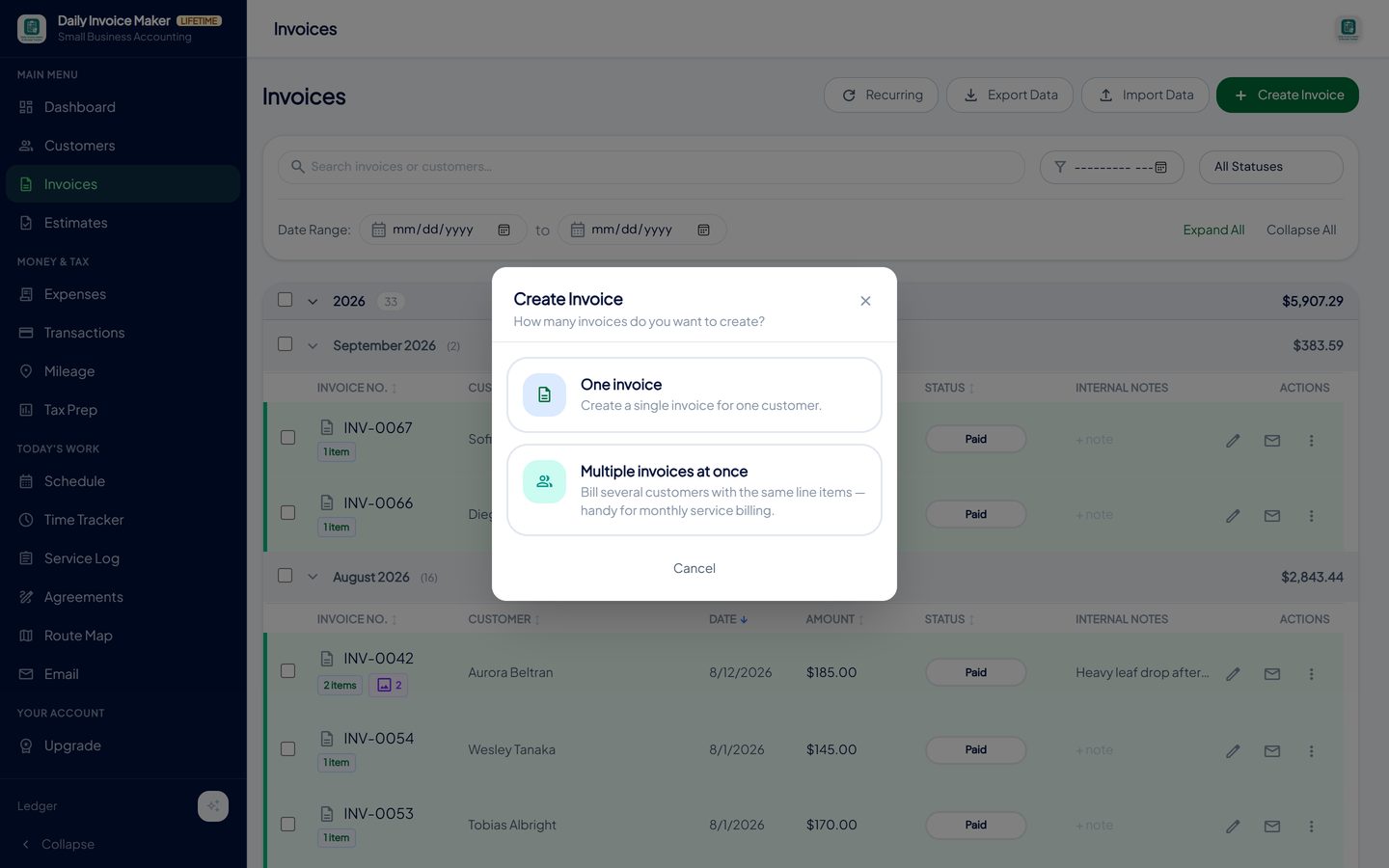
One invoice for one customer, or the same line items to many customers at once for monthly billing. -
Attach photos and choose a look
Photos taken on the job can be attached to the invoice and print on the PDF, which is the single best way to stop "what did I pay for?" calls for work the customer did not watch. Twelve templates change the look without changing the content. Your payment details (Zelle, PayPal, card link, cheque) print on every invoice automatically.
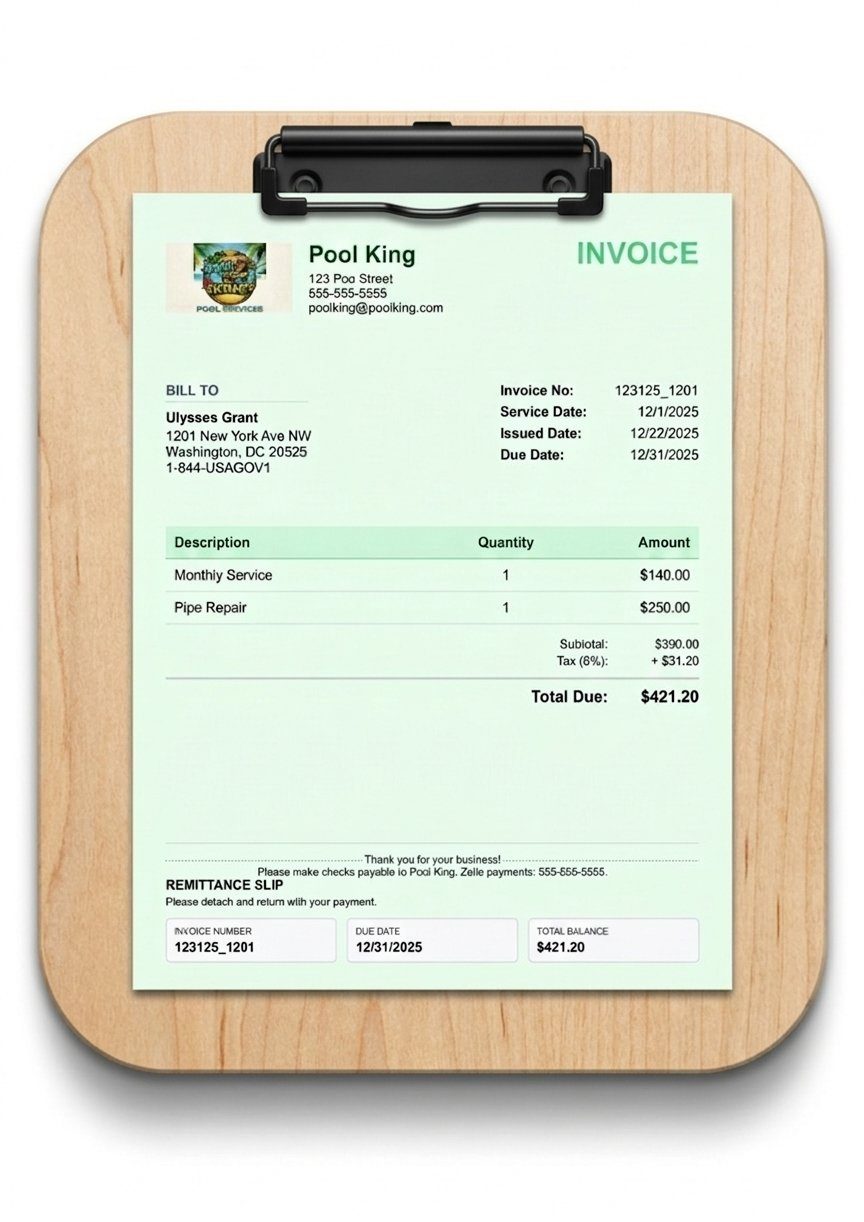
The finished PDF: business details, line items, attached photos of the work and payment instructions, in the template you chose. -
Send it by email, text or WhatsApp from the same screen
Email the PDF from the app, or on a phone send it by SMS or WhatsApp. An AI draft can write the covering message for you, or you use a saved template; either way the status flips to Sent so you always know which invoices the customer has actually received.
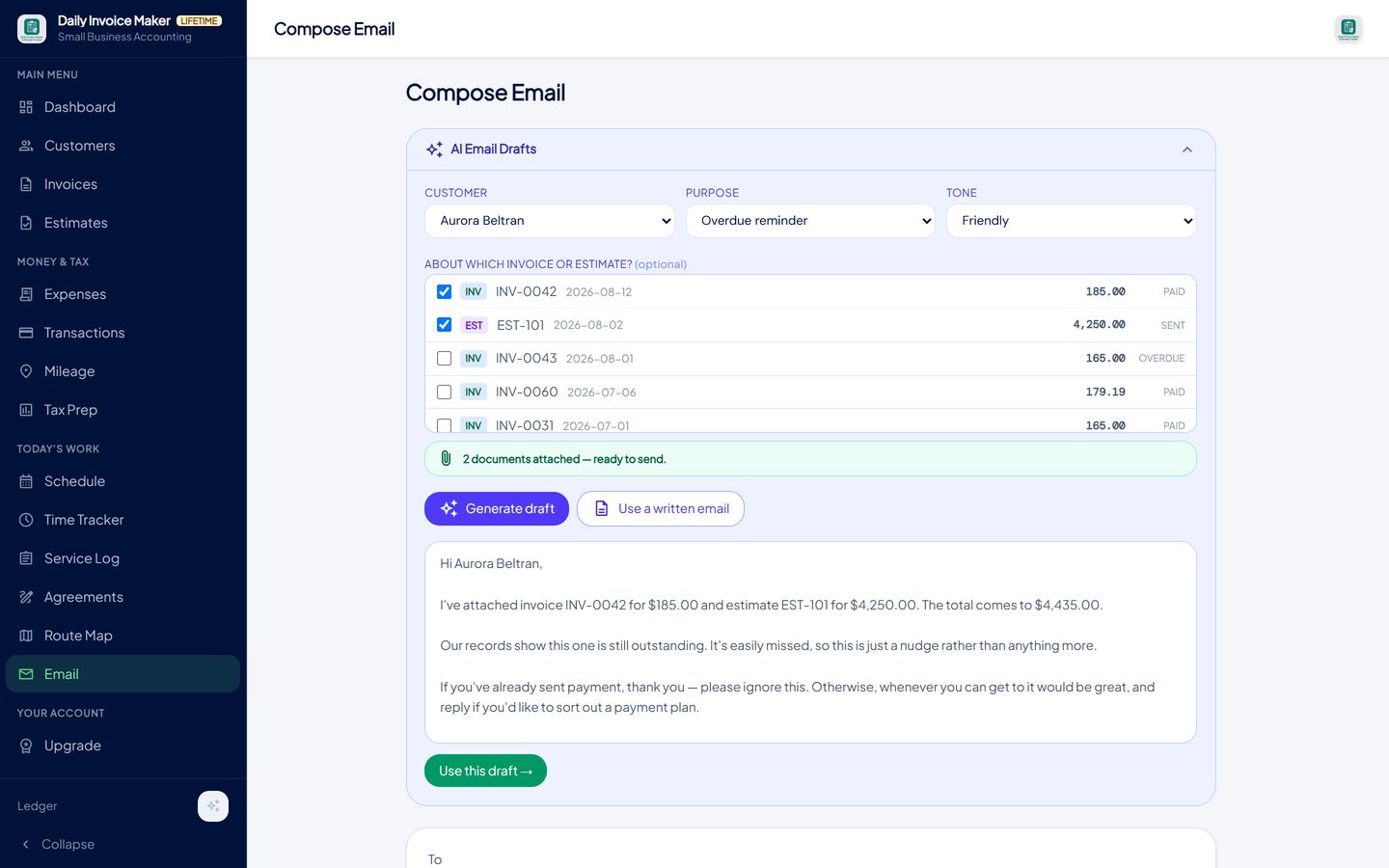
Email the invoice with the PDF attached, or send it by text or WhatsApp from a phone. Its status changes to Sent. -
Record the payment and see the status at a glance
When the money arrives, mark the invoice paid, or record a partial payment and the balance stays visible. The list groups invoices by year and month with subtotals, so "what did I invoice in August?" is a glance, not a calculation.
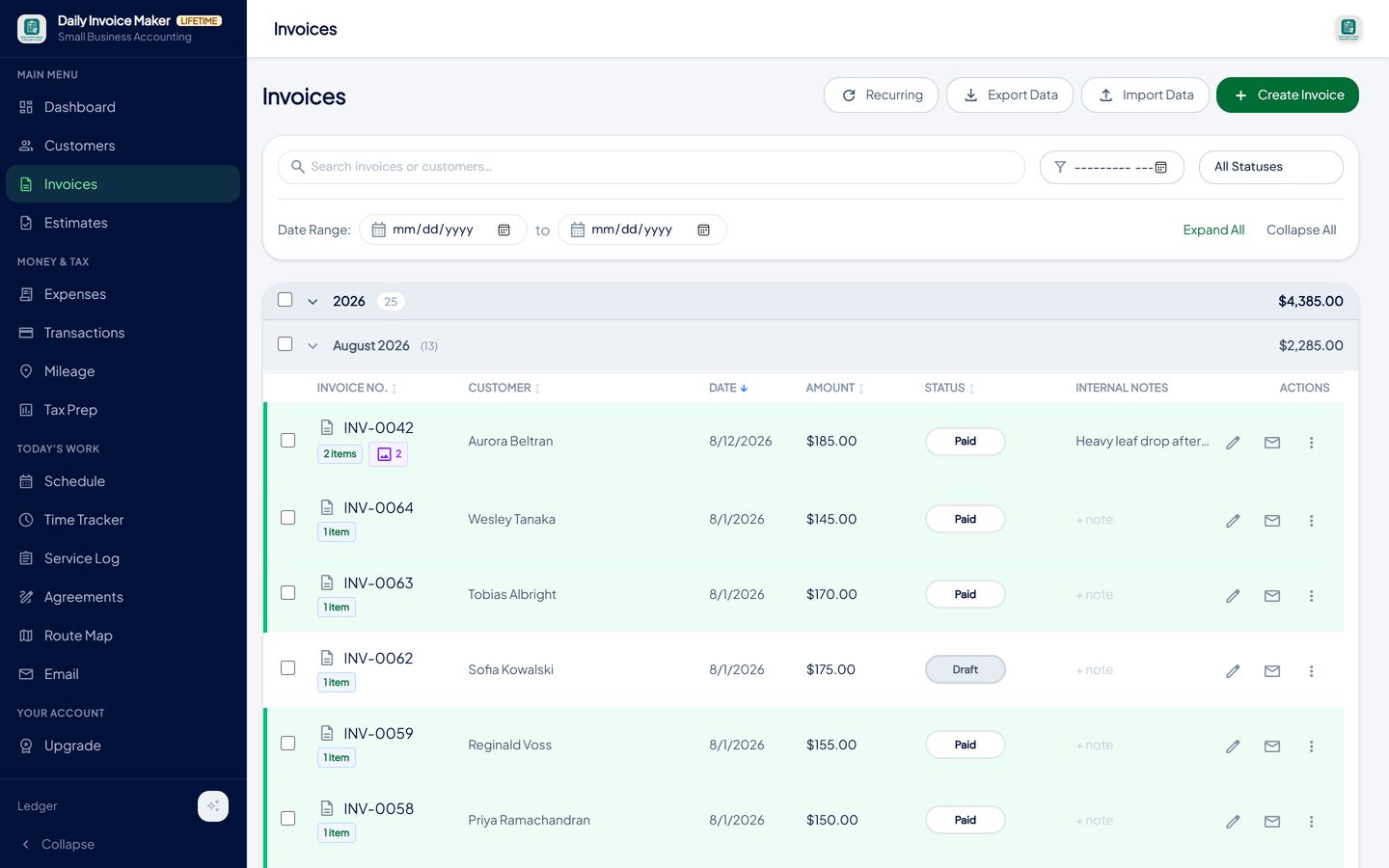
The list groups invoices by month with totals; each row shows its status, line-item count and attached photos. -
Chase what is overdue
An invoice past its due date becomes Overdue on its own. Filter the list to overdue, resend from the row, or work from the dashboard's outstanding-balance figure. Customers with a monthly rate can be billed automatically on a schedule so nothing is forgotten.
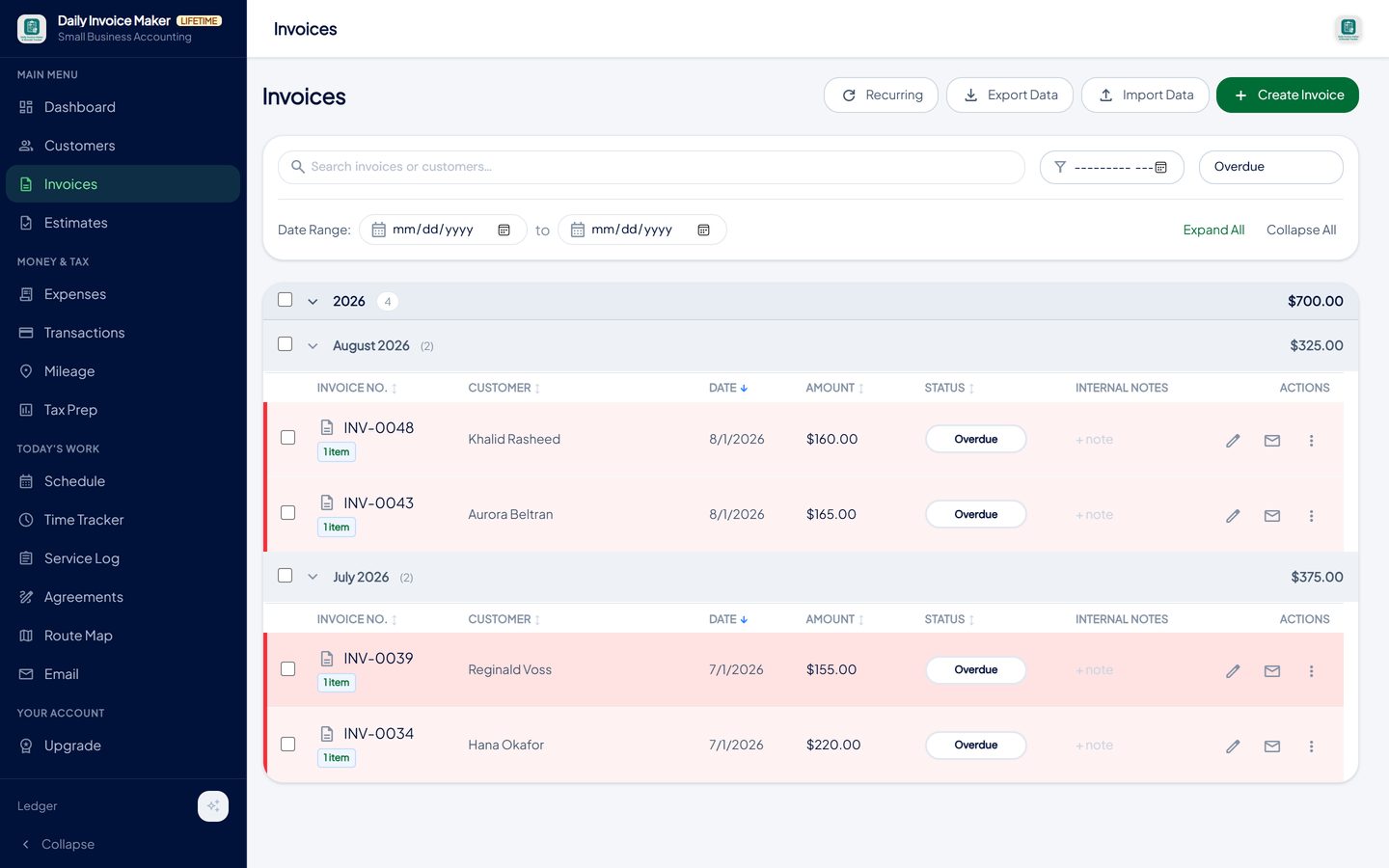
Filter to overdue and resend from the row. The dashboard shows the total outstanding at any time. -
Let the paid invoices become your income record
Because the app kept every invoice, the year's income is already known. Tax Prep totals paid invoices into gross receipts, keeps any sales tax you collected out of income, and exports a Schedule C summary for an accountant or an import file for TurboTax Desktop. The invoice you sent in July is a line on the return in April, without being typed twice.
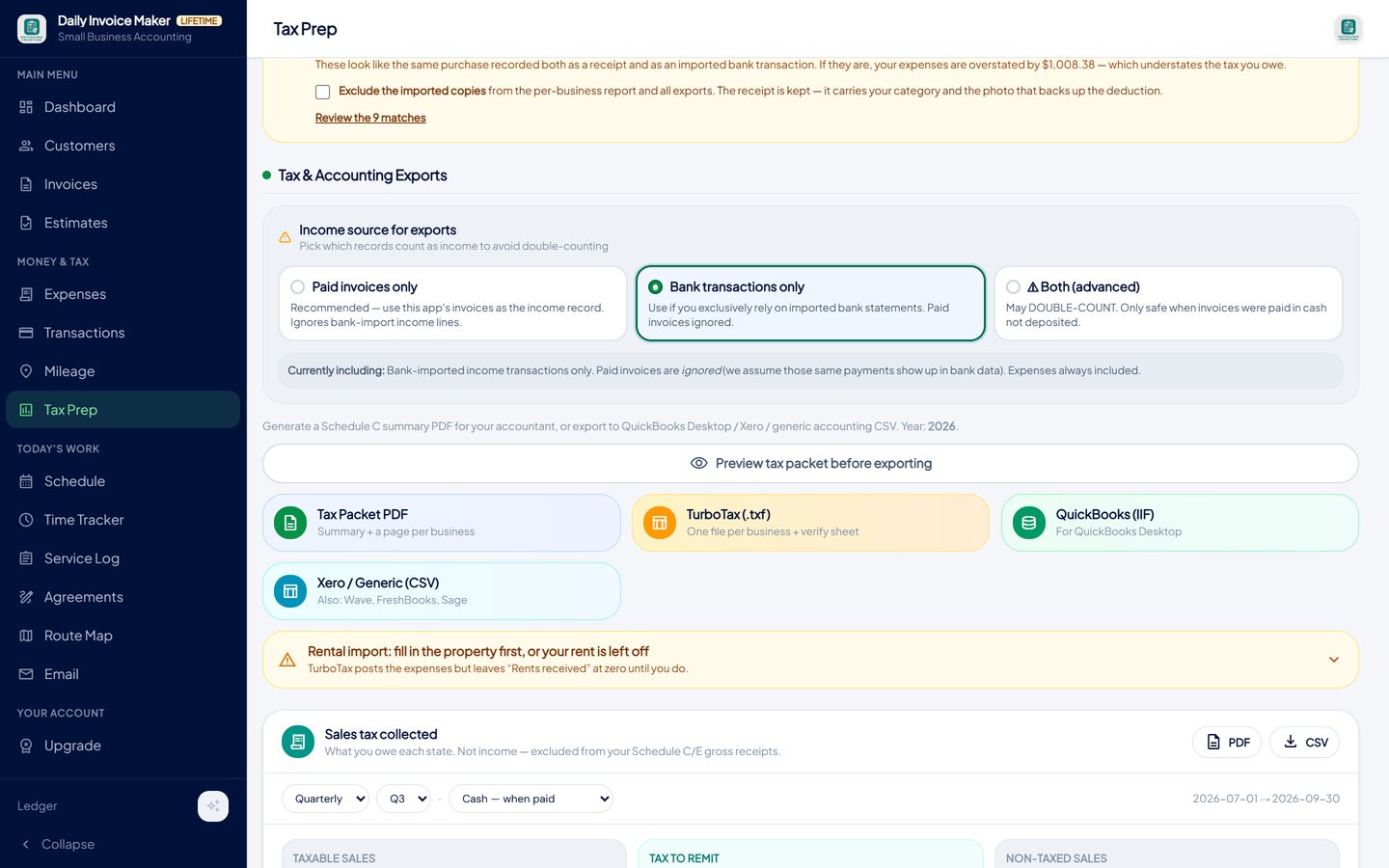
Paid invoices total into gross receipts; sales tax collected is kept separate. Export the year for your accountant or tax software.
What else is in the app
Estimates that convert
Send a quote, get it accepted (with a signature if you like), and convert it to an invoice in one step.
Recurring and bulk billing
Monthly customers are billed on a schedule; the same line items go to many customers at once.
Photos on the invoice
Job photos attach to the invoice and print on the PDF.
Payment details printed
Zelle, PayPal, card link and cheque instructions on every invoice; partial payments tracked.
Receipts, expenses and tax
Receipt scanner, statement import, mileage and a Schedule C export; the invoices feed the income figure.
Every platform, offline
Windows, Mac, Linux and Android. Data stays on your devices; Google Drive sync between them is included.
Try it on your own books
The free demo is the full app for your first 7 invoices, 7 customers and 7 expenses — no account, no card. It runs 100% offline on Windows, Mac and Linux: $149.99 once, or $5.99 a month if you would rather not commit. The Android app is a separate Google Play purchase.
Questions
Is there a free invoice maker in this?
Yes. The free demo is the full app with a limit of seven invoices and a sample watermark on the PDF. It needs no account and no card. The paid plans remove the limit and the watermark: $5.99 a month or $149.99 once.
Can I make an invoice on my phone?
Yes. The Android app creates, sends and tracks invoices, and photos taken with the phone attach to the invoice. The Android app is bought through Google Play; the desktop app is licensed from donlinestore.com.
Does it generate PDF invoices?
Every invoice is produced as a PDF, and can also be exported as an image or a Word document. The PDF can be emailed, texted, printed or saved.
Can I add my logo and change the design?
Yes. Upload a logo once in Settings and choose from twelve templates. The content of the invoice does not change with the template, so switching is safe.
What happens to sales tax on the invoice?
Set a default rate or a rate per invoice; tax is shown as its own line and its own total. At tax time the app keeps the tax you collected out of your income figure and reports it by state and rate for the sales-tax return.
Does it need the internet?
No. The app runs on your computer or phone and stores invoices locally. Internet is only needed to email an invoice or to sync between your devices through your own Google Drive.
Can I import the customers I already have?
Yes. Download the spreadsheet template from the Customers screen, fill it in, and import it, so an existing customer list does not have to be retyped. Invoices exported from the app can be imported back the same way.
The short version
A good invoice states who, what, how much, by when and how to pay, and then stays in a system that remembers it. Get the contents right, send it the same day, record the payment, and the year's income is a total rather than a search. Daily Invoice Maker's free demo lets you make seven real invoices before you decide.
Related guides

Estimate Maker Guide
How to write a job estimate a customer can say yes to: scope, line items, terms, validity and signature.

Billing Software Guide
How monthly billing should work for a service route: recurring invoices, billing many customers at once, tracking paid, partial and overdue, and chasing without the…

Invoicing Without a Subscription
What a subscription really costs a small business over five years, what you give up with cloud-only invoicing, and what to check before buying one-time-payment…
Free invoice templates · How to attach job photos to an invoice · All guides · Quick how-to answers · Training guide for the app