Guides · Invoicing and billing
Invoice software with no subscription: one payment, works offline, your own data
The typical invoicing app costs $20 to $40 a month, every month, forever, and stops working the moment you stop paying. For a business that sends a few dozen invoices a month that is a strange deal: you are renting a numbering system.
This guide does the arithmetic, explains what cloud-only software quietly takes from you, and lists what to check before you buy a one-time-payment invoice app. It ends with how Daily Invoice Maker, which costs $149.99 once, handles each point.

The subscription arithmetic
| $20/month app | $40/month app | One-time $149.99 | |
|---|---|---|---|
| Year 1 | $240 | $480 | $149.99 |
| Year 3 | $720 | $1,440 | $149.99 |
| Year 5 | $1,200 | $2,400 | $149.99 |
| Price increases | Usual | Usual | None: you already paid |
| If you stop paying | Read-only or locked out | Read-only or locked out | Keeps working |
Subscription prices also rise. Most of the well-known invoicing apps have raised their monthly price more than once in the last few years, and the starter tiers keep losing features to the tier above. A one-time price is fixed by definition.
The fair counter-argument is that a subscription funds ongoing development and hosting. That is true of the hosting: a cloud app has servers to pay for. Software that runs on your own computer does not, which is why it can be sold once.
What cloud-only invoicing quietly takes
- Access to your own records. Your invoices live on the vendor's servers. Cancel, and you get an export window and then a locked account. Five years of invoices, customer history and receipts become someone else's database.
- Working without a connection. Basements, rural routes, a customer's back garden, a jobsite with no signal: cloud apps degrade or stop. An offline invoice maker does not notice.
- Control over price and features. The vendor changes both when they choose. The feature you rely on moves to a higher tier; the price goes up in January.
- Privacy. Every customer's name, address and payment history sits on a third party's servers, subject to their breaches and their terms.
None of this makes cloud software bad. It makes it a trade: convenience and hosted features in exchange for a monthly fee, dependence and your data on their machines. For some businesses that trade is right. For a one-person service business it usually is not.
What to check before buying one-time-payment invoice software
- What does "lifetime" cover? The licence should be for the software, not a version. Ask whether updates are included and whether the licence survives a new computer.
- Where is the data? A local database file on your machine is the right answer. Ask how it is backed up and whether you can take a copy yourself.
- Does it work with no internet? Not "syncs later", but creates invoices, records payments and produces reports offline.
- How do devices share data? Local software needs a way to keep a laptop and a phone in step. The good answer is sync through storage you own, such as your own Google Drive, rather than through the vendor.
- Is it just invoices? Invoicing alone leaves receipts, expenses and tax elsewhere. The one-time price is a much better deal if it covers the year-end too.
- What does the free trial hide? A demo of the full app with a usage cap is honest; a trial that expires and takes your data with it is not.
- Are the mobile apps separate? App-store rules mean phone apps are usually bought through the store. Know the total before you commit.
Why offline matters more than it sounds
Offline is not only about places with no signal. It is about the app opening in under a second because it is not waiting for a server, the invoice list not spinning, the receipt photo saving instantly, and the software still working during the vendor's outage, or after the vendor is gone. It is also the reason the data can be yours: software that works without a server has no reason to keep your records anywhere but on your device.
The one real cost of offline is that backup is your responsibility. Local software should make that trivial: an export you can run in one click, an automatic copy on a schedule, and sync to your own cloud storage so the phone and the desktop back each other up.
What a one-time app does not do
Be clear about the limits before choosing. Local software will not host a customer payment portal; instead it prints your PayPal, card, Zelle and Venmo details on the invoice and lets customers pay through those. It will not pull bank transactions live from your bank; instead it imports the statements you download. And it will not email your customers from the vendor's servers; it sends from your own email account. For most small service businesses these are the right trade-offs. They are trade-offs all the same.
The hidden cost of "just invoicing"
An invoicing subscription plus a receipts app plus a mileage app plus a tax-time scramble is three fees and a weekend. The economics of a one-time purchase get much better when the same software keeps the receipts, imports the statements, logs the miles and produces the Schedule C figures, because then it replaces the other subscriptions too, and April becomes an export rather than a project.
Step by step
How Daily Invoice Maker handles it
Daily Invoice Maker is sold once, for $149.99, for Windows, Mac and Linux, with a $5.99 monthly option for people who prefer it. It stores everything on your own computer, works with no internet, and covers receipts, expenses, mileage and tax exports as well as invoices. Here is how the points above look in the app.
-
Install and use it with no account and no connection
Download, install, open. There is no account to create. The free demo is the full app with a seven-invoice limit and a sample watermark; enter a licence key when you buy, and the limit is gone. Everything you see is read from a database file on your own machine.
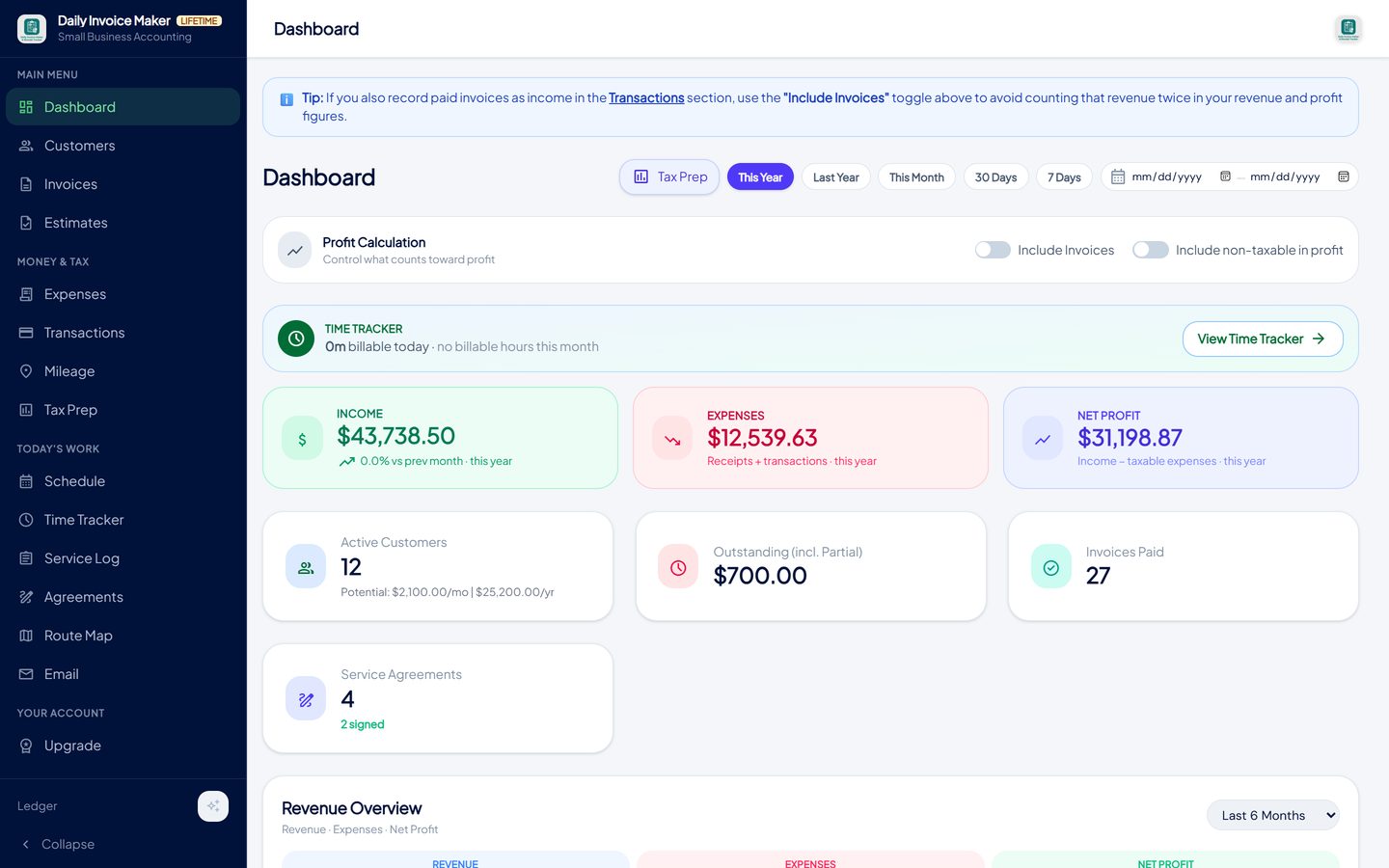
The dashboard reads from the local database: no login, no server, no spinner. -
Create and send invoices offline
Create an invoice in the van, attach the photos, record the payment when the customer hands over a cheque, all without a signal. The email goes out when you are back in range, from your own email account. Nothing waits on a server.
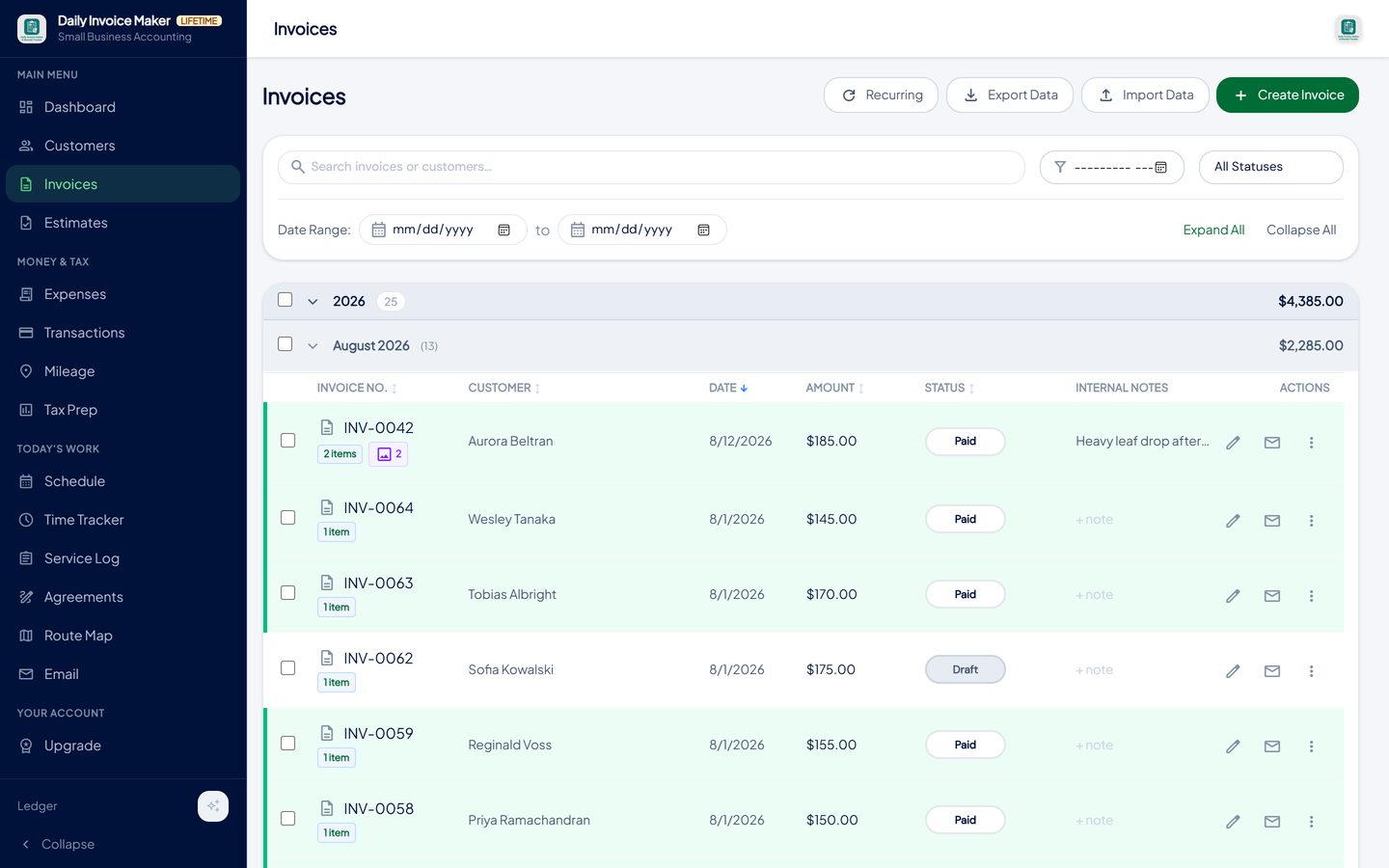
Invoices are numbered, stored and tracked locally. A connection is only needed at the moment you email one. -
Keep the PDFs and the records yourself
Each invoice is a PDF you can save, print or attach, and a record in the local database with its customer, status and payment history. Export the whole database as a single backup file whenever you like; it is your data in a file you hold.
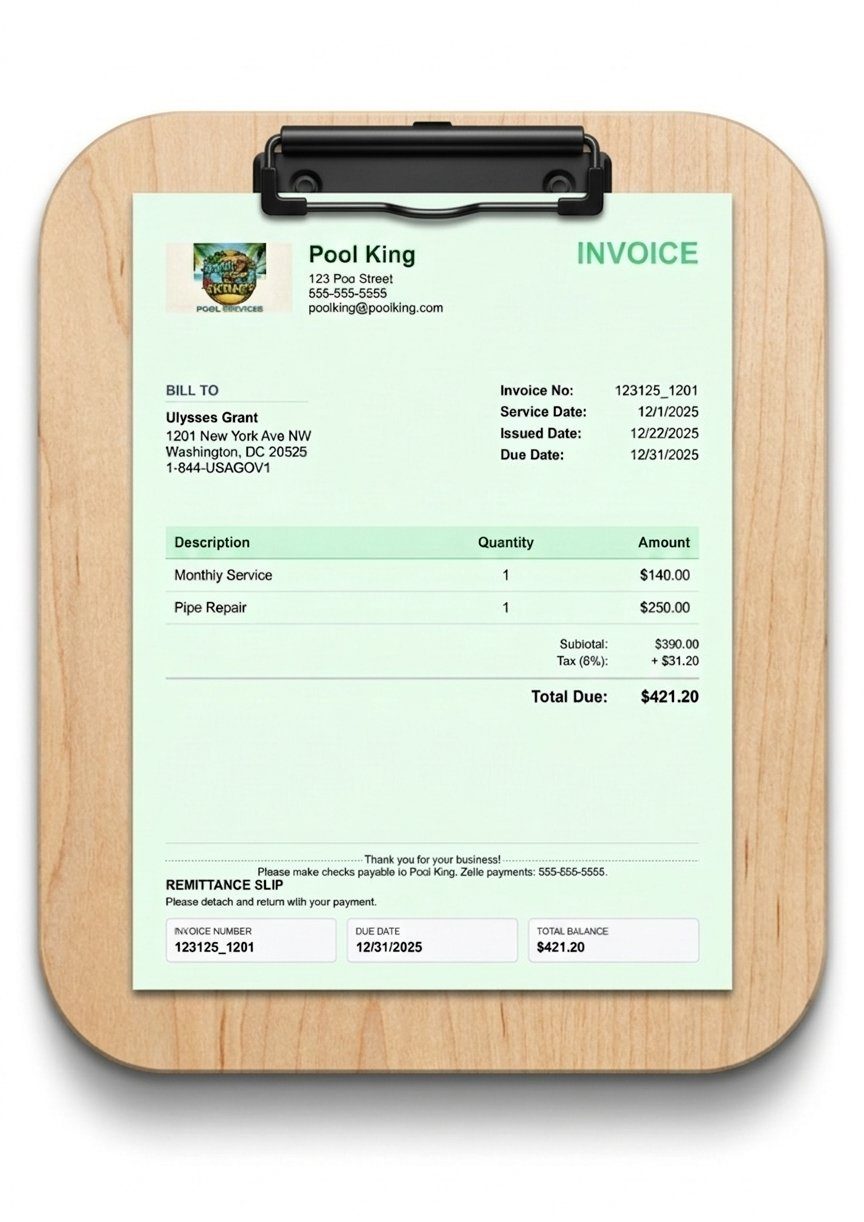
Every invoice is a PDF you can save anywhere, and a record in your own database. -
Back up and sync through storage you own
Three ways to protect the data, none of them through our servers: Google Drive sync keeps your devices in step through your own Drive account and is included with every paid plan; Local backup saves a single .dim file you can copy anywhere; WiFi sync moves data between the phone and the desktop over your own network with no internet at all.
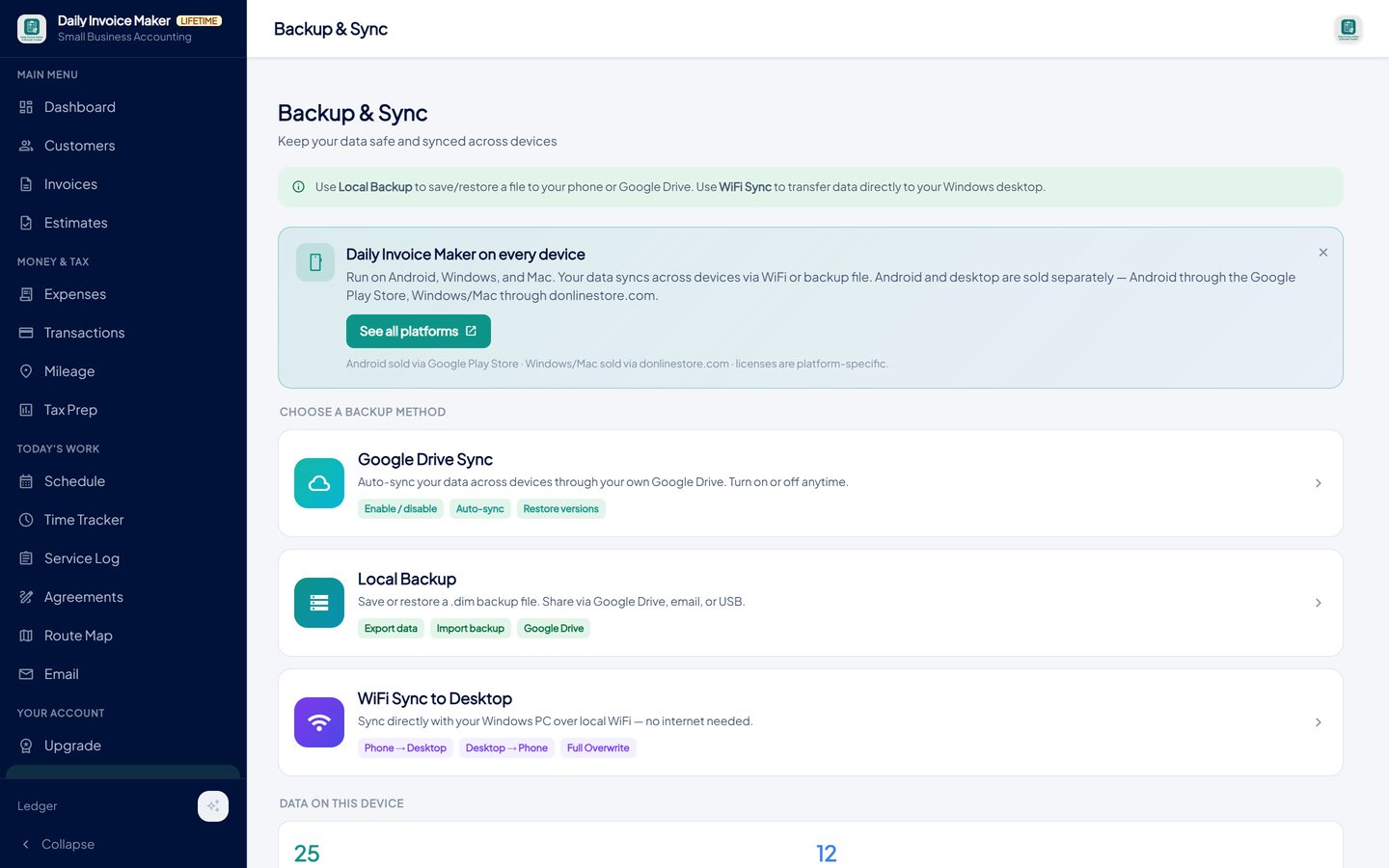
Google Drive sync uses your own Drive account; local backup writes a file; WiFi sync moves data between phone and desktop with no internet at all. -
Use the rest of the app: receipts, statements, mileage
The same one-time price covers the receipt scanner, statement import for banks and payment apps, a mileage tracker, estimates, service agreements, scheduling and a customer database. Those are usually two or three more subscriptions.
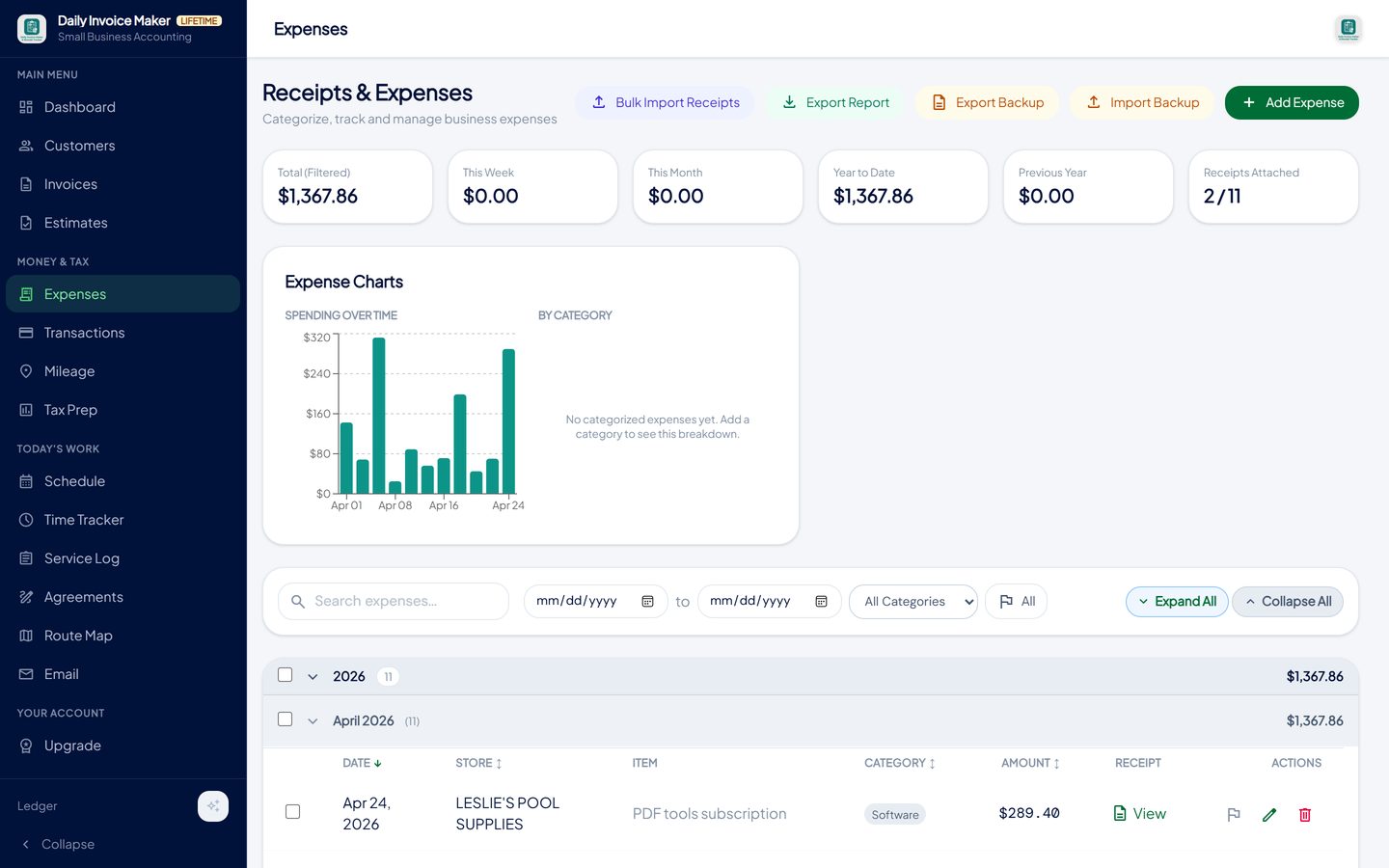
Receipts scanned and categorised, statements imported, mileage logged: the subscriptions you would otherwise also pay for. -
Finish the year without another tool
Tax Prep totals the year's paid invoices and categorised expenses and exports a Schedule C summary PDF, a TurboTax Desktop import file, or QuickBooks and CSV files for a bookkeeper. No further purchase, no upgrade tier.

A Schedule C summary for your accountant or a TurboTax import file, produced from the records the app kept all year.
What else is in the app
$149.99 once, or $5.99 a month
Lifetime desktop licence with updates included. The Android app is sold through Google Play.
Fully offline
Invoices, receipts, reports and exports with no connection; email when you are back online.
Local database, one-file backup
Everything on your machine; export a single backup file any time.
Sync through your own Google Drive
Included with every paid plan. Your Drive, not our servers.
Receipts, statements, mileage, tax
The bookkeeping subscriptions you would otherwise add, in the same price.
Windows, Mac, Linux, Android
One codebase, every platform.
Try it on your own books
The free demo is the full app for your first 7 invoices, 7 customers and 7 expenses — no account, no card. It runs 100% offline on Windows, Mac and Linux: $149.99 once, or $5.99 a month if you would rather not commit. The Android app is a separate Google Play purchase.
Questions
What does the one-time price include?
A lifetime licence for the desktop app on Windows, Mac or Linux, with updates. Google Drive sync between your devices is included. The Android app is sold separately through Google Play because store rules require it.
Is there a subscription option at all?
Yes, $5.99 a month for people who prefer to spread the cost. It includes exactly the same features and the same Google Drive sync. You can stop any time and switch to the one-time licence.
What happens if I get a new computer?
Move your backup file to the new machine, or let Google Drive sync bring it across, and enter your licence key. If the licence reports it is already in use on too many devices, support releases the old one.
Does it work with no internet at all?
Yes. Everything except sending email and syncing to Drive works offline, including creating invoices, scanning receipts, importing downloaded statements and exporting reports.
Where is my data?
In a database file on your own computer or phone. Nothing is stored on our servers. If you turn on Google Drive sync, the copy goes to your own Drive account.
Can I try it before paying?
The free demo is the full app, limited to seven invoices with a sample watermark on the PDF. No account and no card. Your data carries straight over when you enter a licence key.
Can customers pay me online?
Your PayPal, Stripe card link, Zelle, Venmo or Cash App details print on every invoice, so customers pay through the method they already use, with no fee taken by the app. The app does not host a payment portal of its own.
The short version
A subscription is the right price for software that needs servers. Invoicing for a small service business does not, which is why it can be sold once, run offline and keep your records on your own machine. Check the licence terms, the data location and the backup story, and make sure the one-time price covers the year-end too. Daily Invoice Maker's free demo is the full app; the licence is $149.99 once.
Related guides

Invoice Maker Guide
What every invoice must contain, the payment terms that get you paid faster, why a real invoice maker beats a one-off generator, and how paid invoices become your…

Small Business Accounting
The accounting a one-person or family business really needs: a profit and loss you can read monthly, invoices as the income record, categorised expenses, sales tax…

Billing Software Guide
How monthly billing should work for a service route: recurring invoices, billing many customers at once, tracking paid, partial and overdue, and chasing without the…
Offline billing software · What invoicing software actually costs over five years · QuickBooks alternative that you pay for once · All guides · Quick how-to answers · Training guide for the app