Guides · Money and records
Small business accounting: a profit and loss you can read every month
Most accounting software was designed for accountants, then sold to the businesses they serve. A one-person service business does not need a general ledger, a trial balance or a chart of accounts. It needs to know whether it made money this month, what it is owed, what it owes in tax, and to arrive at April with the return already written.
This guide is that accounting, stripped to what matters: the profit and loss, the four records behind it, sales tax, and the year end. Then it shows how Daily Invoice Maker, an accounting app built for small service businesses, keeps it.

The profit and loss, and why it is the only statement you need monthly
A profit and loss statement is income minus expenses for a period. For a small business it answers the only question that matters month to month: did the work pay? Read it monthly, and a bad month is a correction; read it annually, and a bad year is a surprise.
Three refinements make a P&L useful for a service business:
- Income by source. Paid invoices, plus any direct payments that never went through an invoice. Not deposits: deposits include transfers and refunds.
- Expenses by category, in the tax form's own categories, with the percentage each represents. Fuel at 18% of expenses is a fact you can act on; "expenses $12,540" is not.
- Net profit per business, if there is more than one. A trade and a rental file on different forms with different tax; a P&L that merges them describes a business that does not exist.
The balance sheet, which lists assets and liabilities, matters when you borrow, sell or incorporate. For a sole proprietor with a truck and some tools, it can wait for the accountant.
The four records behind the numbers
- Invoices
- Every job invoiced, every payment recorded against the invoice. Paid invoices are the income figure; unpaid ones are the receivables. This is the record that makes income exact rather than inferred from deposits.
- Expenses with receipts
- Every purchase categorised on the day, with the receipt image attached. This is the record that makes the expense lines defensible.
- Bank and card statements
- Imported monthly and reconciled against the first two. This is the record that makes the books complete: it catches the unphotographed subscription and the uninvoiced deposit.
- Mileage
- A log kept as you drive. For a business that visits customers, often the second-largest deduction.
Small business accounting is the discipline of keeping these four current and checking them against each other once a month. Everything else, the P&L, the tax figures, the answer to "can I afford a second truck?", is a report over them.
Sales tax: collected, not earned
If your state requires you to charge sales tax on your services or the parts you supply, the tax on a paid invoice is money you hold for the state. It is not income, and it does not belong in the P&L. An accounting app should show it on the invoice as its own line, keep it out of income automatically, and report it by state and by rate, because a sales-tax return is filed per state and lists each rate separately. An app that folds tax into the price overstates your income at the federal level and leaves you rebuilding the state return by hand.
Cash basis, receivables and the money you have not received yet
Small businesses account on the cash basis: income when received, expenses when paid, which is what the tax form uses and what the bank statement shows. The P&L therefore counts only paid invoices. But the business also needs to know what it is owed. That is the receivables view: sent and overdue invoices, by customer, with the total outstanding. The two views disagree on purpose, and an accounting app should show both: what you earned, and what you are still waiting for.
The monthly close, in an hour
- Import the month's bank, card and payment-app statements; mark each line income, expense or non-taxable, with a category.
- Match deposits to paid invoices; investigate any deposit with no invoice.
- Match receipts to statement lines; drop the duplicates, keep the receipts.
- Split loan and mortgage payments into interest and principal.
- Read the P&L: income, expenses by category, net. Set aside tax on the net.
- Read the receivables: send reminders on what is overdue.
Done monthly, this is an hour with coffee. Skipped for a year, it is the reason people hire a bookkeeper in March.
Year end: the accounting pays off or it does not
The test of small business accounting is April. If the four records were kept, the year end is a report: gross receipts per business, expenses by Schedule C line with receipts attached, the mileage total, sales tax collected by state, and net profit. Hand it to a preparer, or import it into tax software, and the return is written. If the records were not kept, the same information has to be rebuilt from statements, and the receipts are in a shoebox.
That is the economic case for an accounting app for a small business: not the reports, which any spreadsheet can imitate, but the daily capture that makes the reports true.
Choosing an accounting app for a small business
- Does it start from invoices? For a service business the invoice is the income record; an app that treats invoicing as an add-on has it backwards.
- Does it categorise in tax terms? Schedule C categories, not a generic chart of accounts you have to map later.
- Can it keep two businesses apart? A trade and a rental, on their own schedules.
- Does it keep sales tax separate and report it by state and rate?
- Does it produce the year end as something a preparer or tax software can use directly?
- Where is your data, and what does it cost over five years? A subscription that holds your records hostage is a different proposition from software you own.
Step by step
How Daily Invoice Maker handles it
Daily Invoice Maker is a small business accounting app built the way this guide describes: invoices are the income record, expenses carry receipts and Schedule C categories, statements are imported and reconciled, sales tax is kept separate, and the year end is an export. Here is the monthly picture with a fictional pool-service business.
-
The profit and loss, on the dashboard
The dashboard is the P&L: income, expenses and net profit for the year, the month or any range, with the outstanding balance, the count of paid invoices and the active customers beside it. A profit-rules control decides whether invoices, transactions or both count as income, so the figure is never double counted.
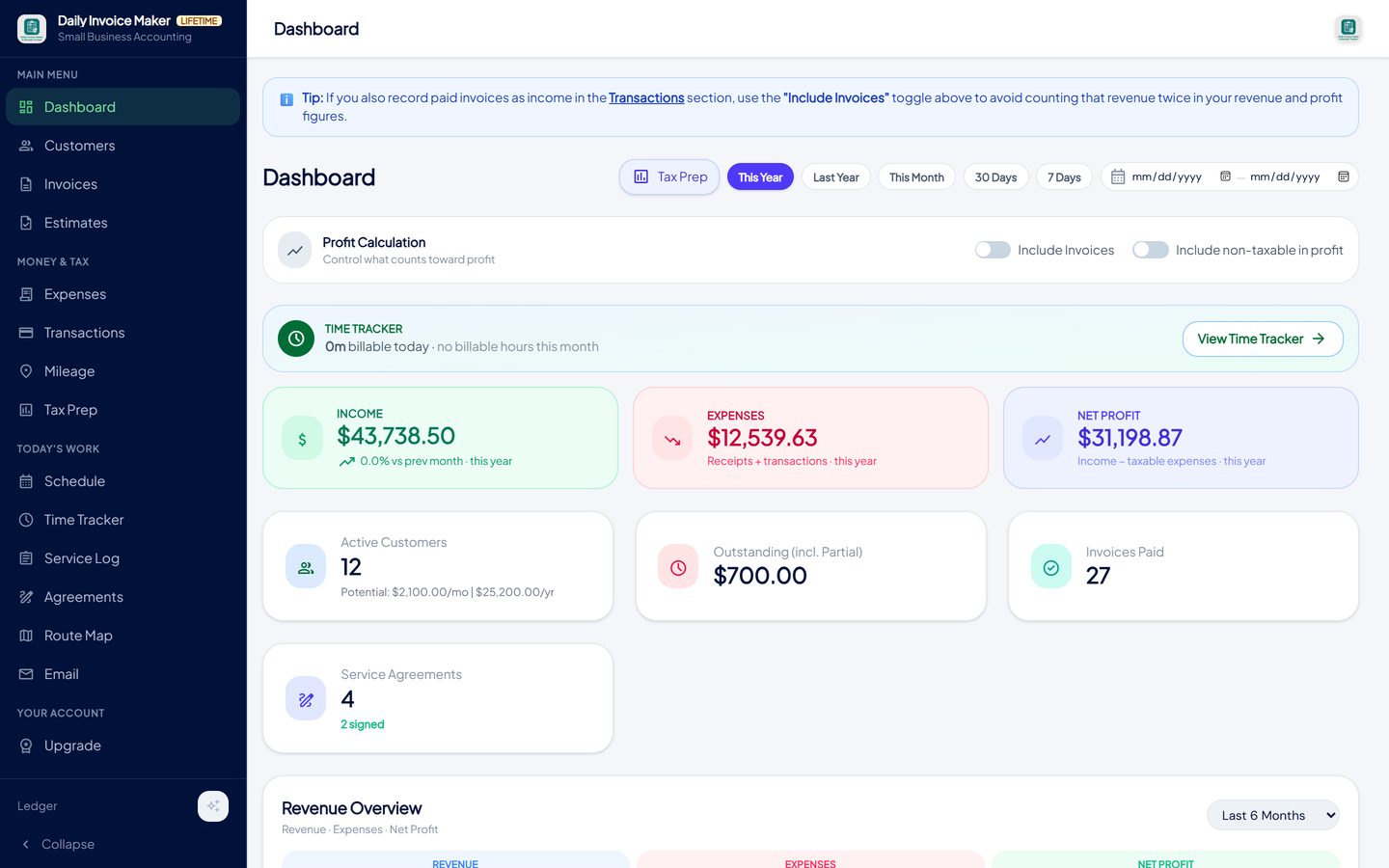
Income, expenses and net profit for the period, with what is outstanding, how many invoices were paid and the customer count. -
Income: every job invoiced, every payment recorded
Create the invoice, send it, record the payment. Paid invoices total into income; sent and overdue invoices are what you are owed, by customer, with the total outstanding on the dashboard. Sales tax on each invoice is a separate line and a separate total.
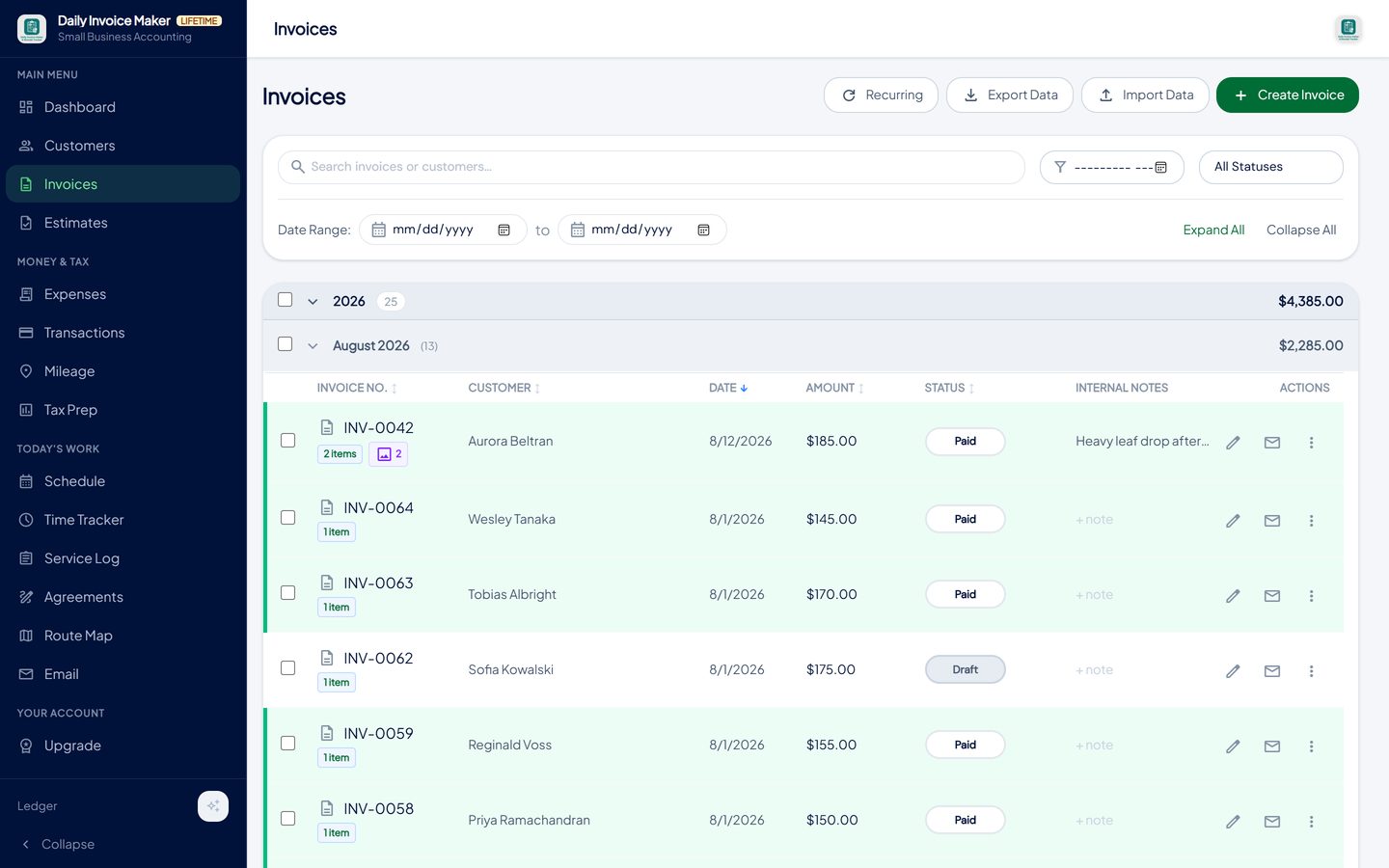
Paid invoices are the income record; sent and overdue ones are the receivables. -
Expenses: categorised on the day, receipt attached
Photograph the receipt and the AI scanner fills in the merchant, date and total and suggests a category; confirm it and the image is stored with the entry. The Expenses screen shows the week, the month and the year, a spending chart, and which entries still lack a receipt.
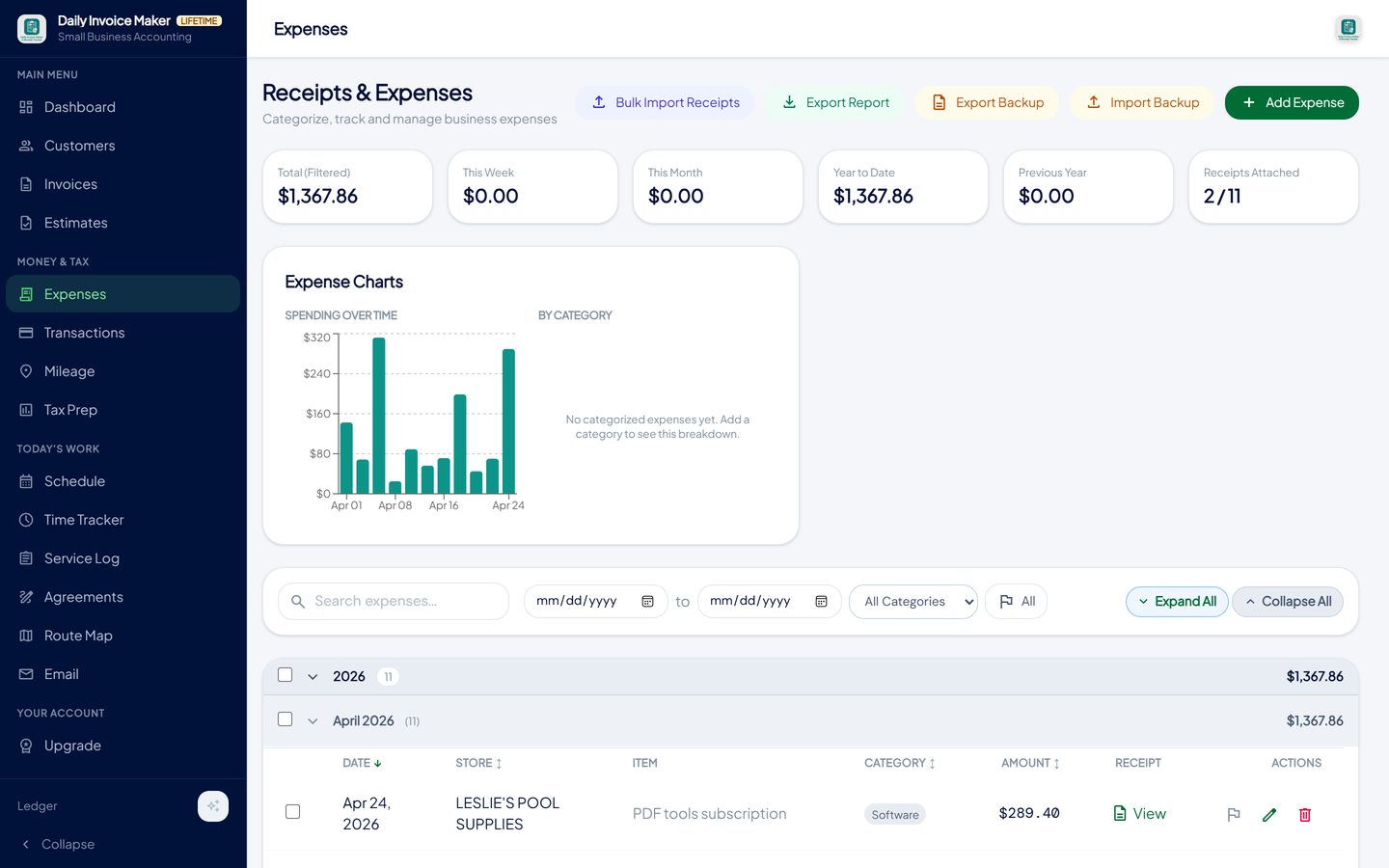
Every expense has a Schedule C category and, where captured, the receipt image; the tiles show the week, month and year. -
Statements: imported, reviewed, reconciled
Import the month's statements from the bank, the card and the payment apps; review each line's type and category; mark transfers non-taxable. Income versus expenses by month and expenses by category with percentages sit on the same screen. Duplicate imports and receipt-versus-statement pairs are found for you.
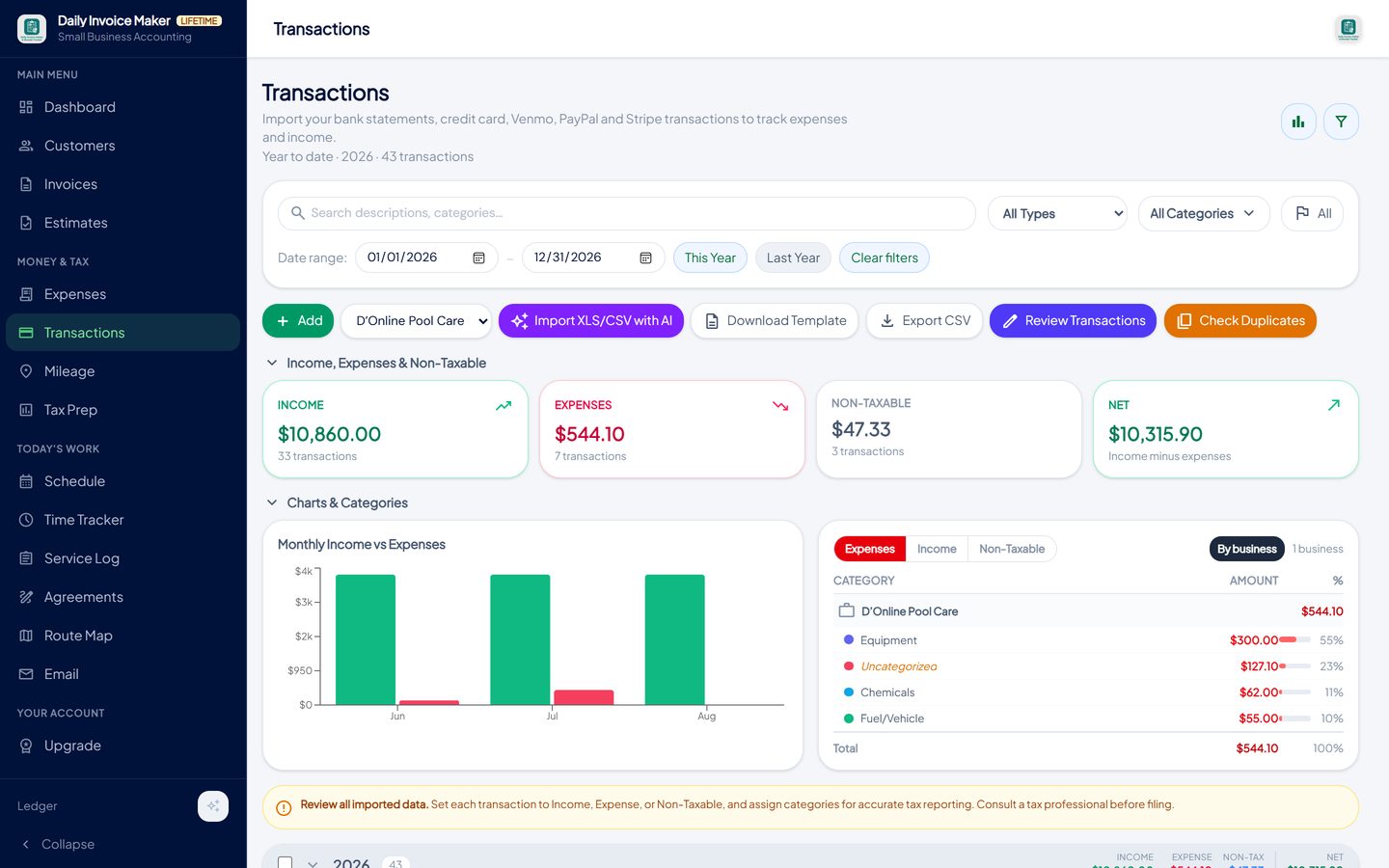
Imported bank, card and payment-app lines with type, category and business, totalled and charted by month. -
Per-business figures when there is more than one business
A trade, a rental and a day job each get their own block: income, expenses and net, never merged, because they file on different forms. Sales tax collected is totalled by state and by rate, ready for the state return, and is excluded from income everywhere.
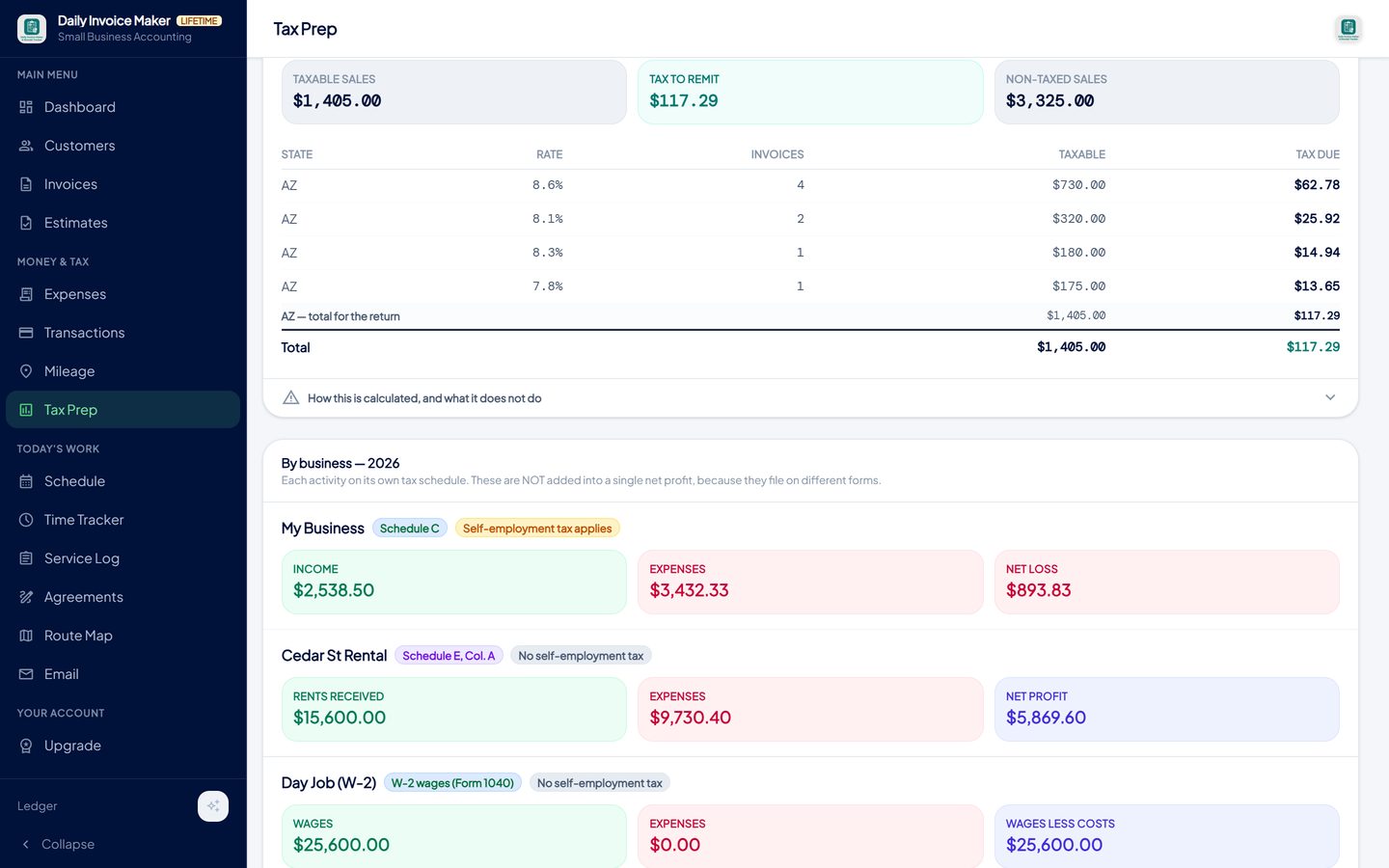
Each activity reported on its own schedule. Sales tax collected is shown separately by state and rate above. -
Year end as an export
When the year closes, Tax Prep exports it: a PDF summary in Schedule C line order with a page per business, a TurboTax Desktop import file, or QuickBooks and generic CSV files. The four records were kept, so the return is written.
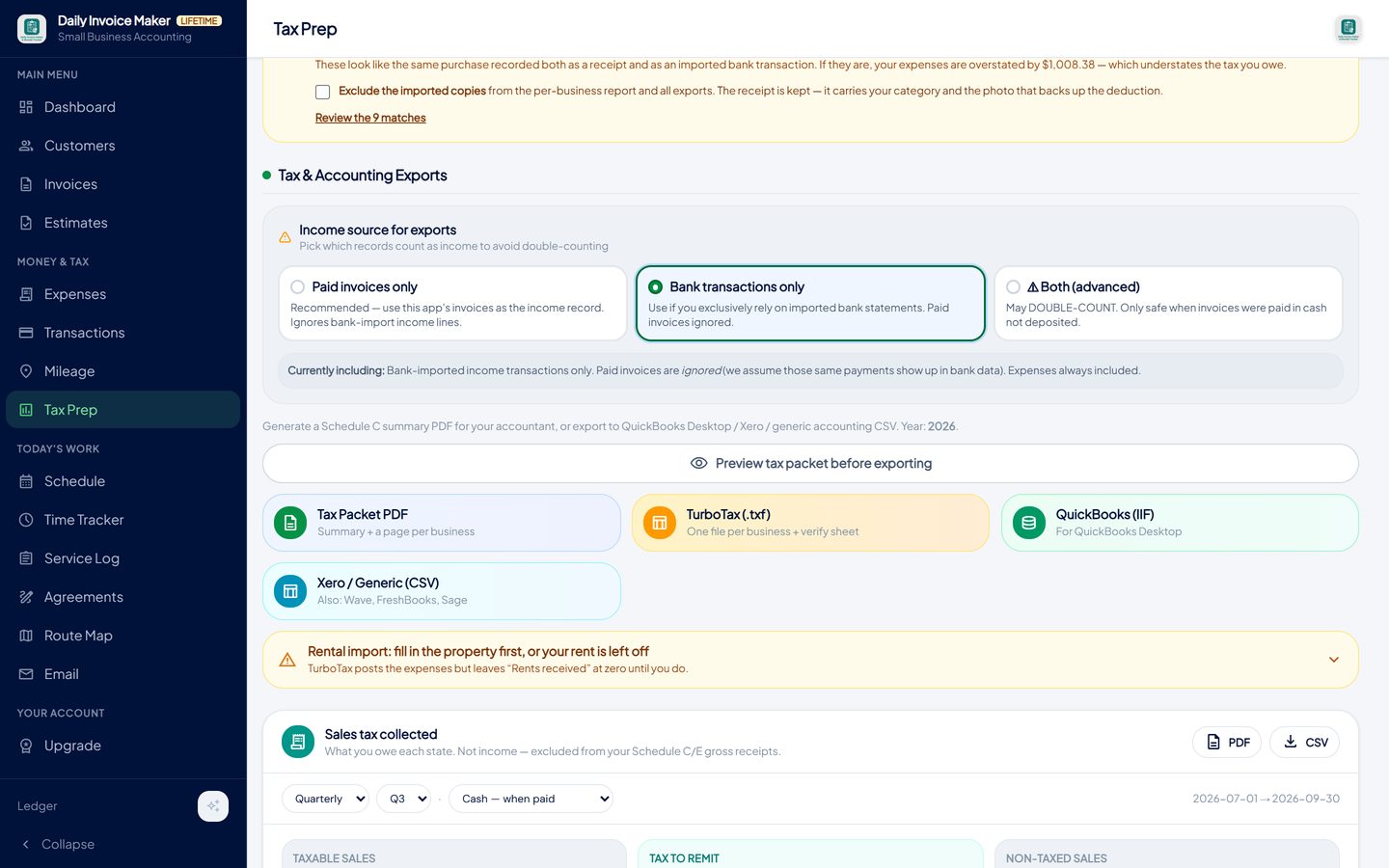
A Schedule C summary for the preparer, a TurboTax import file, or QuickBooks and CSV exports for a bookkeeper.
What else is in the app
Invoices, estimates, recurring and bulk billing
The income record, with receivables and overdue tracking.
AI receipt scanner
Receipts read and attached; Schedule C categories.
Statement import, 16 formats
Reconcile monthly against invoices and receipts.
Sales tax report
Collected tax by state and rate, cash or accrual basis, kept out of income.
Books per business
Schedule C, Schedule E and W-2 activities on their own schedules.
Own your software and data
$149.99 once or $5.99 a month. Windows, Mac, Linux, Android; data on your devices; Google Drive sync included.
Try it on your own books
The free demo is the full app for your first 7 invoices, 7 customers and 7 expenses — no account, no card. It runs 100% offline on Windows, Mac and Linux: $149.99 once, or $5.99 a month if you would rather not commit. The Android app is a separate Google Play purchase.
Questions
Is this a replacement for QuickBooks?
For a sole proprietor or small service business that needs invoices, expenses, a profit and loss and a tax-ready year end, yes. It does not do payroll, inventory or a full double-entry general ledger; a business that needs those needs a different tool, and the app exports to QuickBooks for exactly that case.
Can it produce a profit and loss statement?
Yes. The dashboard shows income, expenses and net profit for any period, and Tax Prep produces the per-business report as a PDF, XLSX or CSV.
How is sales tax handled?
It is a separate line on each invoice, excluded from income automatically, and reported by state and rate on a cash or accrual basis for the state return.
Can I run two businesses in one app?
Yes. Each business is a separate set of books, reported on its own schedule: Schedule C for a trade, Schedule E for a rental, W-2 for a job.
Does an accountant need to be involved?
Not for the bookkeeping. For the return, many people file themselves from the export; others hand the PDF summary to a preparer, who will spend far less time on categorised records than on a folder of statements.
Where is the data?
On your own computer or phone. Nothing is uploaded to our servers; Google Drive sync, included with the paid plans, copies the data to your own Drive account for your other devices.
The short version
Small business accounting is four records kept daily and one statement read monthly. Software that starts from invoices, categorises in tax terms, keeps sales tax separate and exports the year end does the job without the accountant's vocabulary. Daily Invoice Maker's free demo is the full app, so you can run a month through it before deciding.
Related guides
Simple Ledger Guide
What a small business ledger actually needs to record, why a cash book beats double entry for a sole proprietor, how to keep it reconciled, and how a bookkeeping app…

Self-Employed Accounting
The accounting a sole proprietor or independent contractor actually needs: cash-basis books, a monthly reconciliation routine, quarterly estimates, self-employment…

Billing Software Guide
How monthly billing should work for a service route: recurring invoices, billing many customers at once, tracking paid, partial and overdue, and chasing without the…
What invoicing software actually costs over five years · QuickBooks alternative that you pay for once · All guides · Quick how-to answers · Training guide for the app