Guides · Tax season
Business tax deductions: the write-offs you are entitled to, and how to track them
A deduction you cannot document is a deduction you will eventually give back. The self-employed leave money on the table every year, not because they do not know a truck is deductible, but because in April they cannot find the receipt, the mileage log or the business-use percentage.
This guide lists the deductions that matter for a service business, the evidence each one needs, and the habits that make a tax write-off tracker work. Then it shows the same tracking in Daily Invoice Maker.

The one rule that governs every deduction
Section 162 of the tax code lets you deduct expenses that are ordinary and necessary for your trade. Ordinary means common in your line of work; necessary means helpful and appropriate, not indispensable. Chlorine for a pool service, a ladder for a painter, liability insurance for anyone, all pass without argument.
The second half of the rule is the one people forget: you must be able to substantiate the expense. That means showing what was bought, when, from whom, for how much, and why it was for the business. For most purchases a receipt and a category does it. For vehicles, travel, meals and anything with mixed personal use, the IRS wants more, and it wants records made at the time, not reconstructed later.
A tracker's job is substantiation. Totals are easy; any spreadsheet can add. The thing that survives an examination is a category, a date, an amount and the receipt image, together, for every line.
Deductions a service business should be claiming
| Deduction | What qualifies | Evidence to keep |
|---|---|---|
| Supplies and materials | Consumables used on jobs: chemicals, parts, mulch, cleaning products, small tools | Receipt with vendor, date, total; category on the day |
| Vehicle | Standard mileage rate, or actual costs (fuel, insurance, repairs, depreciation) times business-use % | A mileage log kept as you drive; for actual costs, every receipt plus total and business miles |
| Equipment | Mowers, pumps, compressors, laptops. Expensed under the de minimis rule (up to $2,500 per item), Section 179, or depreciated | Invoice, date placed in service, business-use % |
| Home office | A space used regularly and exclusively for the business. Simplified: $5 per square foot, 300 sq ft max | Square footage, a photo of the space, proof of exclusive use |
| Phone and internet | The business share of the plan | Bills and a reasonable, consistent percentage |
| Insurance | General liability, commercial auto, equipment, workers' comp | Premium receipts (health insurance is deducted separately on Schedule 1) |
| Contract labour | Helpers and subcontractors | Payment records and a W-9; issue a 1099-NEC above the reporting threshold |
| Advertising | Website hosting, listing fees, flyers, vehicle lettering, business cards | Receipts |
| Software and subscriptions | Invoicing, scheduling, accounting, design tools | Card statement lines or receipts |
| Professional fees | Accountant, attorney, tax preparation, bookkeeping | Invoices |
| Licences, permits, dues | Business licence, trade certification renewals, association membership | Payment confirmations |
| Education | Courses that maintain or improve skills in your current trade (not training for a new one) | Receipt and course description |
| Bank and payment fees | Card processing fees, PayPal and Square fees, business account charges | Statements; processor fees are often netted out of deposits and forgotten |
| Meals | 50% of a meal with a client or while travelling for business | Receipt plus who, and the business purpose, written at the time |
| Travel | Overnight trips away from your tax home for work: lodging, airfare, ground transport | Receipts and the purpose of the trip |
| Interest | Interest on business loans and the business share of a vehicle loan (never the principal) | Lender statements showing the interest portion |
| Uniforms and safety gear | Clothing not suitable for everyday wear: branded shirts, steel-toe boots, gloves, respirators | Receipts |
| Self-employment tax | Half of it, deducted on Schedule 1 rather than Schedule C | Calculated from net profit |
Two things are commonly claimed and should not be: the principal portion of loan or truck payments, and money drawn out for yourself. Neither is an expense of the business.
The vehicle deduction, where most of the money is
For a service business that drives to customers, the vehicle is usually the largest deduction after materials, and the least documented. You have two methods.
Standard mileage multiplies business miles by the IRS rate (70 cents for 2025; a new rate is announced each December). It covers fuel, maintenance, insurance and depreciation in one figure; you add only parking and tolls. It requires a log, but not receipts. Ten thousand business miles at 70 cents is a $7,000 deduction from a log that takes seconds a day.
Actual expenses deducts the business-use share of everything the vehicle cost: fuel, insurance, repairs, registration, lease payments or depreciation. It can be larger for an expensive truck or a low-mileage year, but it needs every receipt and the same mileage log to prove the business percentage.
Either way the log is not optional. The IRS position is explicit: a log made at or near the time of the trip, showing date, mileage, destination and business purpose. Commuting from home to a regular workplace does not count; driving from your first customer to your second does, and so does driving from a home office that qualifies as your principal place of business.
What a write-off tracker has to do
- Capture the receipt at the point of purchase. A photo taken at the counter, stored with the expense, beats a receipt in a glove box. Thermal paper fades; the photo does not.
- Categorise in the form's own language. If every expense lands in a Schedule C category the day it happens, year-end is a report, not a project.
- Import the bank and card statements, then reconcile. The statement catches what you forgot to photograph: the online subscription, the processor fee, the licence renewal paid by card. It also creates the risk of counting the photographed receipt and the statement line twice, so the tracker has to find those pairs.
- Keep the mileage log inside the same system. A log in a separate notebook is the one that goes missing.
- Handle mixed use honestly. Phone, internet, a shared vehicle: record the full cost and a consistent business percentage. Consistency is what makes a percentage credible.
- Keep business and personal apart. A separate account and card do most of this. Where they mix, a personal line on an imported statement must be markable so it never reaches the return.
Deductions people forget, and one they over-claim
The forgotten ones are small and frequent: payment-processor fees that were netted out of deposits and never appeared as a charge; the business share of a phone plan; software subscriptions on a personal card; parking at customers' buildings; the trade licence that renews every two years; safety boots; the accountant's bill for last year's return. A tracker that imports card statements catches most of these because they leave a line on the statement.
The over-claimed one is the vehicle or mortgage payment taken in full. Loan principal is repaying money you borrowed, not spending; only the interest, and only its business share, is deductible. Because the bank shows one payment, a tracker that categorises by vendor will deduct the lot unless it makes you split it.
If the IRS asks: what a clean file looks like
An examiner working through a Schedule C wants three things for each line: the total, the entries that make it up, and the evidence behind any entry they choose to test. A file that produces all three in a few minutes tends to end the conversation quickly. That file is: expenses sorted by category with the receipt image attached to each, a mileage log with dates and purposes, bank statements that reconcile to the recorded income, and a note of the business-use percentage for anything shared with personal life.
Keep it for at least three years after filing, six if there is any chance income was under-reported by more than a quarter. Digital copies are accepted; they are easier to keep than paper and they do not fade.
This guide is general information about record-keeping and tax forms, not tax or legal advice. Rules change and situations differ; confirm anything that affects your return with a tax professional or the IRS instructions for the form.
Step by step
How Daily Invoice Maker handles it
Daily Invoice Maker is an invoicing and small-business accounting app for Windows, Mac, Linux and phones. Its expense side is built as a write-off tracker: receipts are photographed and categorised as they happen, statements are imported and matched, mileage is logged in the same place, and the year ends in Schedule C categories. Here it is with a fictional pool-service business.
-
Photograph the receipt and let the scanner fill in the record
Add an expense from the phone by photographing the receipt, or drop the image on the desktop app. The AI scanner reads the merchant, date and total and suggests a Schedule C category; you confirm it and the image stays attached. That is the whole substantiation requirement, met at the counter.
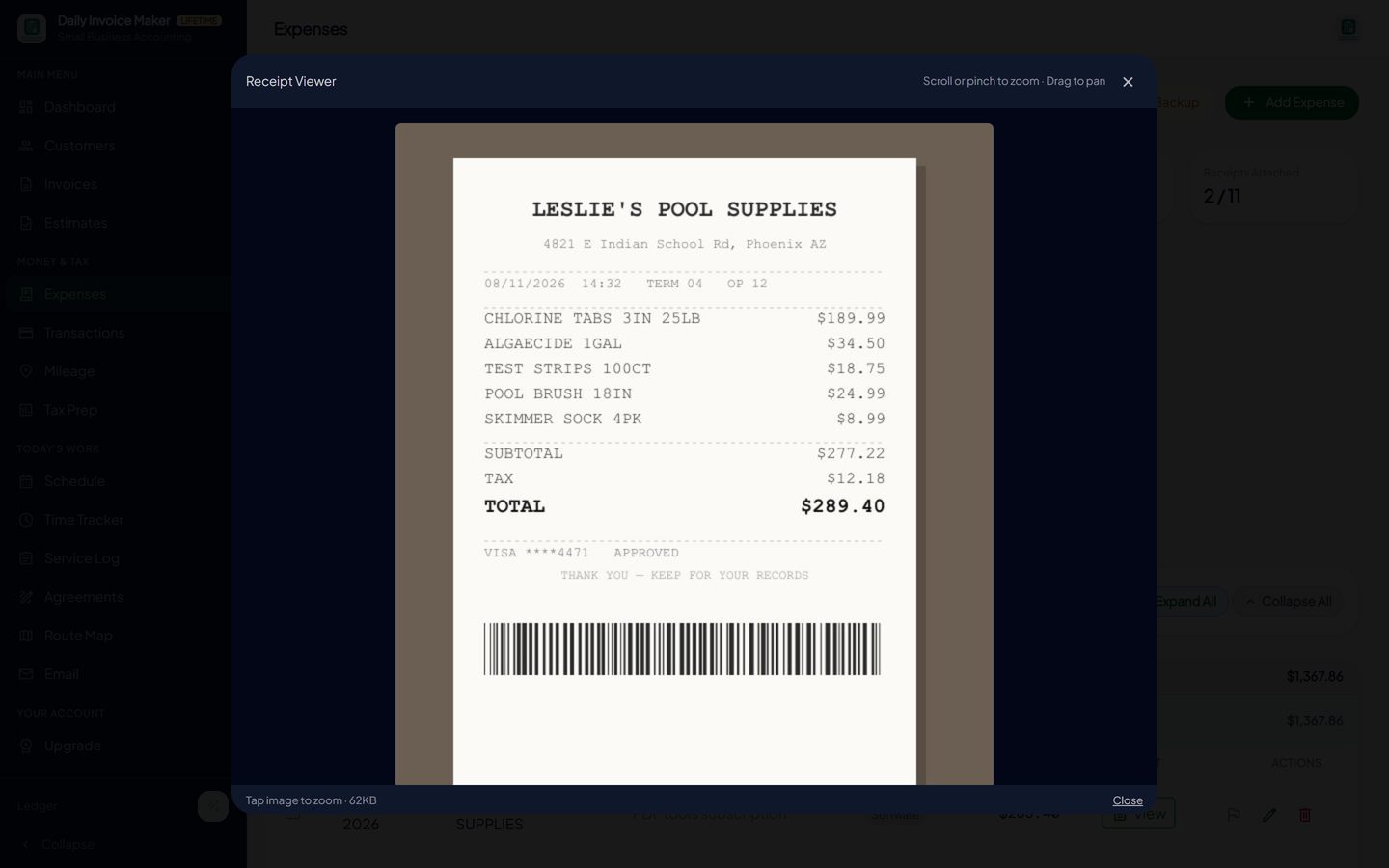
The receipt image is stored with the expense record. The scanner reads the vendor, date and total and proposes a category. -
See the year's spending by category as it builds
The Expenses screen shows this week, this month and year-to-date, a chart of spending over time, and the list itself with the category and receipt on every row. Anything without a receipt is visible at a glance, which is the moment to find it, not next April.
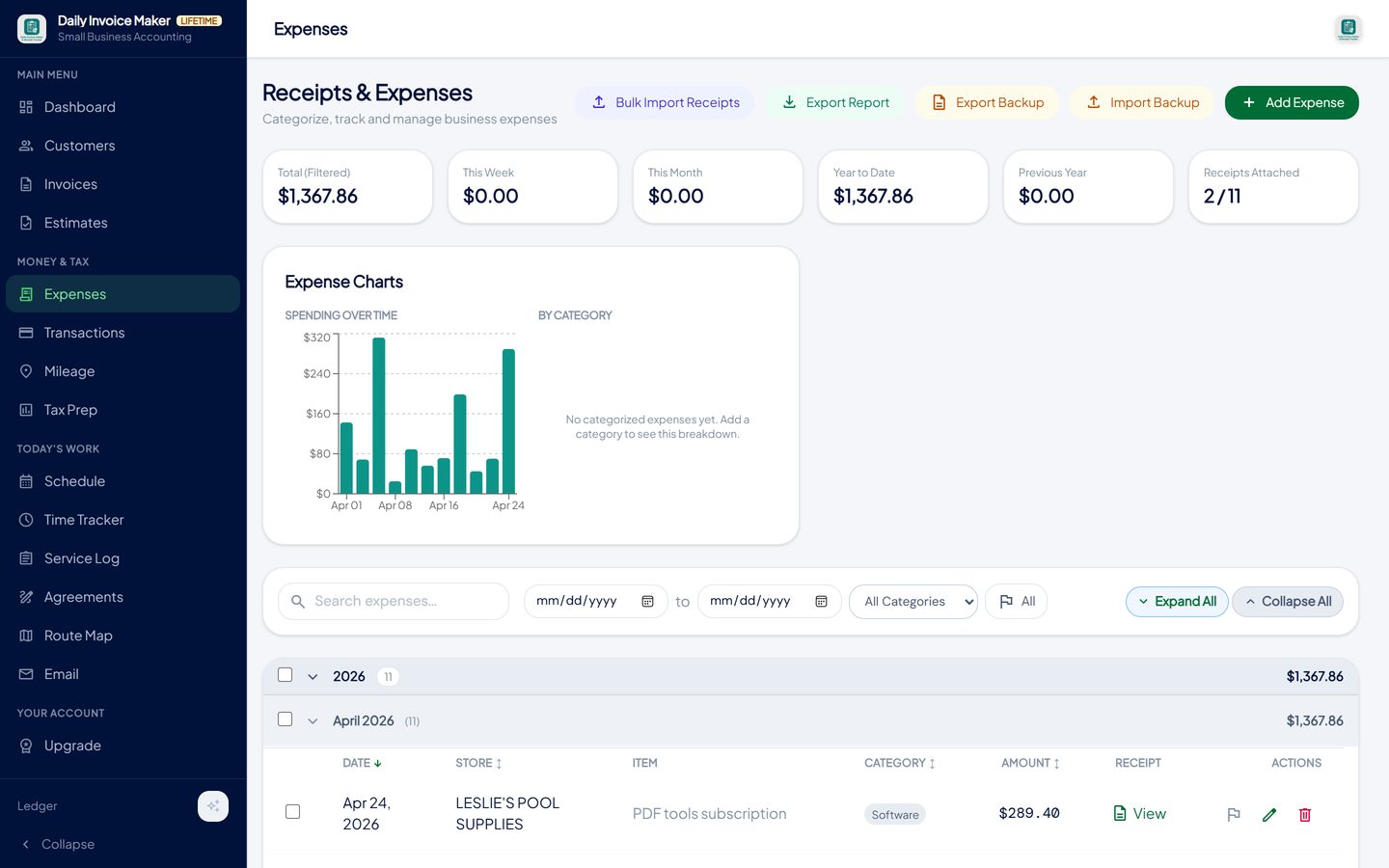
Receipts & Expenses: totals, a spending chart, and every expense with its category, amount and attached receipt. -
Import the card and bank statements to catch what you did not photograph
Import a Chase, Bank of America, Wells Fargo, Amex, Capital One, PayPal, Venmo or Cash App statement (and a dozen others) and review the lines in one pass: income, taxable expense or non-taxable, with a category and a business on each. This is where the processor fees, subscriptions and licence renewals turn up, because they left a line on the statement even if nobody kept a receipt.
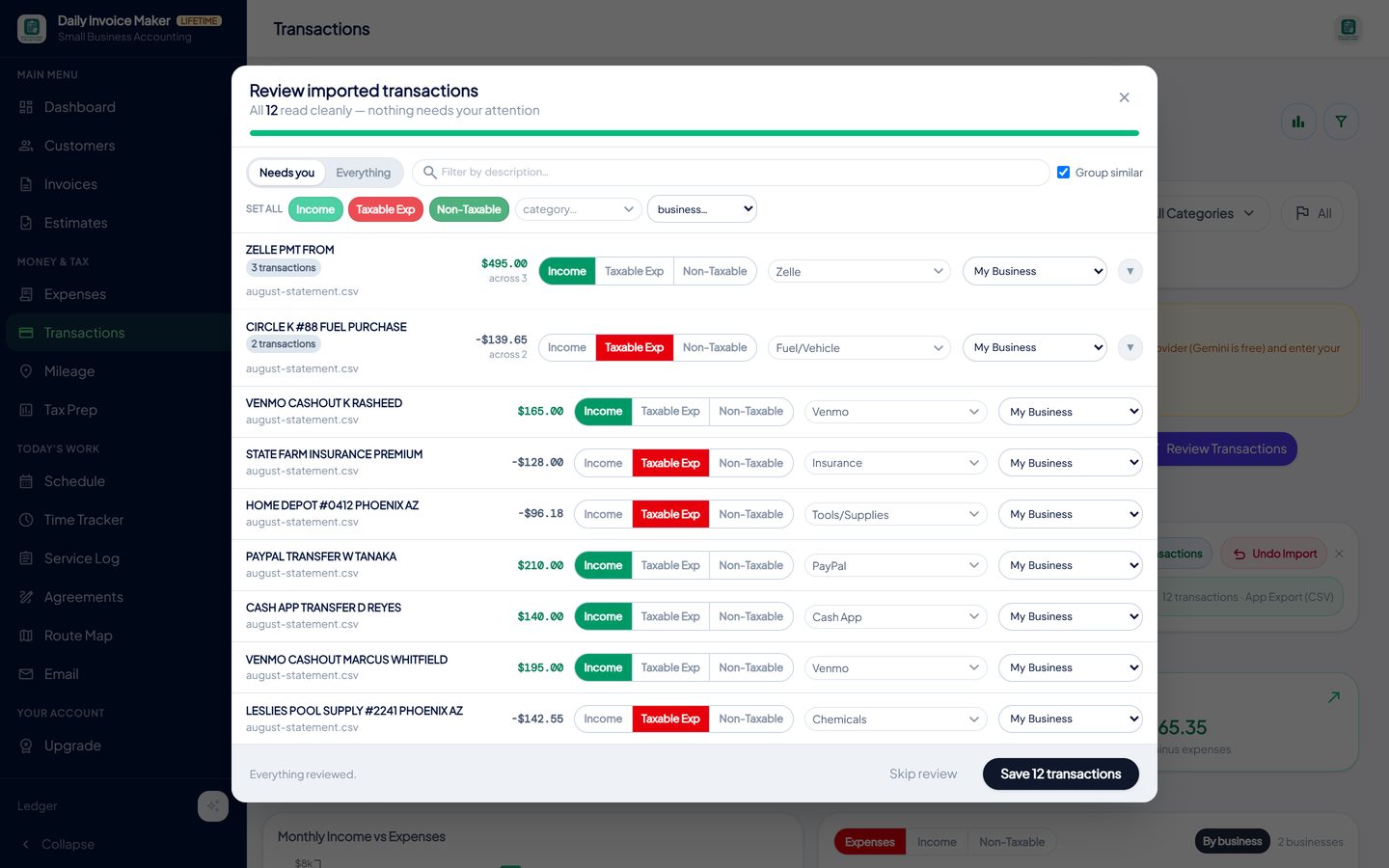
Each imported line gets a type, a category and a business. Personal lines are marked non-taxable and never reach the return. -
Let the app find expenses recorded twice
When a photographed receipt and an imported statement line describe the same purchase, Tax Prep lists the pairs with the amount at stake and offers to exclude the imported copies from the report and every export. The receipt wins because it carries your category and the image that proves the deduction.
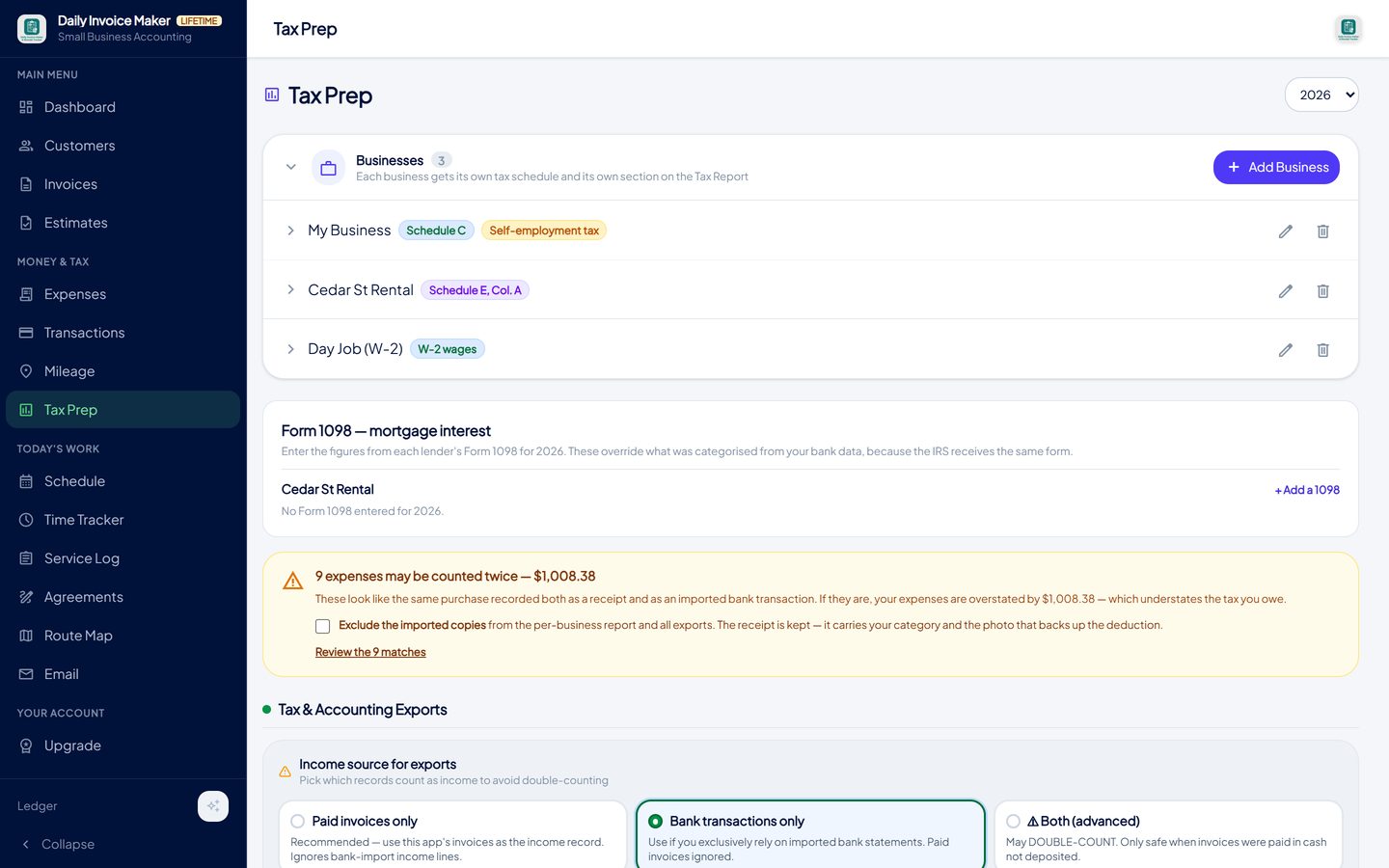
Nine receipts matched nine imported bank lines. One checkbox excludes the copies; the receipts are kept because they carry the photo. -
Keep the mileage log where the rest of the records live
Tap Start trip and photograph the odometer, or enter miles by hand. Every entry has a date, distance and purpose, the app totals the year at the current IRS rate, and the figure flows into the Schedule C report with everything else. No separate notebook to lose.
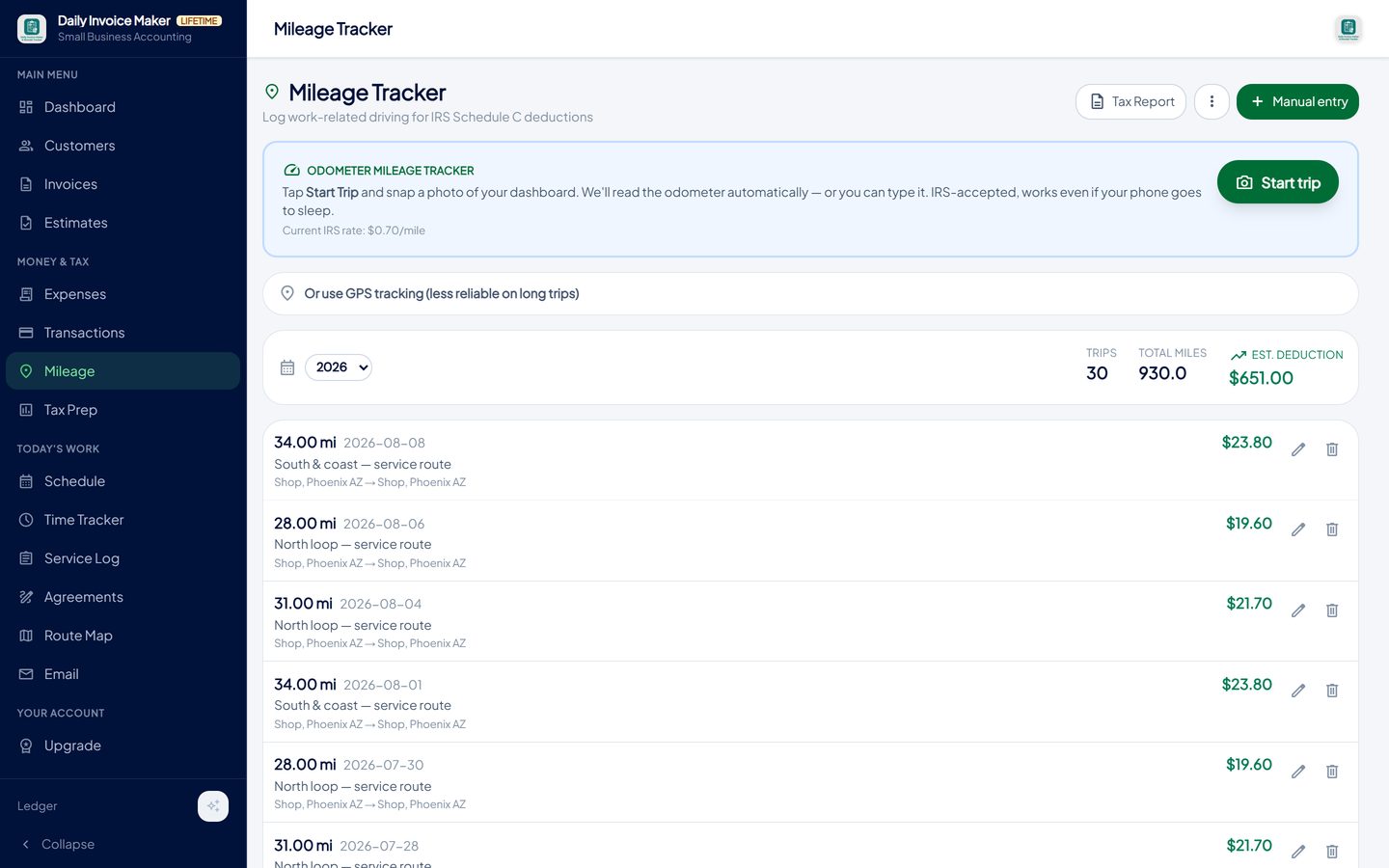
Each trip carries the date, distance and route; the deduction is totalled at the current standard rate. -
Hand over the year in Schedule C categories
At year end, export a Schedule C summary PDF for your accountant or a TurboTax import file, with a verification sheet listing anything that needs a human decision, such as a bare "Mortgage" category that must be split into interest and principal before it is deducted. The report already excludes the duplicates you resolved and the personal lines you marked.
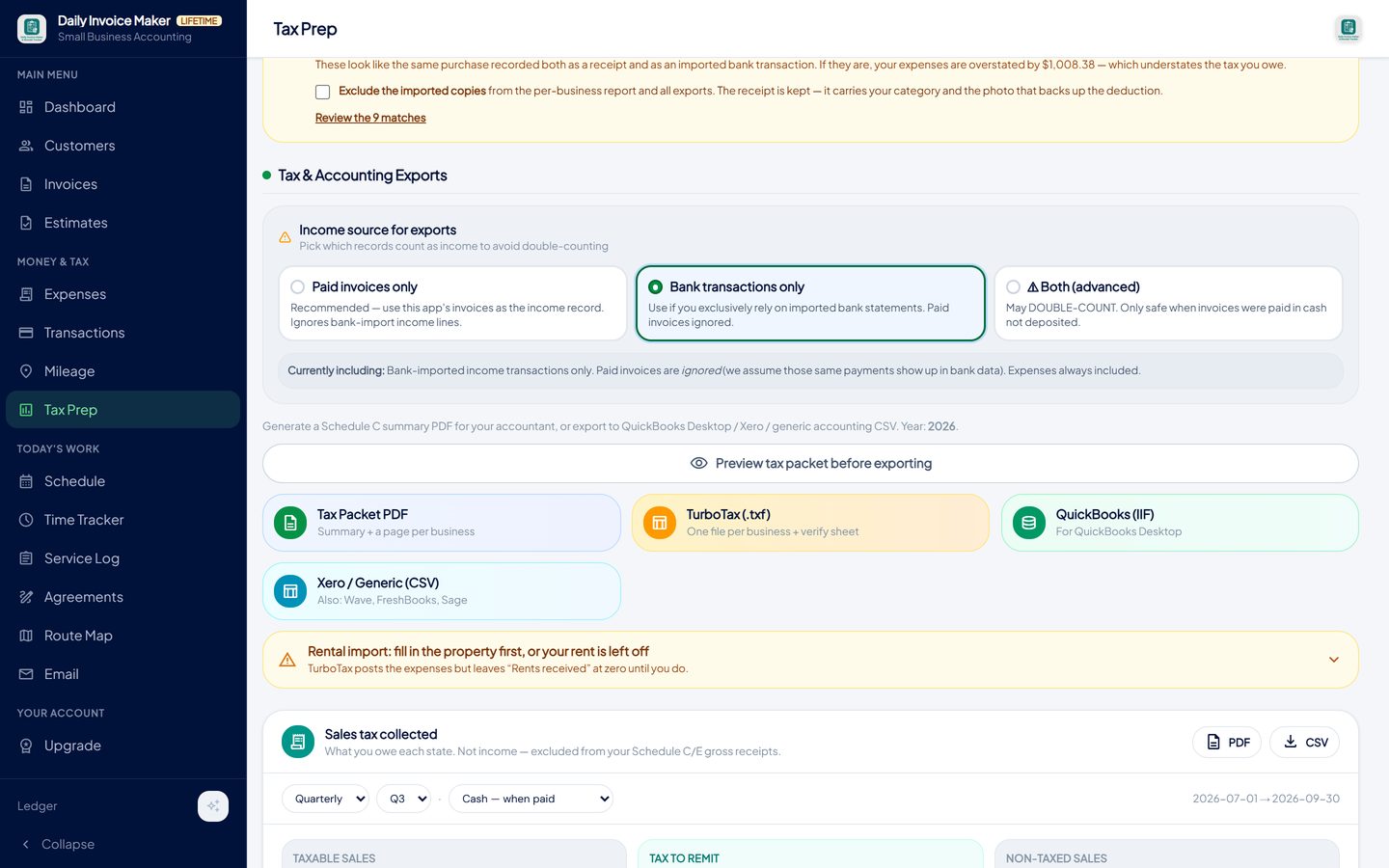
The Tax Packet PDF lays the deductions out by Schedule C line; the TurboTax file imports them directly.
What else is in the app
AI receipt scanner
Reads merchant, date and total from a photo and keeps the image with the expense.
Statement import, 16 formats
Banks, cards, PayPal, Venmo, Cash App, Stripe, Square and OFX, reviewed in one pass.
Duplicate finder
Matches receipts to imported statement lines so an expense is never deducted twice.
Mileage tracker
Odometer-photo or manual trips, totalled at the IRS standard rate.
Books per business
Schedule C, Schedule E and W-2 books reported separately, never merged.
Local and offline
Your records stay on your own devices. Windows, Mac, Linux and Android, with Google Drive sync included.
Try it on your own books
The free demo is the full app for your first 7 invoices, 7 customers and 7 expenses — no account, no card. It runs 100% offline on Windows, Mac and Linux: $149.99 once, or $5.99 a month if you would rather not commit. The Android app is a separate Google Play purchase.
Questions
Can I deduct my truck payment?
Not the payment itself. If you use actual expenses you deduct the business share of the interest, depreciation, fuel, insurance and repairs; if you use standard mileage, the rate covers all of it and you deduct nothing else except parking and tolls. Loan principal is never deductible.
Do I really need a mileage log if I use the standard rate?
Yes. The rate replaces the receipts, not the log. The IRS wants the date, miles, destination and business purpose of each trip, recorded at or near the time. A year-end estimate is the most commonly disallowed deduction on a Schedule C.
How much of my phone bill can I deduct?
The business-use percentage, estimated honestly and applied consistently. If half your calls and data are for the business, half the bill is deductible. Keep the bills and note the percentage you used.
What is the de minimis safe harbour?
An election that lets you expense items costing up to $2,500 each in the year you buy them instead of depreciating them. Most tools and equipment for a service business fall under it. Larger purchases can still be expensed in full under Section 179 within its limits.
Is my home office deductible if I also work at customers' sites?
Often, yes. If the office is used regularly and exclusively for the business and it is where you do the administrative work, it can qualify even though the actual jobs happen elsewhere. The simplified method is $5 per square foot up to 300 square feet.
Does the app decide what is deductible?
No. It records, categorises and totals; the decision about a borderline expense is yours or your preparer's. It does flag the common traps, such as a whole mortgage payment sitting in a deductible category, and it keeps the evidence that lets a professional answer the question quickly.
Where is my data stored?
On your own computer or phone. Nothing is sent to our servers. Google Drive sync, which is included with the paid plans, copies your data to your own Drive account so your other devices can use it.
The short version
Every deduction on the list above is ordinary for a service business and every one of them is lost the same way: no receipt, no log, no percentage, at the moment someone asks. Track at the point of purchase, import the statements, resolve the duplicates, log the miles, and the deductions are simply there. Daily Invoice Maker's free demo lets you try that workflow on your own receipts.
Related guides

Receipt Scanner Guide
How a receipt scanner should work for a small business: capture at the counter, read the merchant, date and total automatically, categorise for Schedule C, keep the…

Schedule C Tracker
What Schedule C asks for, line by line, and how to keep a running record of income, expenses and mileage all year so the form takes minutes, not a weekend.

Expense Tracker Guide
How to track business income and expenses so the numbers are right all year: categories that match the tax form, receipts attached, statements imported and…
How to track mileage between jobs for taxes · All guides · Quick how-to answers · Training guide for the app