Guides · Invoicing and billing
Contractor invoicing: quote it, schedule it, do it, bill it from the truck
A contractor's paperwork follows the job: the call, the quote, the yes, the day on site, the invoice, the payment, and, a year later, the tax return. Software built for offices handles the invoice and forgets the rest. Software built for contractors follows the whole sequence, mostly from a phone in a vehicle.
This guide walks that sequence and what each step needs from a field service and invoicing app. Then it shows the same sequence in Daily Invoice Maker with a fictional pool-service company.

The job sequence, and what software has to do at each step
| Step | What happens | What the app must do |
|---|---|---|
| The call | A customer describes a problem | Find or create the customer; see their history before you quote |
| The quote | You price the work | An estimate from a job template, parts and labour separate, terms and validity, sent by text the same day |
| The yes | The customer accepts | A signature, dated; for recurring work, a service agreement |
| The schedule | The job gets a day | A calendar with the customer's address; a route for the day |
| On site | The work is done | A service record with readings, materials and photos; time tracked; miles logged |
| The invoice | You bill it | The estimate converted, photos attached, sent from the driveway |
| The payment | Money arrives | Recorded against the invoice; overdue ones chased |
| Tax time | The year is filed | Invoices as income, receipts by category, mileage, exports |
Quoting: templates, parts and labour, and terms
Most of a trade's quotes are variations on a handful of jobs. Job templates with the usual lines, and a price list of parts and hourly rates, turn a quote into a two-minute task at the customer's kitchen table. For repair trades, keep parts and labour separate: parts as quantities at unit prices, labour as hours at a rate. When the invoice later differs from the quote, the customer can see the parts held and the hours moved.
The terms belong on the quote, not the invoice: deposit, validity, change orders ("work outside this scope is approved in writing before it begins"), and what is excluded. Written once as defaults, they appear on every quote and settle arguments before they start.
Service agreements for recurring work
Maintenance plans, weekly service, seasonal contracts: recurring work needs a document that states the service, the frequency, the price, the term and what happens when a visit is missed or a pump fails. An e-signed service agreement, with an audit log of who signed and when, is that document. It also feeds billing: a customer on an agreement has a monthly rate, and the invoices generate themselves.
Scheduling and the day's route
Field service management starts with the calendar: one-off visits on their dates, recurring customers on their weekly slot, each with the customer's address. From there the day is a route, ordered so the truck is not crossing town twice, and the mileage between stops is the deductible driving. The schedule should live in the same app as the customers and invoices, so a visit becomes a service record, and the record becomes an invoice, without retyping the customer.
On site: the service record and the photos
The service log is the contractor's evidence. For each visit: what was done, the readings taken (chemistry for a pool, pressures for HVAC, meter readings for anything), the materials used, and photos before and after. It is what answers "you were here last month and it's broken again", it is what makes the next technician's visit faster, and it is what the customer sees on the invoice when the photos are attached.
Two things make a service record usable rather than merely stored: a follow-up flag that can be marked done rather than deleted, so the fact of the follow-up survives; and the ability to send the visit's photos straight to the invoice or estimate.
Invoicing from the truck
The invoice sent from the driveway, before the customer has moved on, is paid faster than the one sent on Friday. That means the app must create the invoice on a phone, offline, from the accepted estimate, attach the visit's photos, and send it by text, WhatsApp or email with the ways to pay printed on it. Then the status: sent, paid, partial, overdue, set by the action rather than by remembering to update a list.
The tax year, from the same records
Because the app followed the job, the tax year is already recorded: paid invoices are gross receipts, the parts and materials bought for jobs are categorised expenses with receipts, the driving between stops is the mileage deduction, and sales tax charged on the invoices is totalled by state. A contractor invoicing app that stops at the invoice leaves the year to be rebuilt in April; one that carries receipts, mileage and the tax export finishes the sequence.
Step by step
How Daily Invoice Maker handles it
Daily Invoice Maker follows the sequence above on Windows, Mac, Linux and Android, with the data on your own devices and offline in the field. Here is a job from the quote to the tax export, with a fictional pool-service company.
-
Quote the job from a template
Start from a job type, insert parts and labour rates from the price list, set the terms and validity, and send by email, SMS or WhatsApp. The customer signs on your phone; the accepted estimate is the authorisation to start.
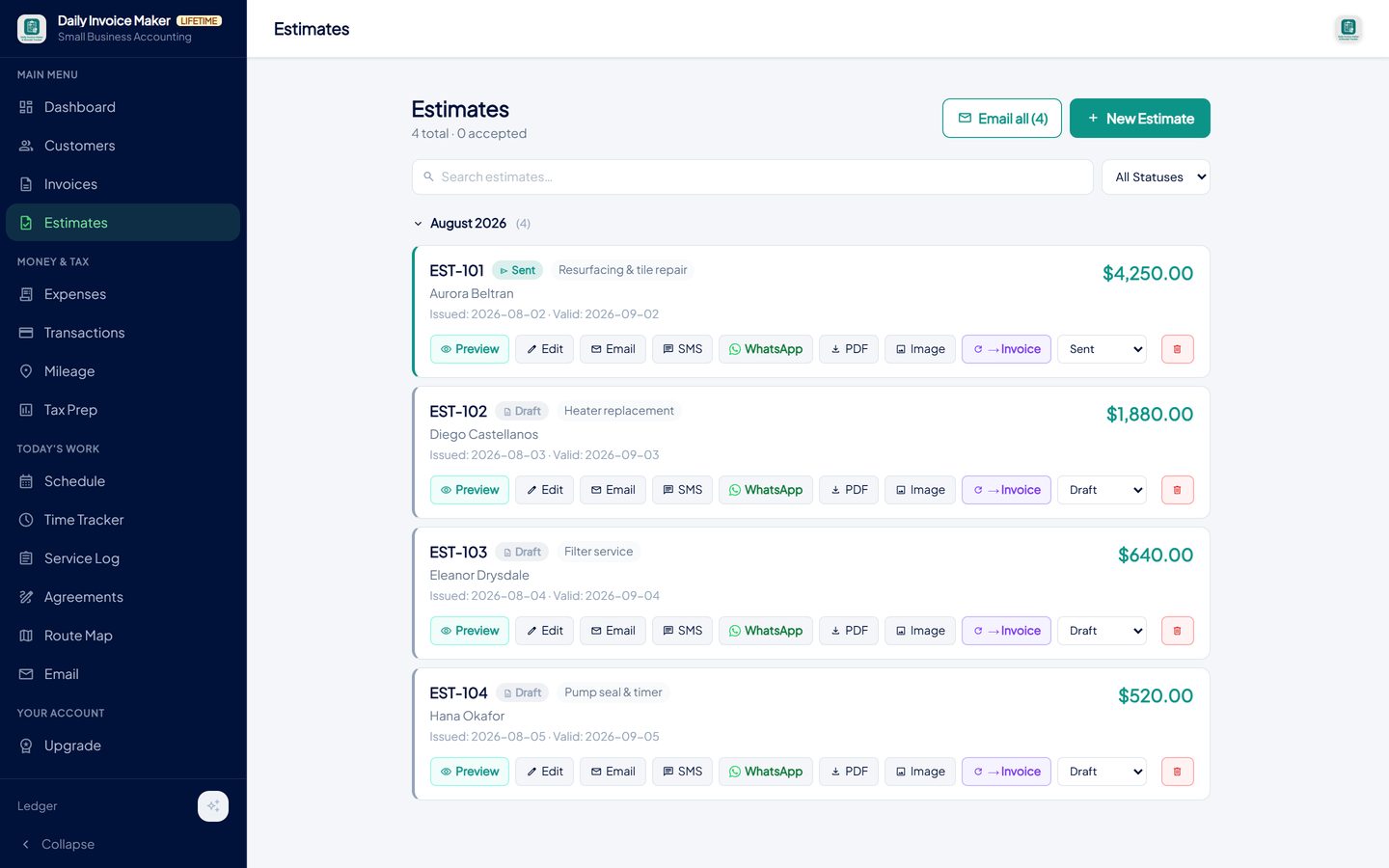
Estimates with job type, status and one-click Email, SMS, WhatsApp, PDF and Convert-to-invoice actions. -
Put recurring customers on a service agreement
Draft an agreement from a trade template or let the AI write it from a description, send it for e-signature, and keep the audit log. Once signed, the customer's monthly rate drives recurring invoices without further typing.
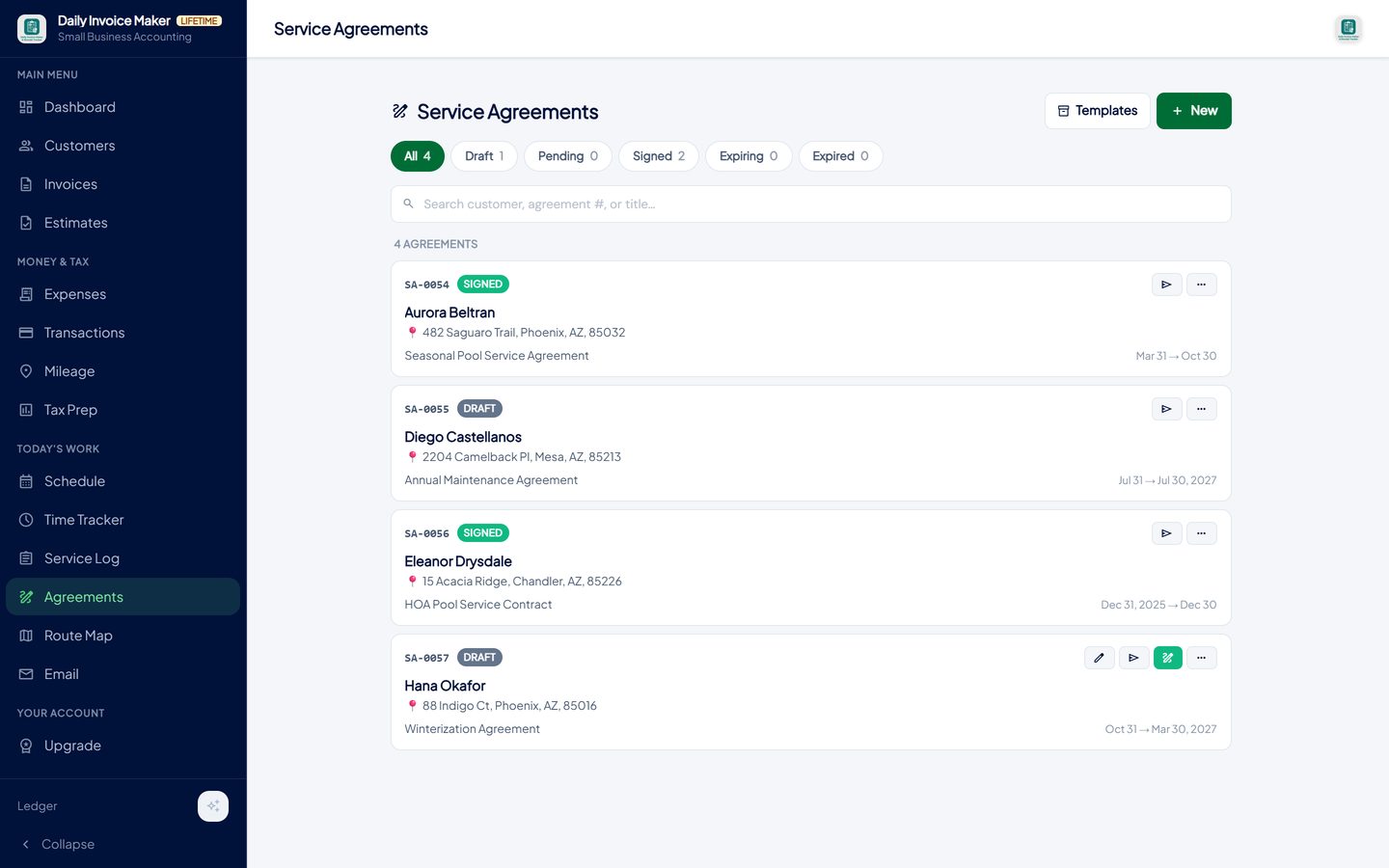
Agreements drafted from a template or with AI, e-signed, with an audit log; a signed agreement sets the customer's monthly rate. -
Schedule the visit and plan the route
The schedule holds one-off visits and the weekly route, with the customer's address on each stop. The Route Map orders the day's stops, and each visit is the starting point for the service record and the invoice, so the customer is never retyped.
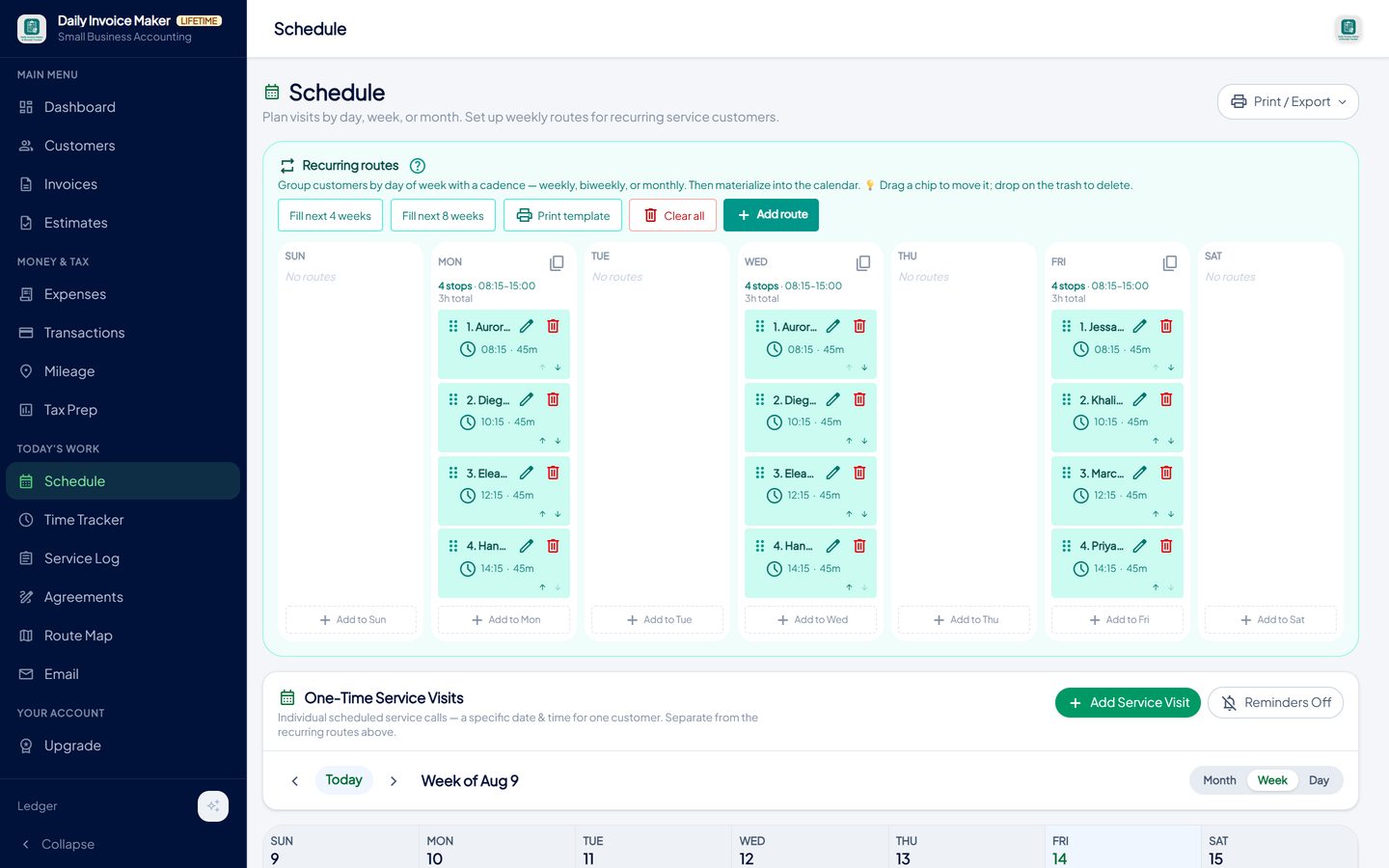
One-off visits on their dates and recurring customers on their weekly slot, in day, week and month views. -
Record the visit with readings and photos
Log the visit on site: what was done, readings, materials used, and before-and-after photos. A follow-up flag stays on the record until you mark it done, and the photos can be sent straight to the invoice or the next estimate. Hours can be tracked against the job with the time tracker.
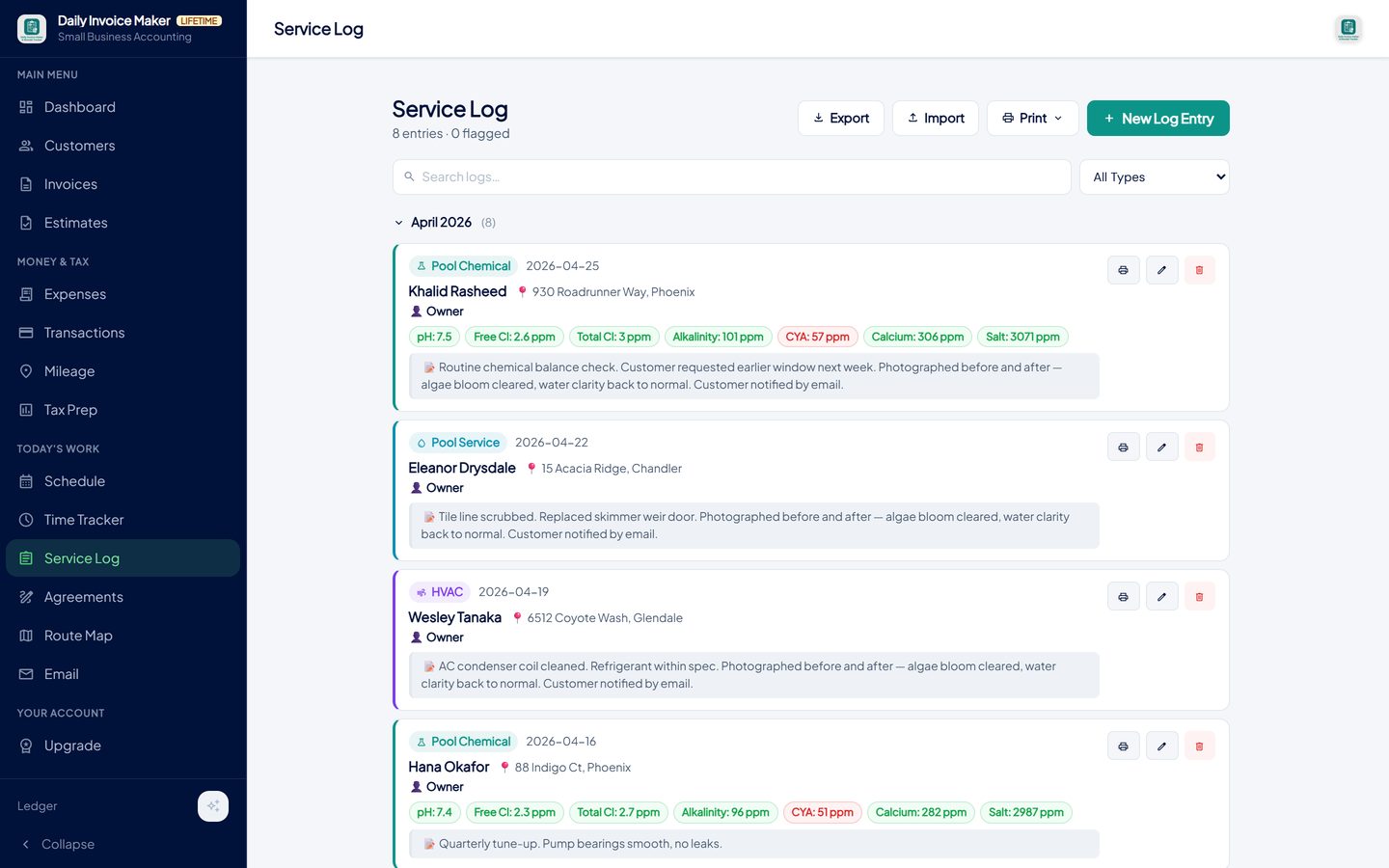
Each visit: what was done, readings, materials, photos, and a follow-up flag that can be marked done. -
Invoice from the driveway, photos attached
Convert the accepted estimate, attach the visit's photos, and send by text, WhatsApp or email from the phone, offline if there is no signal and delivered when there is. Your payment details print on the invoice; when the money arrives, record it, in full or in part.
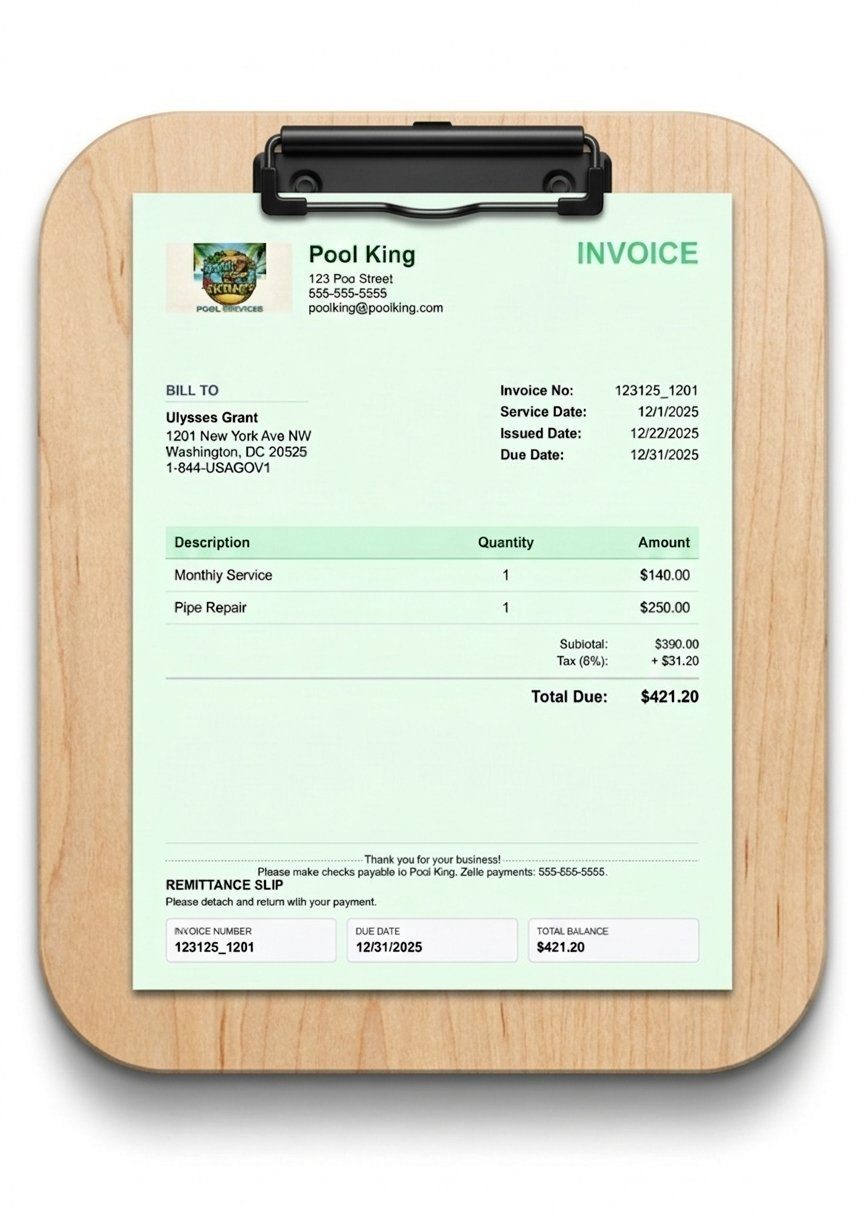
The converted estimate with the visit's photos attached and payment details printed, sent by text or email before you leave. -
Log the miles and finish the year
Each day's driving is logged with an odometer photo or by hand and totalled at the IRS rate. At year end, Tax Prep combines paid invoices, categorised receipts, mileage and sales tax into a Schedule C summary for your accountant or a TurboTax import file. The job sequence ends with the return written, not with a shoebox.
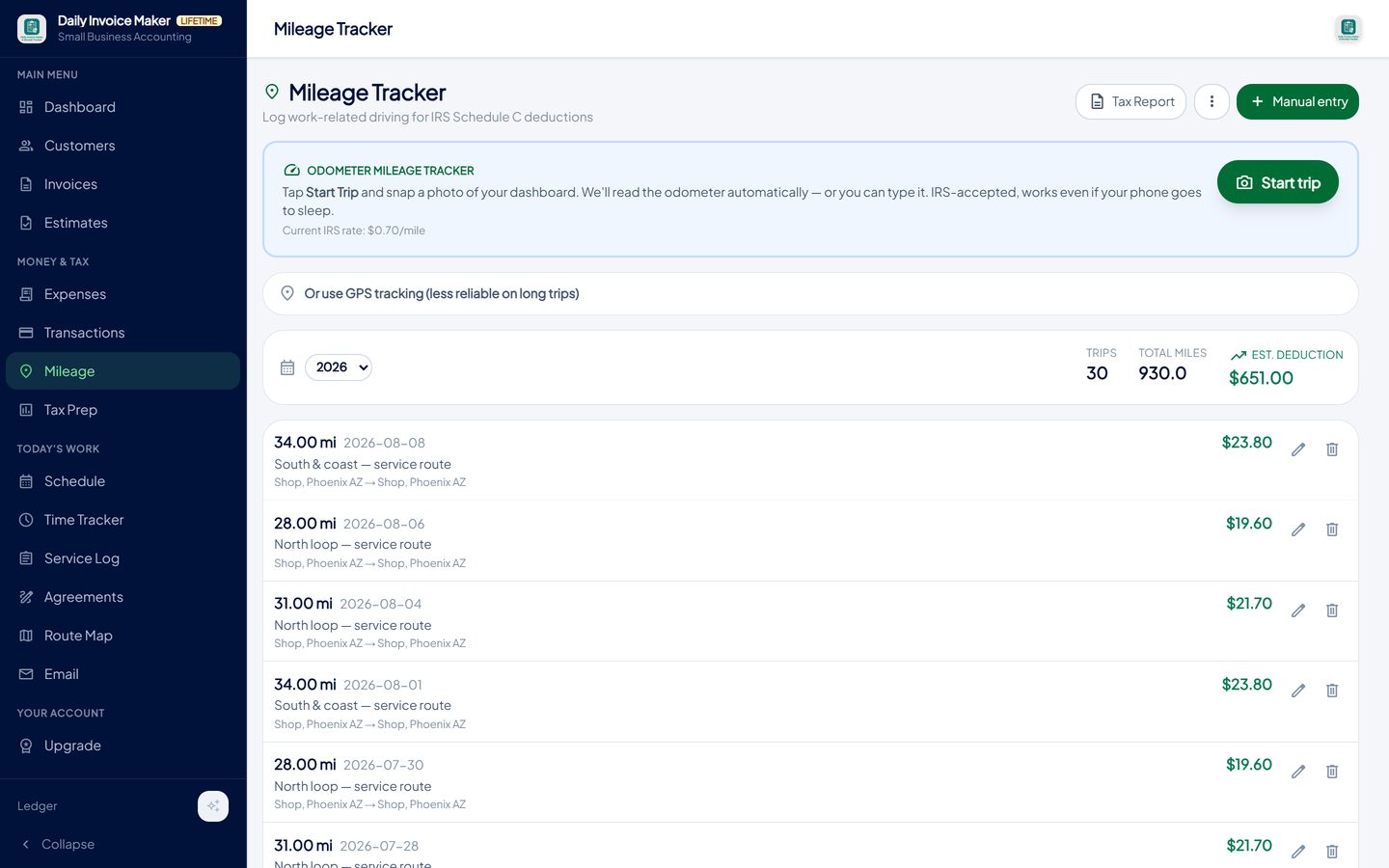
Trips logged by odometer photo or by hand, totalled at the IRS rate and included in the Schedule C figures.
What else is in the app
Estimates with parts and labour
Job templates, a price list, sections with subtotals, signature on screen, one-click conversion.
Service agreements
Template or AI-drafted, e-signed, audit-logged; sets the recurring rate.
Schedule and route map
One-off and weekly visits, day/week/month views, the day's stops in order.
Service log and time tracker
Readings, materials, photos, follow-up flags; hours against the job.
Invoices on site, offline
From the estimate, with photos, sent by text or email; partial payments and overdue tracking.
Mileage, receipts and tax
Odometer-photo trips, receipt scanner, statement import, Schedule C and TurboTax export.
Try it on your own books
The free demo is the full app for your first 7 invoices, 7 customers and 7 expenses — no account, no card. It runs 100% offline on Windows, Mac and Linux: $149.99 once, or $5.99 a month if you would rather not commit. The Android app is a separate Google Play purchase.
Questions
Does it work in the field without a signal?
Yes. Estimates, service records, photos and invoices are created and stored on the phone; sending happens when a connection is available. Nothing waits on a server.
Can the customer sign on my phone?
Yes, on estimates and on service agreements. The signature and date are stored with the document and printed on the PDF.
Is there a trade-specific version?
Job types and categories are set up for your trade at first run, and optional template packs add ready-made job templates and service agreements for pool, lawn care, HVAC, plumbing, cleaning, handyman and auto-repair businesses.
Can I bill all my route customers at once?
Yes. Customers on a monthly rate are invoiced on schedule, and bulk creation bills a chosen set of customers with the same line items in one action, each as a separate invoice.
What about several technicians?
The app is built for owner-operators and small crews sharing one set of books. Each device runs the full app and Google Drive sync keeps them in step through your own Drive; it is not a dispatch system with per-technician logins.
What does it cost?
The desktop app is $149.99 once or $5.99 a month; the Android app is bought through Google Play. Google Drive sync is included with every paid plan. The free demo is the full app with a seven-invoice limit.
The short version
Contractor software should follow the job: quote, agreement, schedule, service record, invoice, payment, tax. Each step should hand the next one the customer, the lines and the photos so nothing is retyped and the invoice goes out from the driveway. Daily Invoice Maker's free demo covers the whole sequence; run your next job through it before deciding.
Related guides

Estimate Maker Guide
How to write a job estimate a customer can say yes to: scope, line items, terms, validity and signature.

Billing Software Guide
How monthly billing should work for a service route: recurring invoices, billing many customers at once, tracking paid, partial and overdue, and chasing without the…
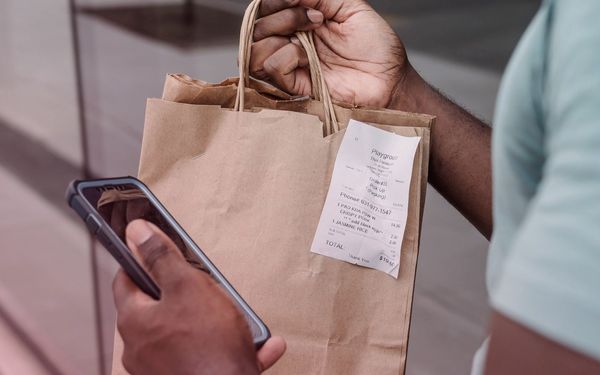
Receipt Scanner Guide
How a receipt scanner should work for a small business: capture at the counter, read the merchant, date and total automatically, categorise for Schedule C, keep the…
Handyman invoice software · How to create a service agreement signed on site · Free contractor invoice template · All guides · Quick how-to answers · Training guide for the app